GMC-I Gossen-Metrawatt GmbH 43
GB
22 Data Transmission via RS232 Interface
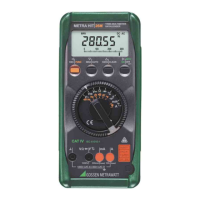
The multimeter is equipped with an infrared interface for
the transmission of measurement data to the PC. Mea-
surement values are optically transmitted via infrared light
through the housing to an interface adapter, which is
plugged into the multimeter. The RS232 interface at the
adapter (accessory) allows for connection to the PC. The
measurement data are transmitted to the PC with an inter-
face cable.
Furthermore, commands and parameters can be uploaded
from the PC to the multimeter. For example:
• Select and read our measuring parameters
• Select measuring function and range
• Start measurement
• Read out measurement values
22.1 Activating the Interface
The interface is manually activated for data transmission as
described below. This operating mode provides for contin-
uous uploading of measurement data from the instrument
to the PC via the interface adapter.
The interface is activated automatically for the receipt of
data (downloading from the PC to the instrument) as soon
as transmission is started at the PC (except for METRA HIT
22S).
Starting Transmission Mode Operation via Menu Functions
SEt SEnd ↵ OFF on ↵
Starting Transmission Mode Operation via Shortcut
➭ With the instrument switched off, press and hold the
DATA|CLEAR key and then activate the ON key.
The blinking symbol at the display indicates that the
interface has been activated.
Note!
☞
The “onlin(e)” operating mode must be selected for
transmission via the SI232 interface adapter (not
StorE). Other adapters are automatically activated
as soon as an event occurs.
Automatic Activation and Deactivation in the Transmission Mode
If a sampling rate of 10 s or greater has been selected, the
display is automatically deactivated between samples in
order to extend battery service life.
The following exceptions apply:
Events counting mode, stopwatch mode and continuous
operation.


 To Next Page
 Loading...