18 19
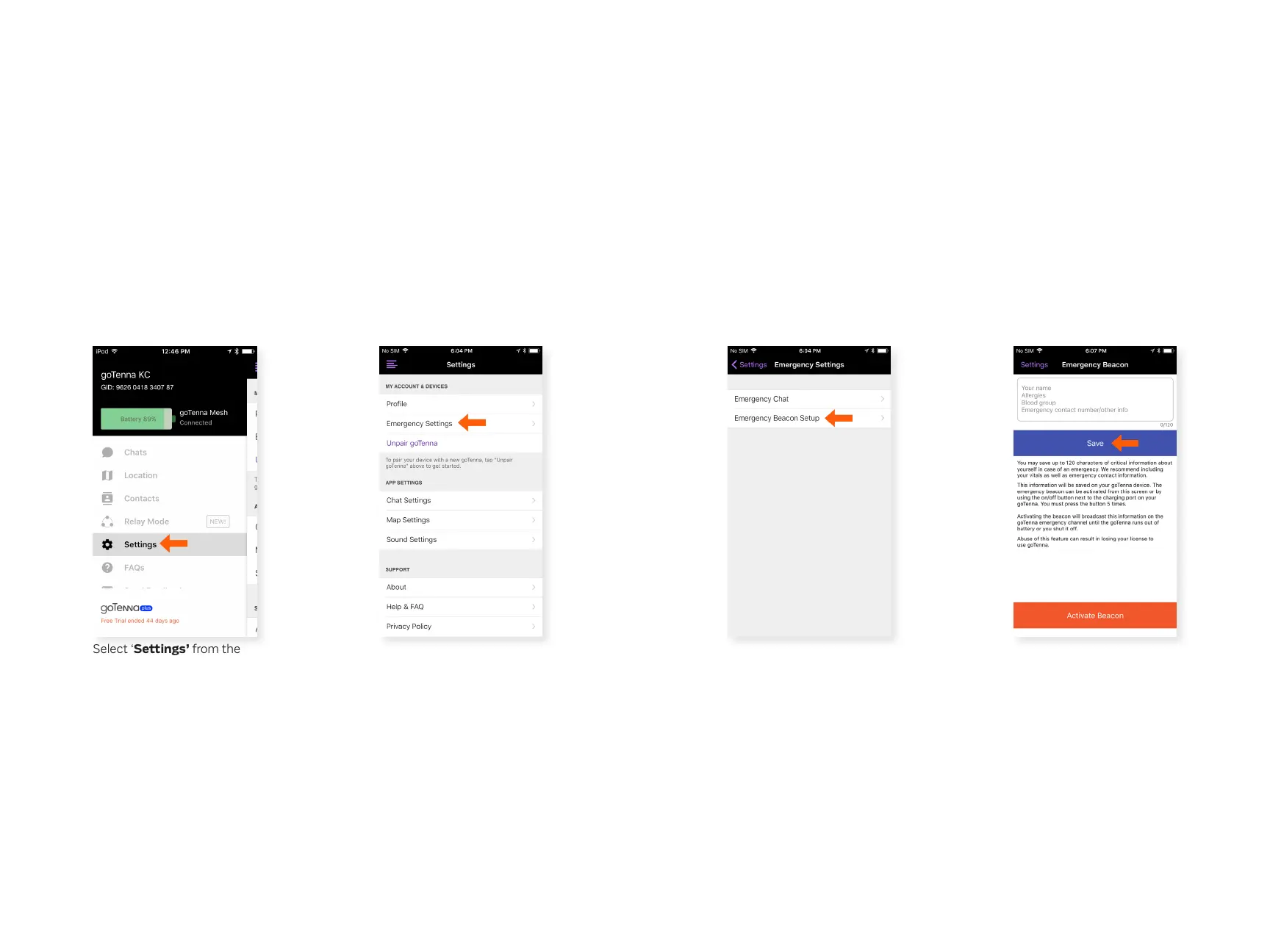
Send an Emergency Beacon
The ‘Push for help’ Emergency Beacon system allows you
to broadcast a custom Emergency Beacon along with your
location and critical info to all goTenna Mesh users within range
(emergency messages always travel 6 hops!). Tapping the
power button on your device 5 times allows you to broadcast
your Emergency Beacon. You can customize the message in
settings. Only use Emergency Beacon during emergencies.
Step 2
Step 3 Step 4
From the Settings menu,
select ‘Emergency
Settings’.
Select ‘Emergency Beacon
Setup’.
Type your info and select
‘Save’.
Step 1
Select ‘Settings’ from the
side menu.
Emergency Beacon



 To Next Page