22 23
Step 2
Step 3
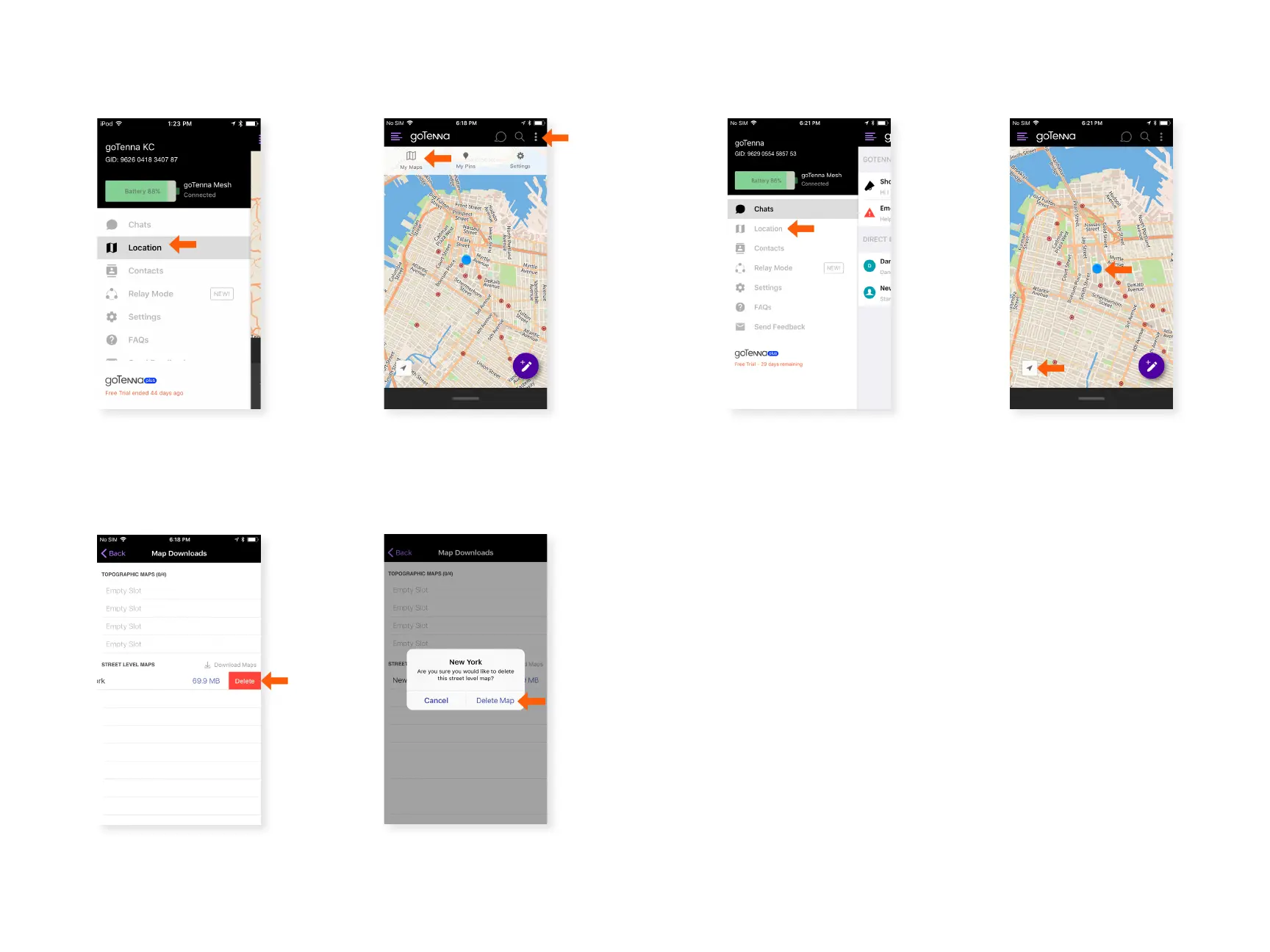
Delete a Downloaded Map:
Select the three dot icon in the
upper right corner, then select
‘My Maps’.
Under Street Level Maps,
swipe le on the map you
would like to delete and
select ‘Delete’.
Step 1
Select ‘Location’ from the
side menu.
Step 4
Select ‘Delete Map’.
Find your Location:
Step 1 Step 2
Select ‘Location’ from the
side menu.
Tap the arrow icon in the
lower le corner of
the map. Your location will
be displayed by a blue
dot.



 To Next Page