38 39
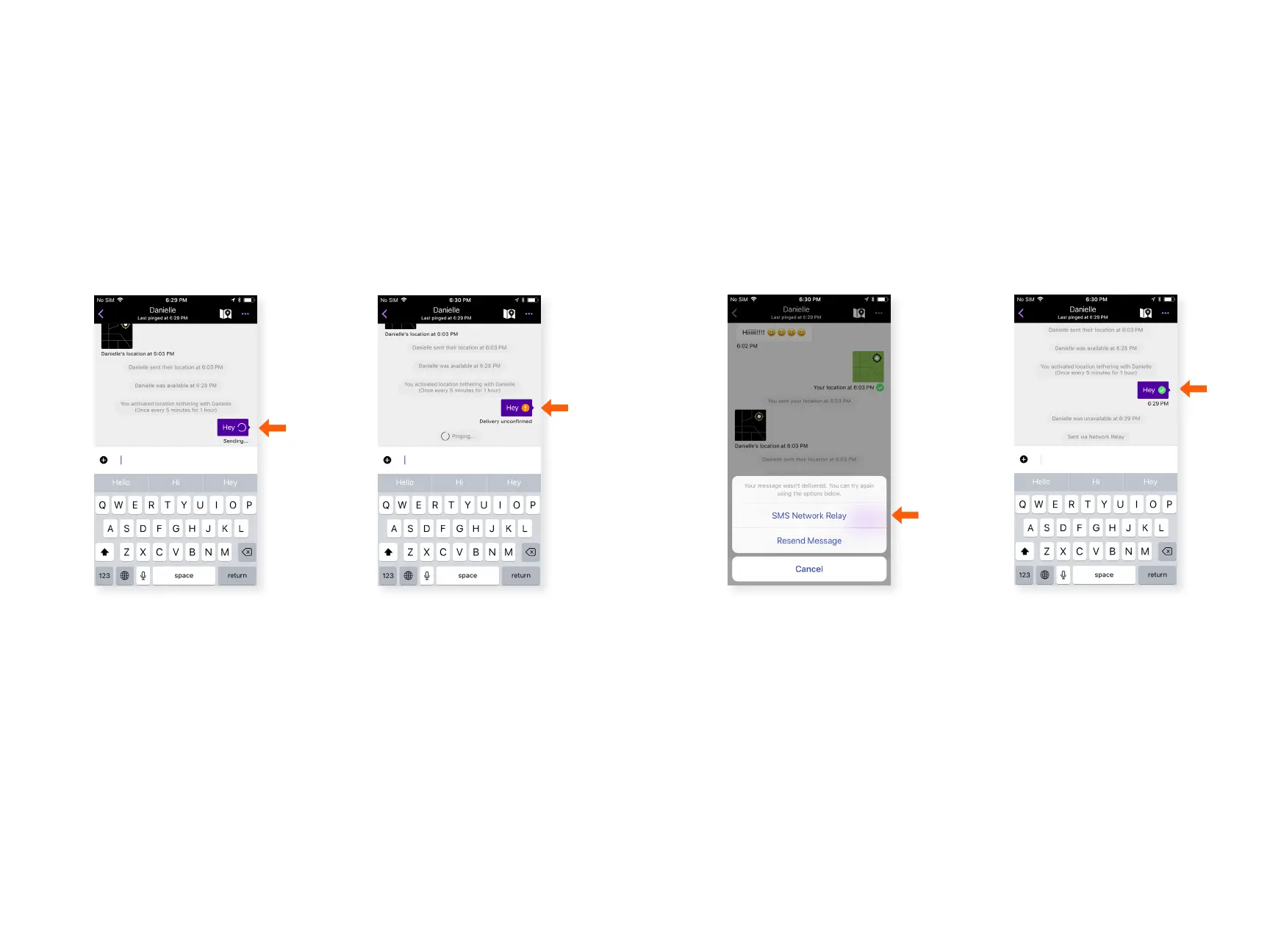
SMS Network Relay
SMS Network Relay enables users to send messages to other
users that are not within range or using goTenna Mesh by
utilizing another goTenna Mesh user’s internet connection to
send out SMS messages. Messages sent out via SMS Network
Relay will show conrmation with a green check mark and will
appear in the user’s text messaging application.
Step 1 Step 2
Open a chat message and
send a message.
When the message is
marked as ‘Delivery
unconrmed’, select the
orange exclamation point.
Send a Message via SMS Network Relay:
Step 3 Step 4
Select ‘SMS Network
Relay’.
Your message will be
sent via SMS. You’ll see a
green check mark when
the message is conrmed
as sent. If delivery
cannot be conrmed,
you’ll see ‘Delivery
unconrmed’.



 To Next Page