12 13
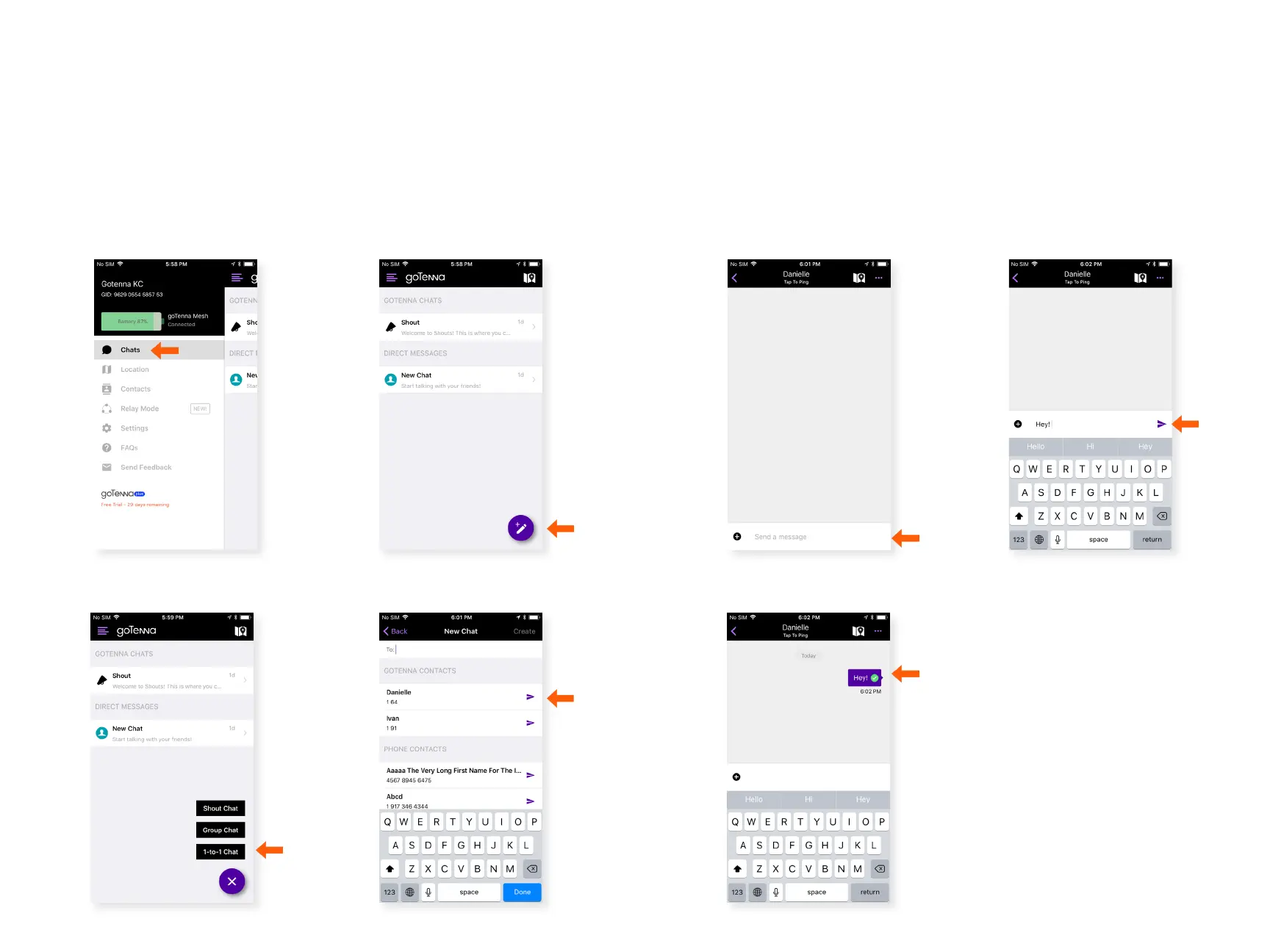
1-to-1 Chat
A 1-to-1 Chat is a private, encrypted message between you and
another goTenna Mesh user. They are automatically meshed
via other goTenna Mesh devices if the person you are trying to
reach is not directly within range.
Step 1 Step 2
Select ‘Chats’ from the side
menu.
Choose an existing chat or
create a new chat.
Step 3 Step 4
Select ‘1-to-1 Chat’. Select the intended recipient.
Step 7
Step 5 Step 6
Type your message.
Select the send button.
A green check mark shows it
was successfully delivered.
Chat



 To Next Page