6 7
Android
iPhone
Onboarding & Initial Setup
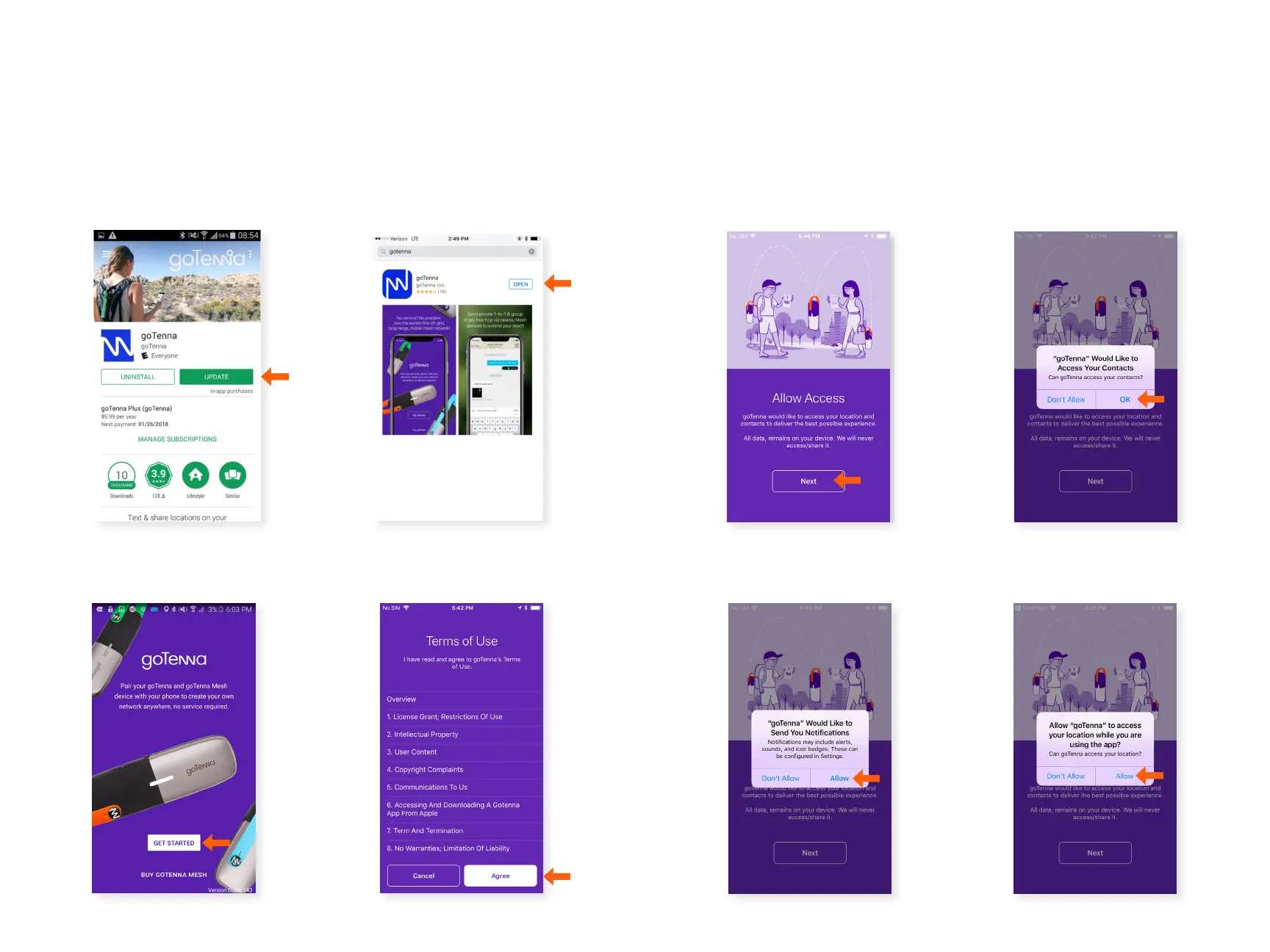
To use the goTenna app,
you’ll need to select
‘Agree’ to the Terms of Use.
Step 1 Step 2
Step 3 Step 4
Select ‘OK’ for goTenna to
access your contacts.
Select ‘Next’ to allow
location & contact access.
Select ‘Allow’ to allow
goTenna to send you
notications.
Step 5 Step 6
Select ‘Allow’ to allow
goTenna to access your
location.
You can download the goTenna app through the Apple App
Store or the Google Play Store. Access to WiFi or 4G-LTE is
required to download the app. The rst time you open the
goTenna app, you’ll be prompted to create a goTenna account
and pair your goTenna Mesh device.
Select ‘Get Started’.
If you have an Android device,
you can download the app in
the Google Play Store.
If you have an iPhone, you
can download the app in the
Apple App Store.



 To Next Page