14 15
Group Chat
Group Chat is a private message shared between you and up to
9 additional contacts. Like 1-to-1 Chats, Group Chats are end-
to-end encrypted and mesh.
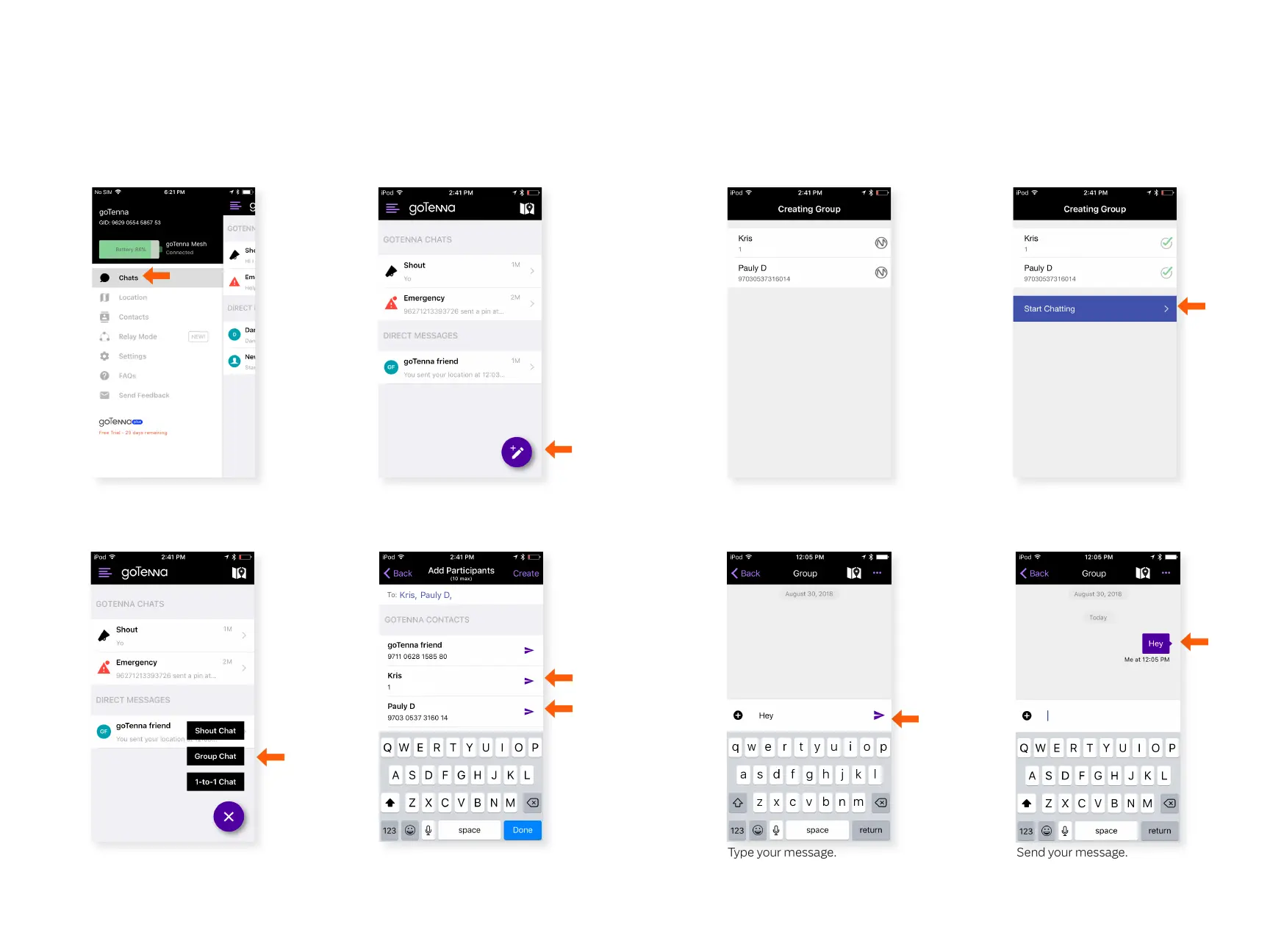
Step 1 Step 2
Step 3 Step 4
Step 5
Click the compose icon.
Select ‘Group Chat’. Choose the contacts you
want to include and select
‘Create’.
Group chat contacts
must be within range and
connected to a goTenna
Mesh.
Step 6
Step 7 Step 8
Select ‘Start Chatting’.
Type your message. Send your message.
Delivery conrmation is not
supported for Group Chats.
Select ‘Chats’ from the side
menu.



 To Next Page