深圳市中软赢科技术有限公司 版权所有 Shenzhen GPD Technology Co.Ltd All Rights Reserved
29 / 50
[Englis] GPD WIN Max 2 Q&A
Q1: How to adjust the TDP power consumption of equipment?
A1: Please use the "MotionAssistant" provided by the system, which contains several system optimization tools, as show
n in the right figure.
It can also be downloaded via the link below:
Chinese official website download link: http://softwincn.com/gpdwinmax2gjxz
English official website download link: https://gpd.hk/gpdwinmax2firmwareanddriver
Q2: How to turn the keyboard backlight on or off?
A2: The operation is very simple. The keyboard backlight can be enabl
ed by pressing the Fn + Space key combination. The keyboard backlig
ht is turned on by default and stays on, and the brightness is divided
into two levels. Therefore, assuming that the keyboard light is in the o
ff state, pressing the key combination three times in sequence means
the keyboard light is weak, the keyboard light is strong, and the keyboard light is off.
Notice:
The backlight of the keyboard will consume power, so it is recommended to turn it off during the day.
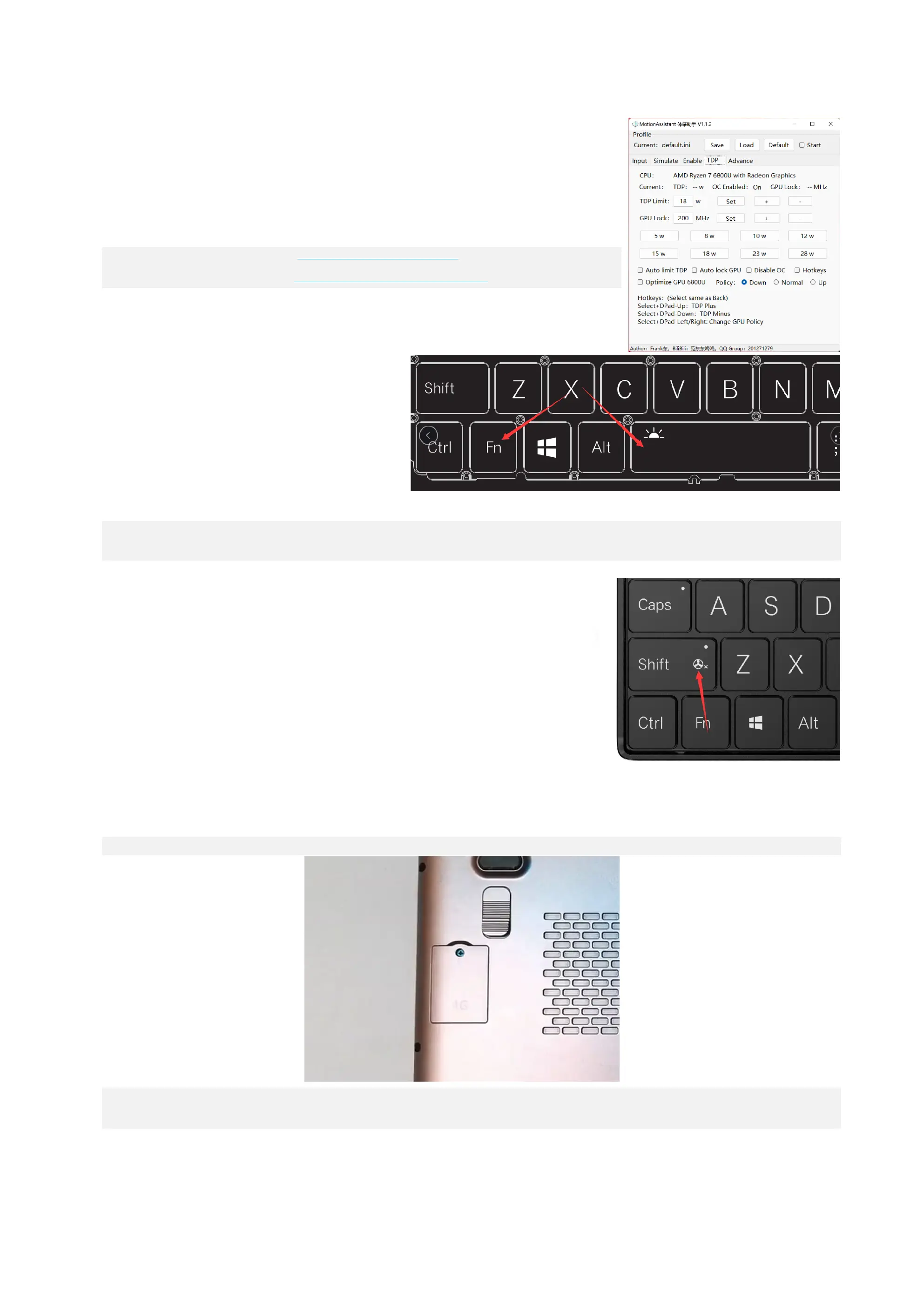
Q3: How to turn the fan on or off?
A3: WIN Max 2 cannot completely turn off the fan. When the indicator light is off, the fan will dynamically adjust the fa
n speed (performance mode) according to the core temperature. When pressing the key combination Fn+ left Shift, th
e indicator light will be on, and the fan is actually in low-speed rotation (silent mode).
Q4: How to uninstall and install Nano-SIM?
A4: When you choose the 4G LTE version of WIN Max 2, it means that you can insert the mobile phone card
into the built-in 4G LTE module to access the Internet through the mobile network, instead of being limited to using the Wi-Fi network. WIN Max 2 only supports N
ano-SIM cards, the installation method is very simple:
Step 1: Use a 2.5mm Phillips screwdriver to remove the screw on the 4G LTE module cover.
Step 2: Insert the Nano-SIM card according to the direction of the icon. Gently push it into the card slot with your finger until only a small part of the card is ex
posed, which indicates successful insertion, and the card will pop out when you press it again.



 To Next Page