深圳市中软赢科技术有限公司 版权所有 Shenzhen GPD Technology Co.Ltd All Rights Reserved
41 / 50
Step 4: Click the Switch icon on the camera interface to switch to the interface of the device to be controlled. At this point, the keyboard and mouse of the Pock
et 3 are only effective for the device to be controlled. (To make resume their control over Pocket 3, you need to unplug the male-to-male USB C or C-to-A USB
cable).
Step 5: Enable the command line at the device to be controlled and enter “ipcpnfig /all”, then you will see the TCP/IP configuration information of the device to b
e controlled.
Please note:
1. Given the simple features of the camera, the GPD Pocket 3 also has a built-in, in-house developed GPD HDMI IN tool capable of collecting the images of the
device to be controlled, which works in the same principle of the camera.
2. The obs studio livestreaming tool (https://obsproject.com/zh-cn/download) also offers the same function.
Q7: When my WIN Max system is broken, I don`t know how to re-install system, how can I implement the "one key
recovery" ?
A7: "one key recovery" is available, you can follow the steps below:
Step 1st: turn off the device, press the "power key" while booting, press and hold the "Tab" key.
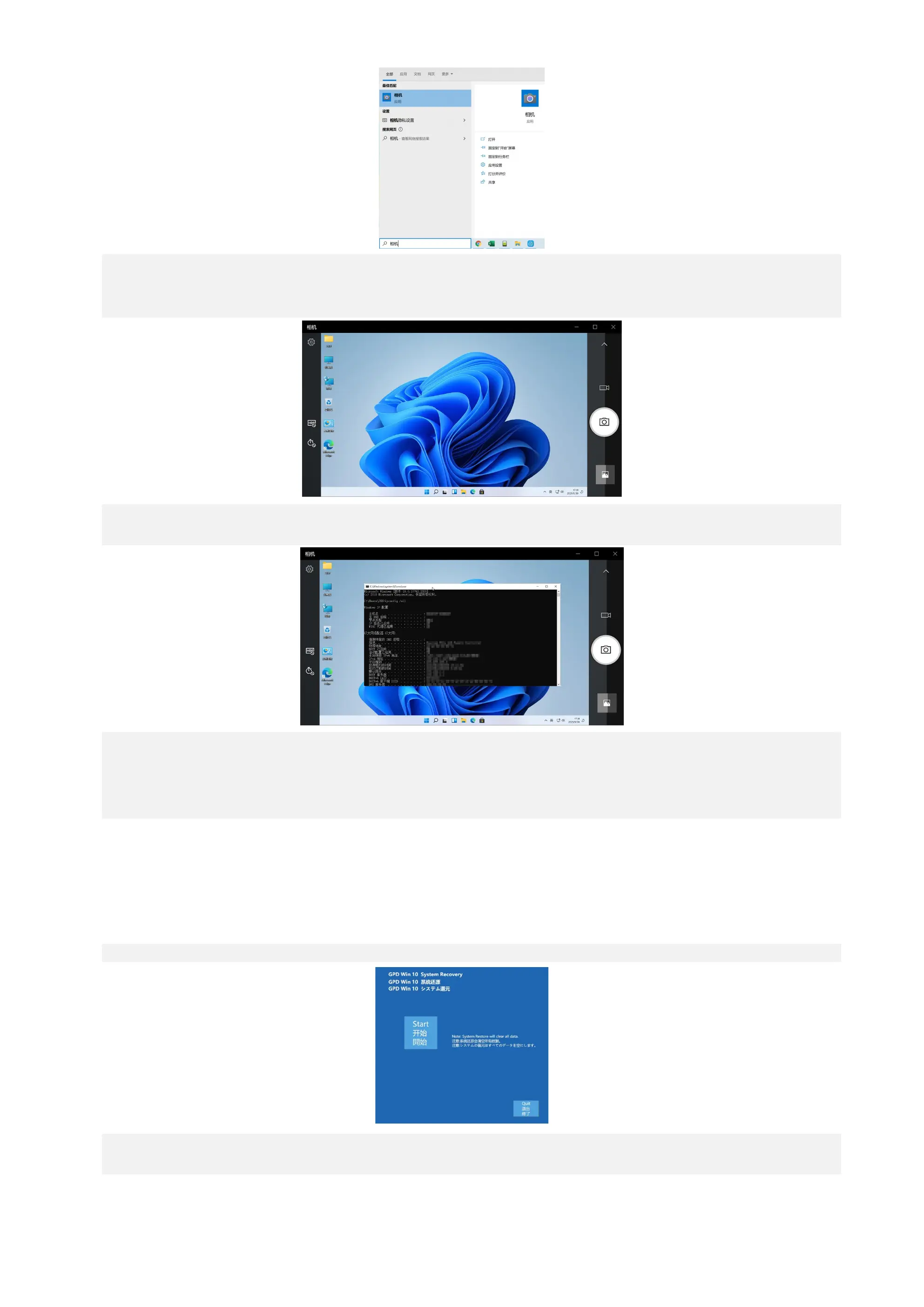
Step 2nd: Click "Start" to recovery the factory system, click "Exit" to exit the function. The restoration process is shown in the figure below.You need to wait for ab
out 15 minutes. After the completion, it will restart and enter the system automatically.



 To Next Page