8
( 16)
( 17) ( 18)
Note:
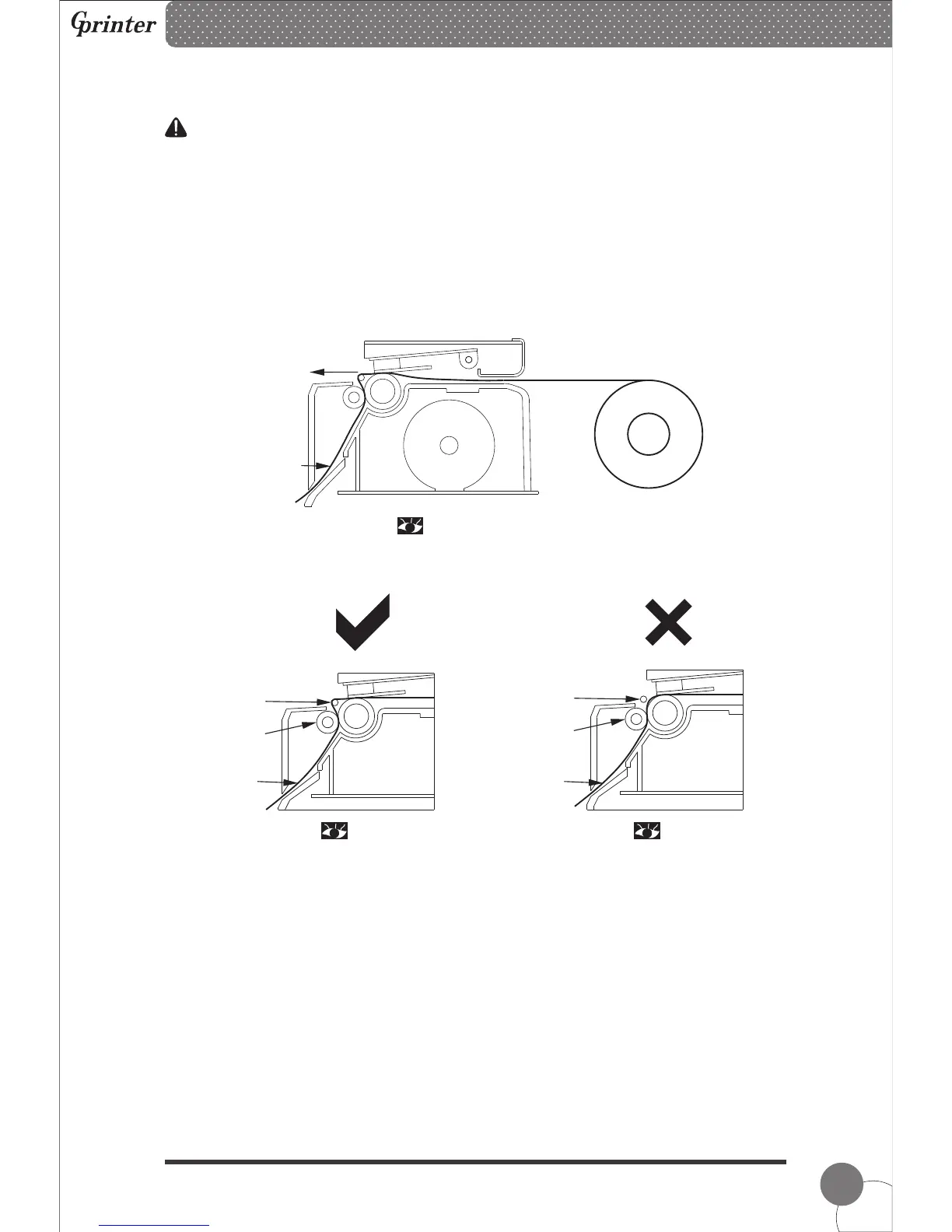
If the peel-off function fails, please check:
1.The printing media is installed correctly.
2.The r paper must be in front of the peel-off spindle.
3.The peel-off roller needs to press on the paper.
4.The peel-off roller lever must be stand.
Please refer the pictures below:
elease
release
Label Exit
Label Printing Side
Release Paper
Peel-off
Spindle
Peel-off
Roller
Release
Paper
5. Specification
Peel-off
Spindle
Peel-off
Roller
Release
Paper
Thermal Barcode Printer



 To Next Page