5
( 7)
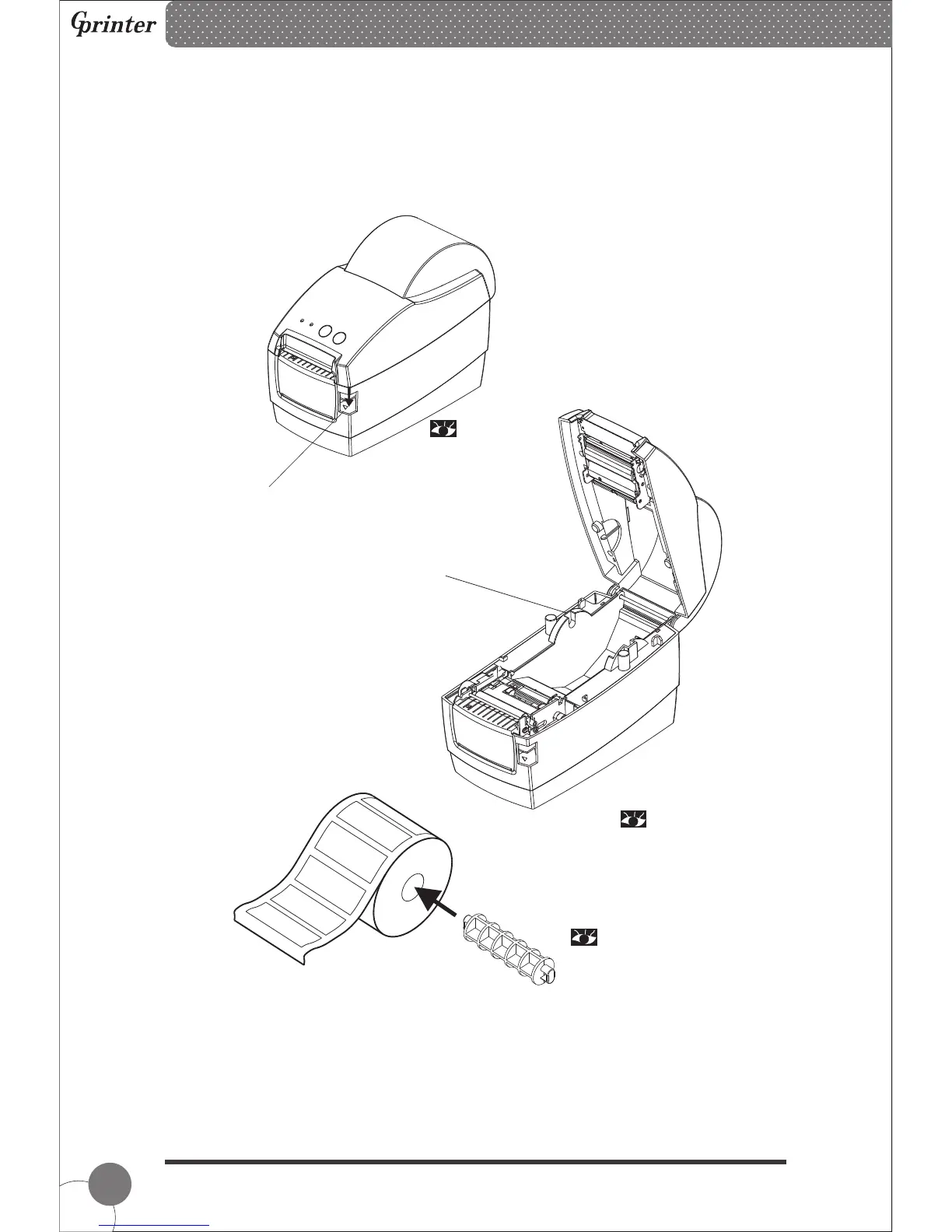
4. Paper Roll Installation
(1) Insert the paper roll spindle into paper roll, and put it into printer hollow, then fix it
correctly into the spindle slot inside the printer.
① Press the button to open the top cover.
② Insert the paper roll spindle into the paper roll, and adjust the spindle position to
make it in the center of the paper roll.
Paper roll spindle slot
Thermal Barcode Printer
( 5)
( 6)



 To Next Page