Operation
3A7031A 17
Test Mode
On the main screen press and hold both the LEFT and
RIGHT ARROWS simultaneously for 3 seconds to enter
TEST MODE.
While in TEST MODE the controller:
TEST MODE ends after 10 lubrication events. TEST
MODE is canceled by pressing the LEFT ARROW
button.
Alarms
During an alarm:
• Pump operation is immediately disabled
• The system LED flashes red
• An alarm screen displays
• An audible alarm sounds
• Output 2 turns on
Press the reset button (LEFT ARROW
button) once to clear the buzzer. Press
and hold the reset button for 3
seconds to clear the alarm and switch
the controller to idle.
Low Level Alert State
• Run mode continues
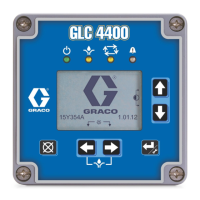
• Low level LED is on (B, F
IG. 1)
• System LED is on (A, F
IG. 1)
• Output 2 in ON
Low Level Alarm State
• Pump operation is immediately disabled
• Low level LED is on (B, F
IG. 1)
• System LED flashes red (A, F
IG. 1)
• Output 2 is ON
• Audible alarm
• Screen shows alarm information
Clear Alarm Buzzer
Press reset (LEFT ARROW button) to silence the
buzzer.
The buzzer sounds again after 4 hours if the low level
condition is not resolved. The buzzer also sounds again
when power is cycled.
Clear Low Level Alarm
Filling the reservoir resolves a low level sensor and low
level switch condition, and the level sensor and level
switch will self-clear.
Hold the reset button for at least 5 seconds to remove
the low level alarm from the controller.
For more details regarding a specific alarm, see Alarm
Types, page 18 and Troubleshooting, page 21.
End Configuration ON time (min) OFF time (min)
Pressure System 7 1
Timer System 2 1
Cycle System 2 1



 To Next Page