Operation
10 3A9522A
Operation
View Data
The TLM can be configured with the Pulse
software to take a reading at predefined
times.
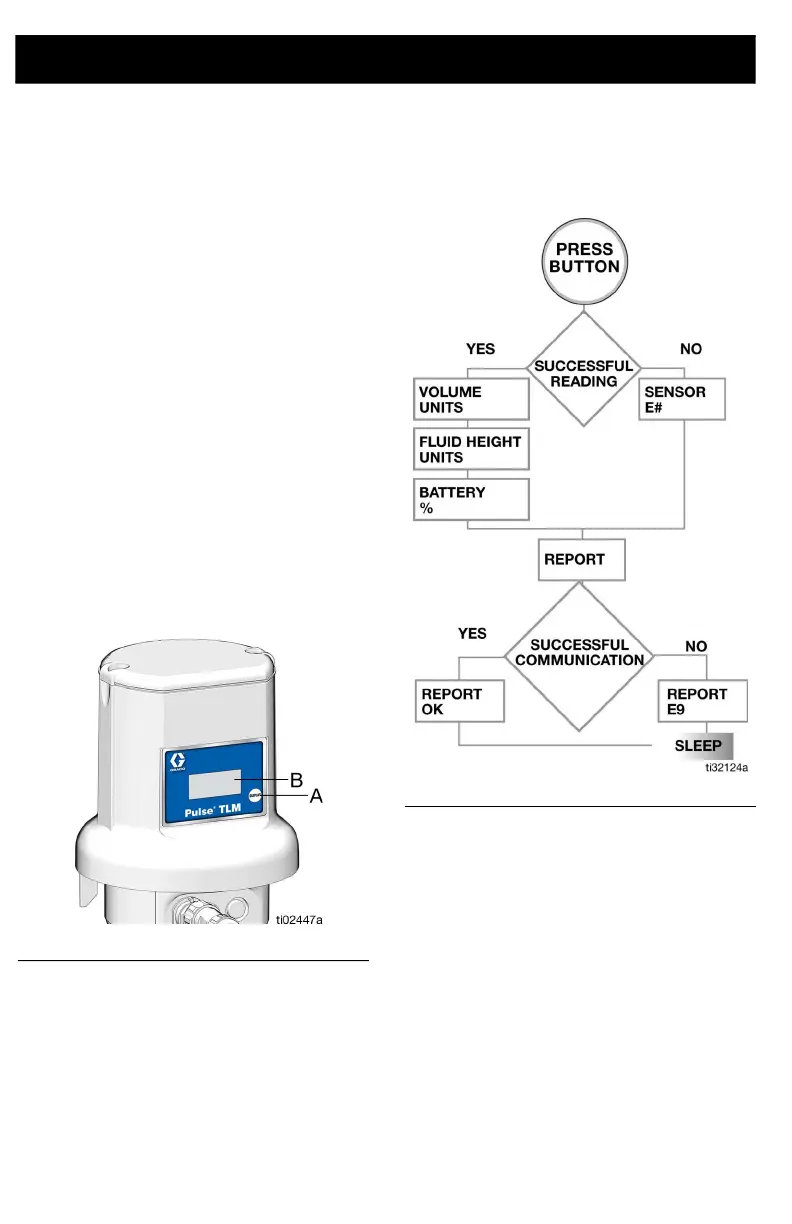
Press and release the display button (A).
Data appears on the display (B) (F
IG. 7); each
screen lasting a few seconds before going on
to the next.
The order the screens display when taking a
measurement is shown in F
IG. 8.
The order the screens display when taking a
measurement after a new profile is entered
using the Pulse software is shown in F
IG. 9,
page 11.
NOTE: The tank level data can also be
viewed remotely using the Pulse software.
Take Measurement
FIG. 7
FIG. 8



 To Next Page