DEVICE RESET
If the platform is empty and the display is not showing a value of zero, press to reset it.
USING THE TARE
Fixed tare
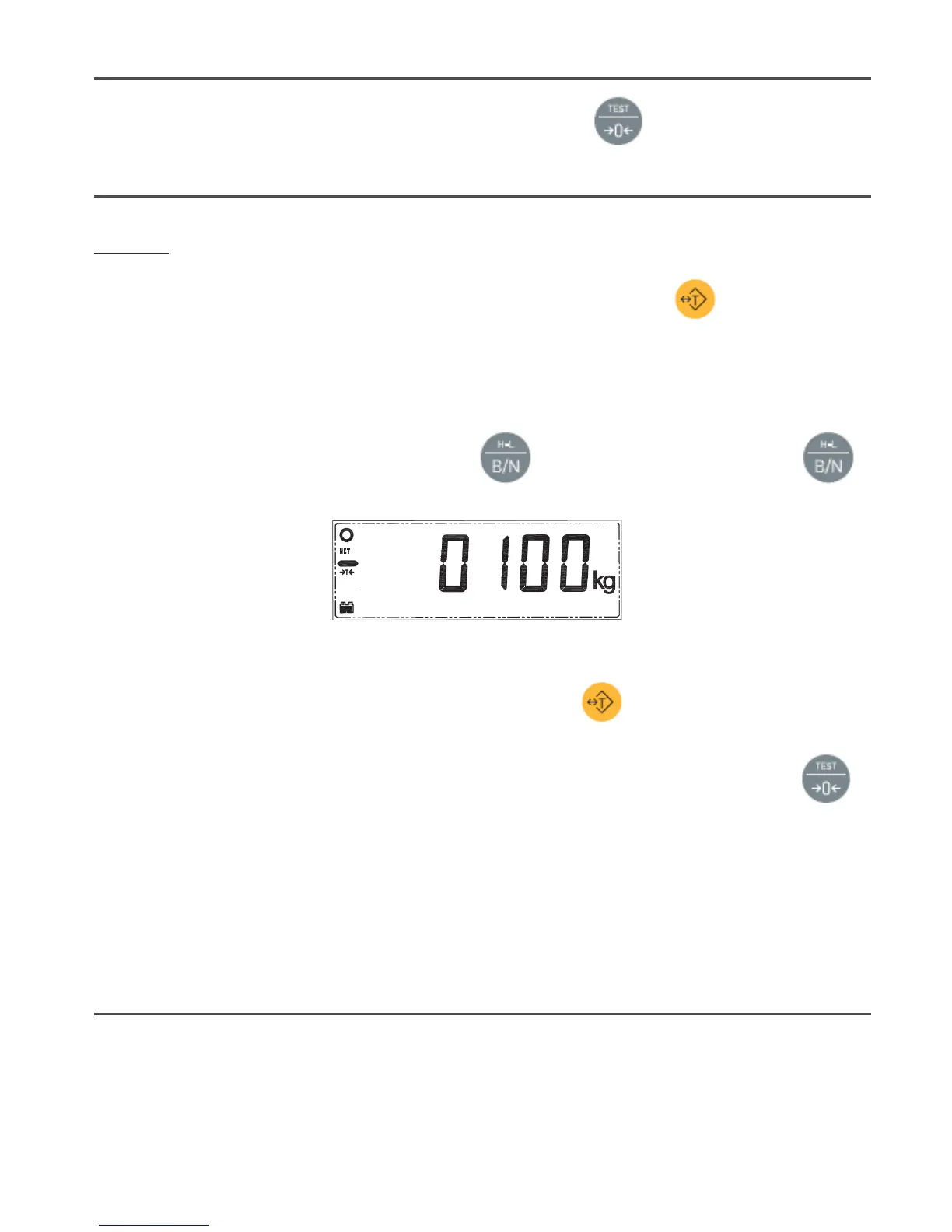
Place a container on the platform. The indicator will show its weight. After pressing the button, the scale will
now show the
“0”
value, subtracting the container’s weight. The tare indicator
!
T
"
now shows on the left side of the
display.
Now, the indicator shows the net weight of the objects placed inside the container.
You can find out the total value (gross weight) by pressing . To see the net weight again, press the
button again.
If you remove all the weight from the weighing platform, the indicator will show a negative tared weight.
To clear the tare value, remove all weight from the platform and press the button.
Note
: If there is a certain instability or temperature fluctuations, the indicator may not show 0. Press the
button to correct it.
Maximum tare range:
The tare value cannot exceed the scale's maximum capacity. The usable available capacity
of the platform, once the tare has been performed, is calculated by subtracting the current tare weight from the
maximum capacity.
Usable capacity = max.cap - tare.
WEIGHT SUM TOTAL
This function sums up all individual weighing operations that have been accumulated and shows the total
accumulated value.
To use this function, place the object you want to weigh, and when the display shows the stable weight value (stability


 To Next Page
 Loading...