DISPLAY DESCRIPTION
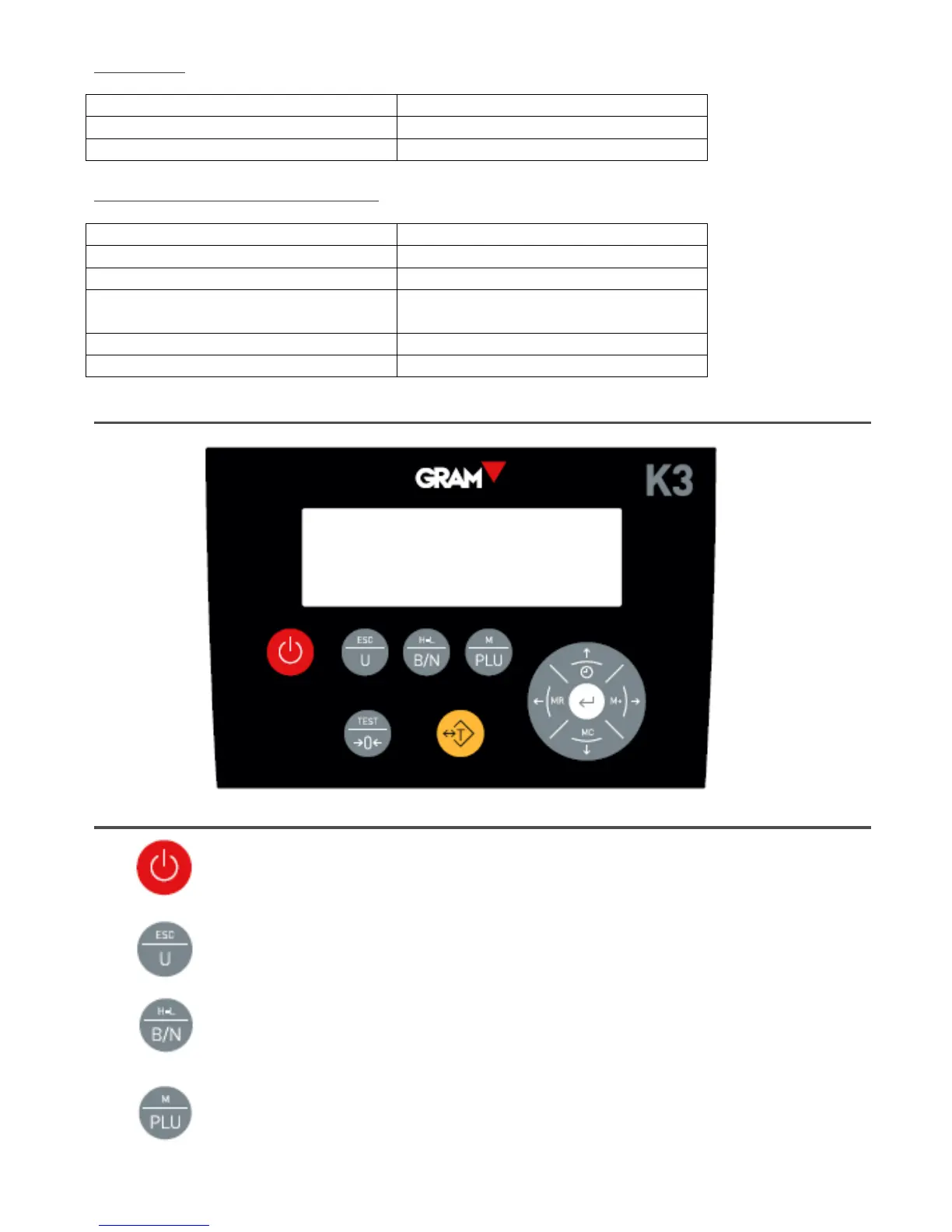
TOUCHPAD DESCRIPTION
Power on/Power off.
By pressing this button the indicator turns on. When the indicator is on,
press this button for approximately one second to turn it off.
Weight unit change button.
By pressing this button, you can change the weight unit. In menu
mode, it will work as an escape button and return to normal mode (Escape). By keeping this button
pressed for over one second it starts the piece-counting mode.
Gross/Net button.
When the tare is used, pressing this button will show the total weight.
Pressing it again will show the net weight. By keeping it pressed for over a second it automatically
selects the “Weight limit” mode.
PLU button
Press this button to enter the menu and to access previously stored values of weight
limits, piece counters, tares and other useful functions. By keeping this button pressed for over a
second, it enters the factory mode and asks for a passwords (only accessible to authorised users).



 To Next Page
 Loading...