Activating this function
To use this option, the
Auto tare
, function must be enabled as follows:
1.
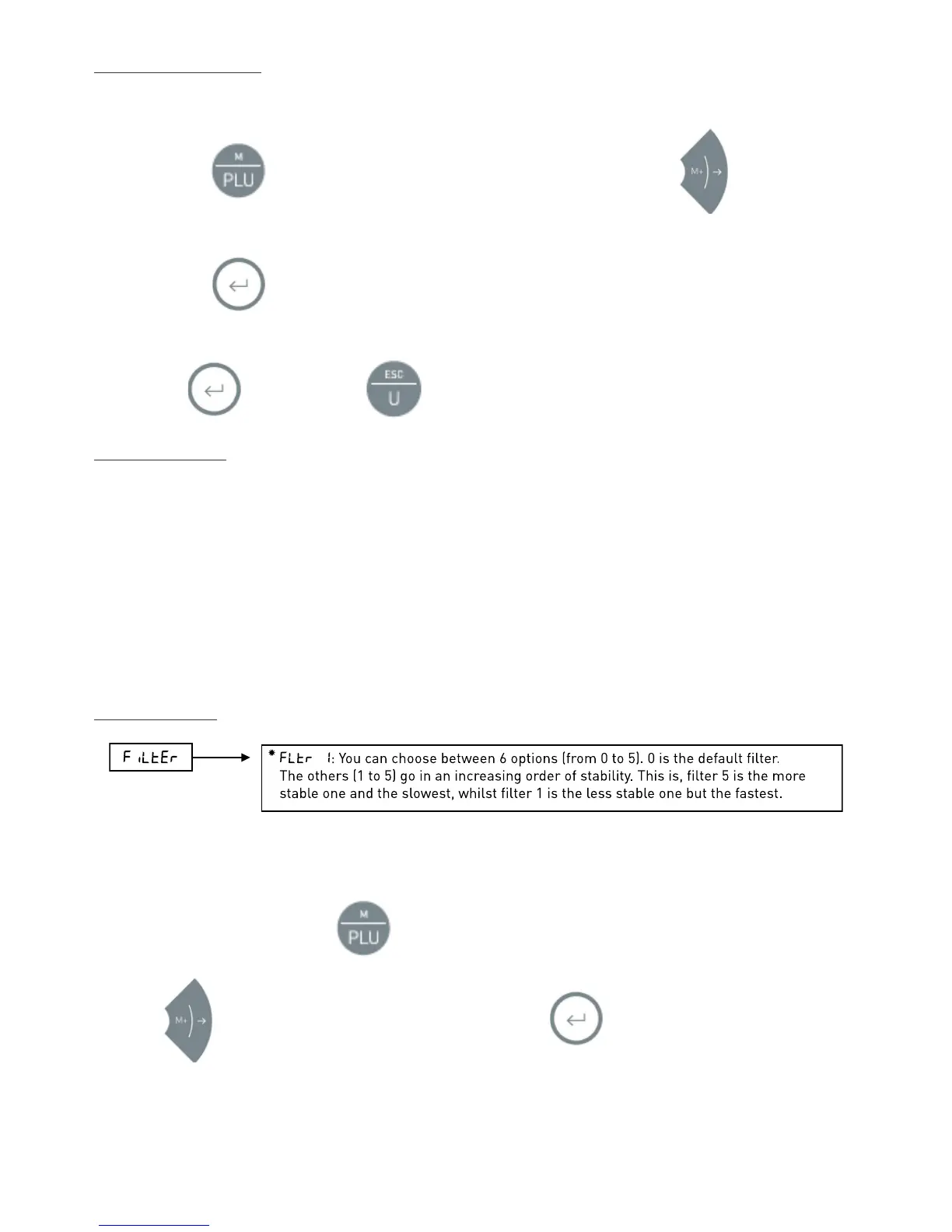
Press the button. The display will show the message
“
n ItEN
”
. Press
several times, until
the display shows
“
Aut-t
”
.
2.
Press the button. The display will show a digit in the last position, according to the following table:
0
.
Function off.
1
.
Function on.
Press to confirm. Press to return to weighing mode.
Using the function
1.
Place the container or box on the platform. The indicator will carry out the function. The display will show zero
and the tare symbol will show on the display.
2.
Place the object or objects inside the container or box. The display will show the net weight, deducting the
tare or the container's weight.
3.
Remove all the items from the platform. The display will cancel the tare and it will show zero again.
4.
To weigh another product, repeat the process. This can be repeated as many times as required, without
needing to press any of the indicator's buttons.
Stability filter –
FiLtEr
In adverse environmental conditions or when the indicator is used for to weight unstable objects, the scales stability
can be increased by using filters.
To access the functions menu, press and the display will show "
n ItEN
".
Press the
button until the display shows
“
FiLtEr
”
. Press to confirm. A digit will appear on the
right. It can be modified according to the following table:
Fltr 0
- Factory programming (for qualified personnel only)
Fltr 1
- For very stable environments (quick response)


 To Next Page
 Loading...