Activating the Limit (+/-) function
1.
Keep the
button pressed until it shows
“
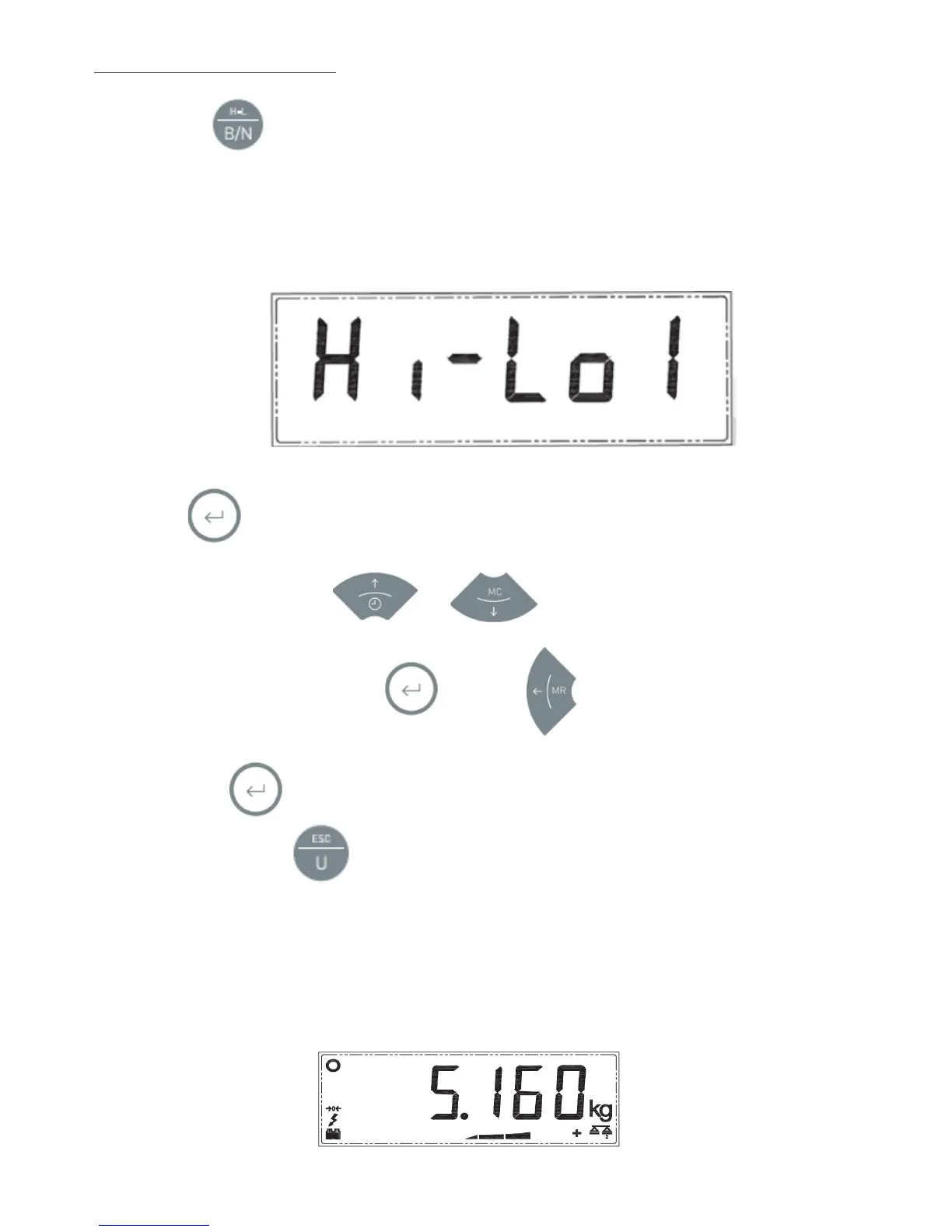
Hi-Lo
X”
, where ‘X’ indicates what mode the function is in.
These can be:
0
.
Disabled.
1
.
Limits with sound and light indication.
2
.
Limits with light indication and automatic tare.
2.
Press to confirm. The display will show
“
PLU
XX”
where XX is the memory slot.
3.
Select one of the slots using
and
4.
Confirm the selection by pressing and press
to exit if you wish to use the previously
programmed settings. If you need to edit any of the parameters of the limit function, you can access them by
pressing the button. Once the limit function has been set up,
“
PLU
XX”
will appear on the screen
once again. Press the button to exit the settings.
5.
Place the object on the platform. The indicator will illuminate a part of the bottom bar (and the display colour
will be green, yellow or red according to the selected option), depending on the weight value and the
memorised limits. The (+) or (-) symbol will also appear. If the weight is within the selected limits, it will light
the central bar value and the corresponding colour.


 To Next Page
 Loading...