18
6.8. PRINTING A SINGLE WEIGHING TICKET
Pressing this key when in “weighing mode”, will print the
current weighing information (single weighing ticket).
The print key will only be effective if the weight on the scale is stable (the
stability indicator is switched on).
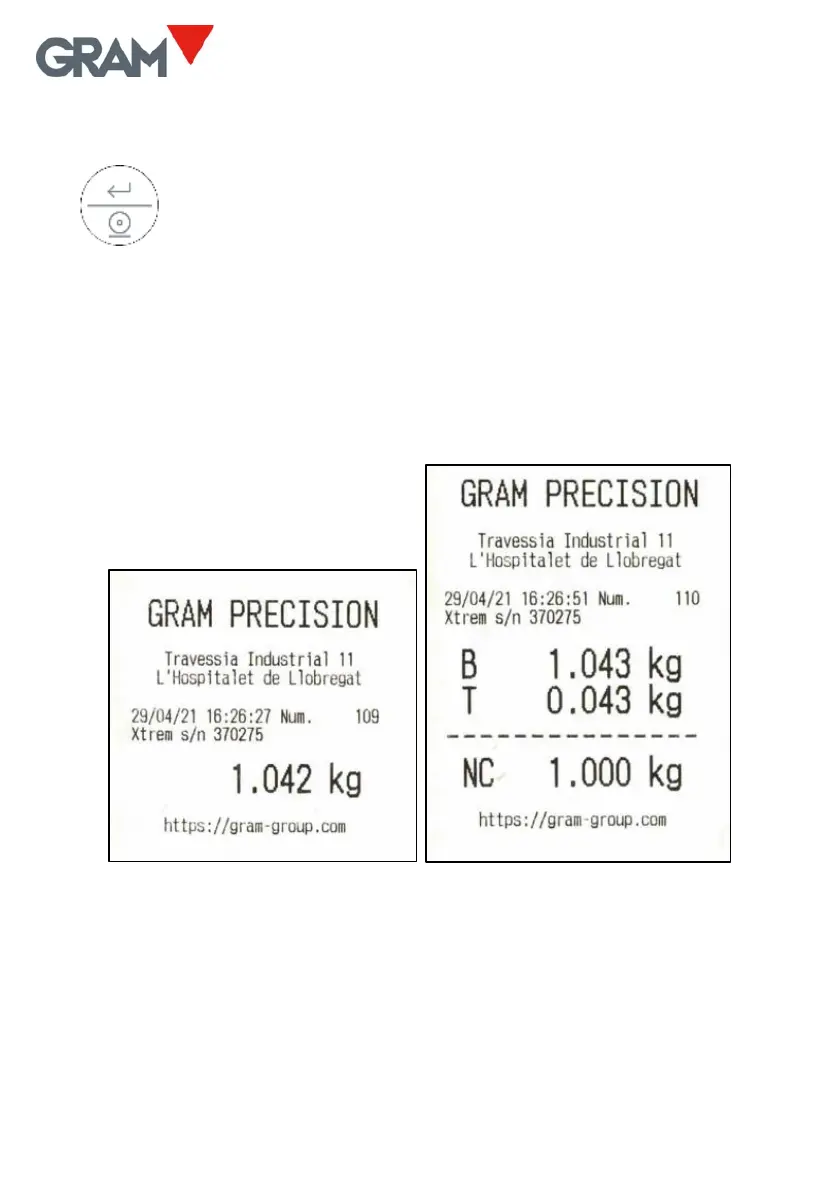
A short press on this key will print a ticket with the following information:
date and time, the Xtrem scale identification, the ticket’s serial number, gross
weight, tare, and net weight (just the weight when not using the tare
function).
1 Weighing ticket in “weighing mode”
Additionally, you can print a 3-line header and a footer line with constant
information.
This gross/tare/net ticket is only possible provided no totalisation ticket has
been initiated, which has a different format.


 To Next Page
 Loading...