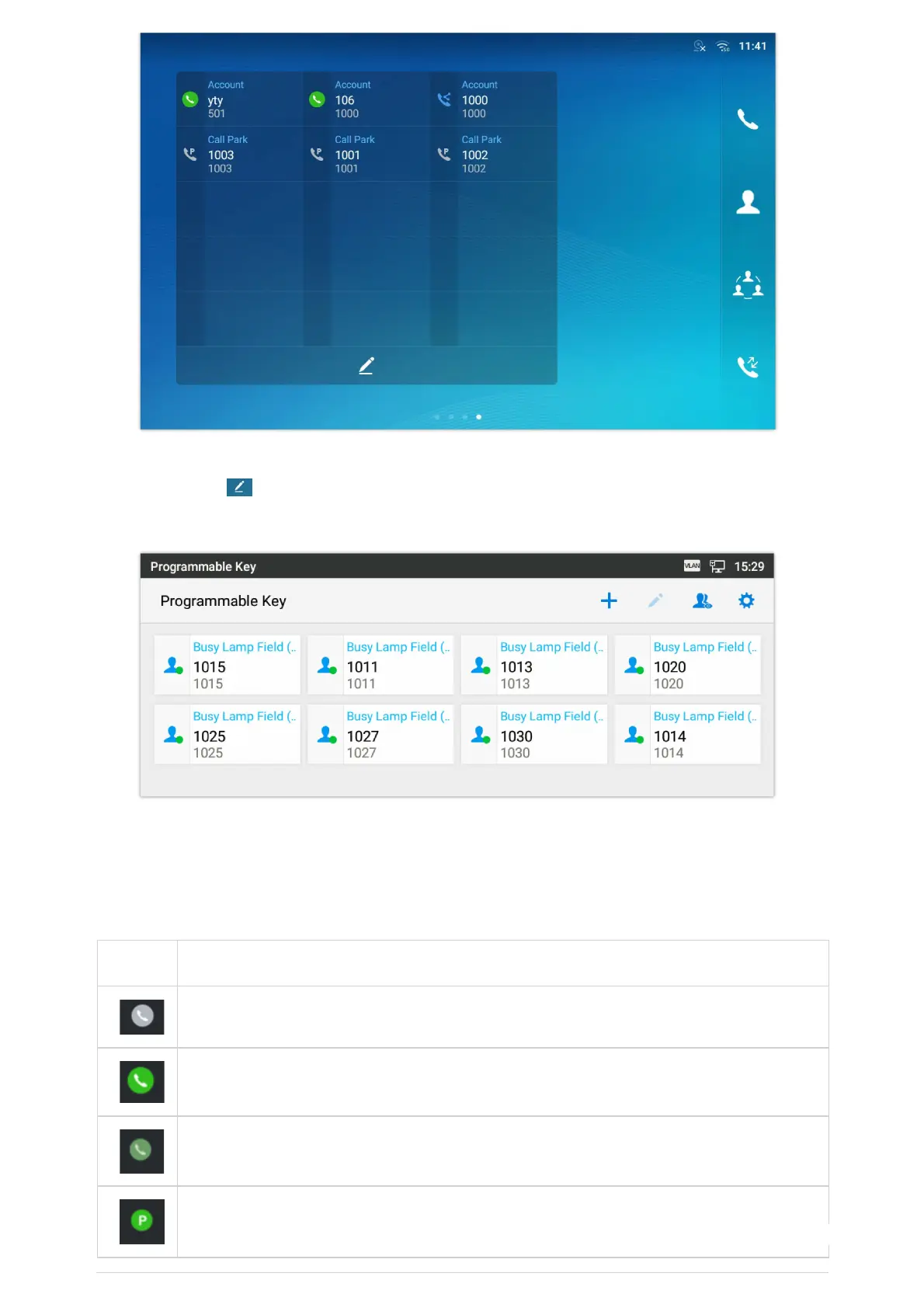
Figure 30: Programmable Key Widget
Press the modify icon to show all the programmable key, then press the plus sign to add and configure of those options
(Speed dial, Busy lamp field, Call transfer, Intercom, Speed dial via active account, Dial DTMF, Call park Multicast paging, Dial
prefix, and Speed conference)
Figure 31: Programmable Keys Page
Programmable Key Indicators
The following table shows the indicator status in different scenarios:
Indicator Status
Account Not Registered
Account Registered
Account Registering
Account Call Park


 To Next Page
 Loading...





