27
4. Undo the electrical connection in the electrical cabinet.
5. Remove cable ties that are necessary to remove the heater
cable.
6. Remove the overheat protector from the heater.
7. Undo the three nuts holding the element.
8. Replace the element with a new o-ring.
9. Tighten the nuts evenly.
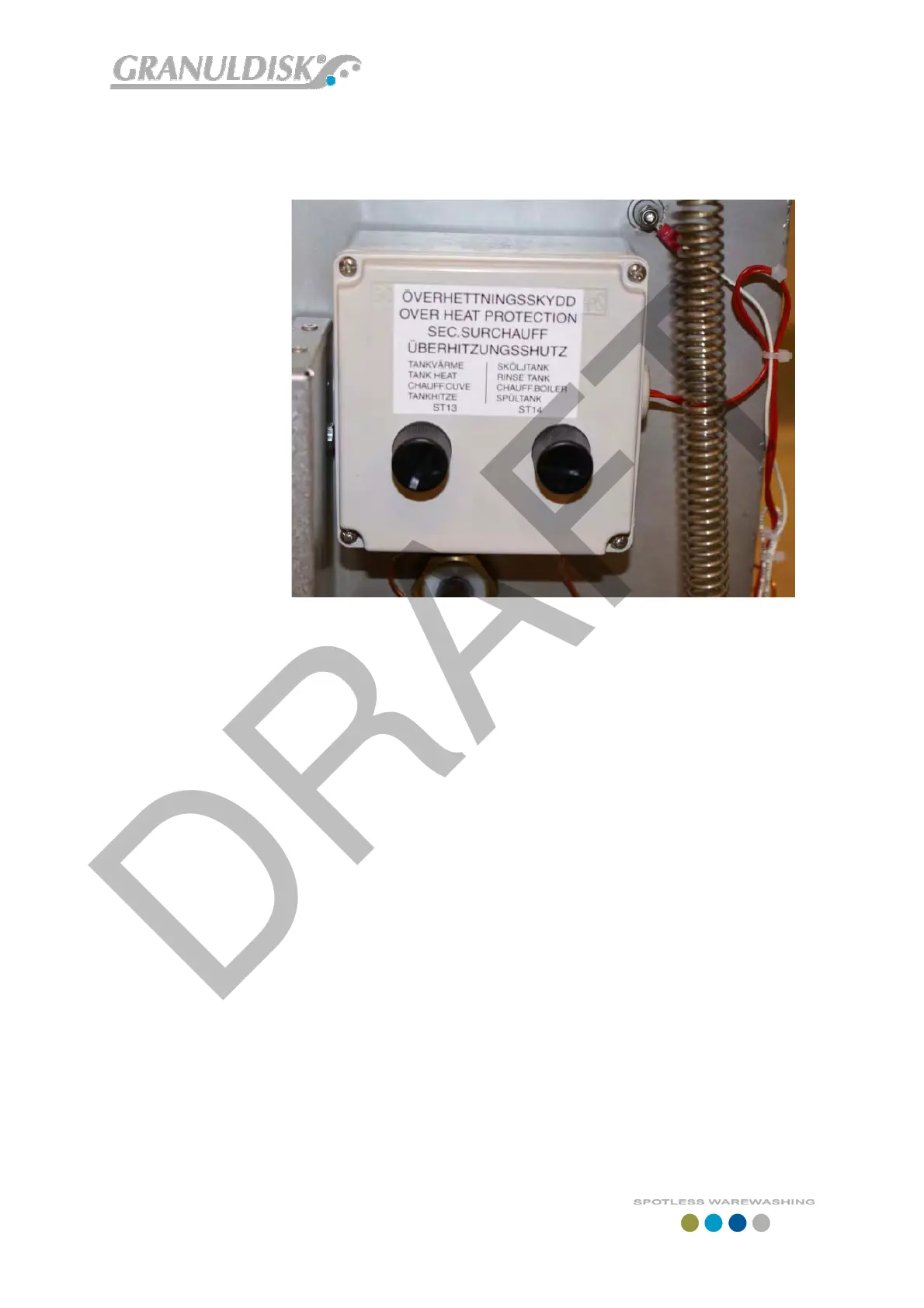
10. Mount a new overheat protector in the overheat protection box
and connect it electrically. See section 1/a
11. Connect the heating element in the electrical cabinet. Replace
the cable ties.
d. Exchange of rinse tank over heat protector.
1. See section 1/d
e. Exchange of temperature sensor in rinse tank
1. Undo back plate.
2. Lower level in rinse tank.
1. By undoing the bottom plug (caution content may be
hot) and deflecting the water out of the machine.
2. Connect the computer and lower the level by using
FlashLoader software by running the rinse pump until the
level is be low the sensor.
3. Undo the sensor by undoing the bolt.
4. Cut the cable into several pieces so it can be retracted
from the cable ties. Note placement of cable the new
sensor must be strapped in the same place.
5. Mount the new sensor using a new O-ring.
6. Strap the cable to the harness where the old cable was
strapped. The cable has to be strapped on the outside of
the hoses going into the electrical cabinet. Push the
connector through the conduit entry and connect it to the


 To Next Page