12
Operation
Control Panel
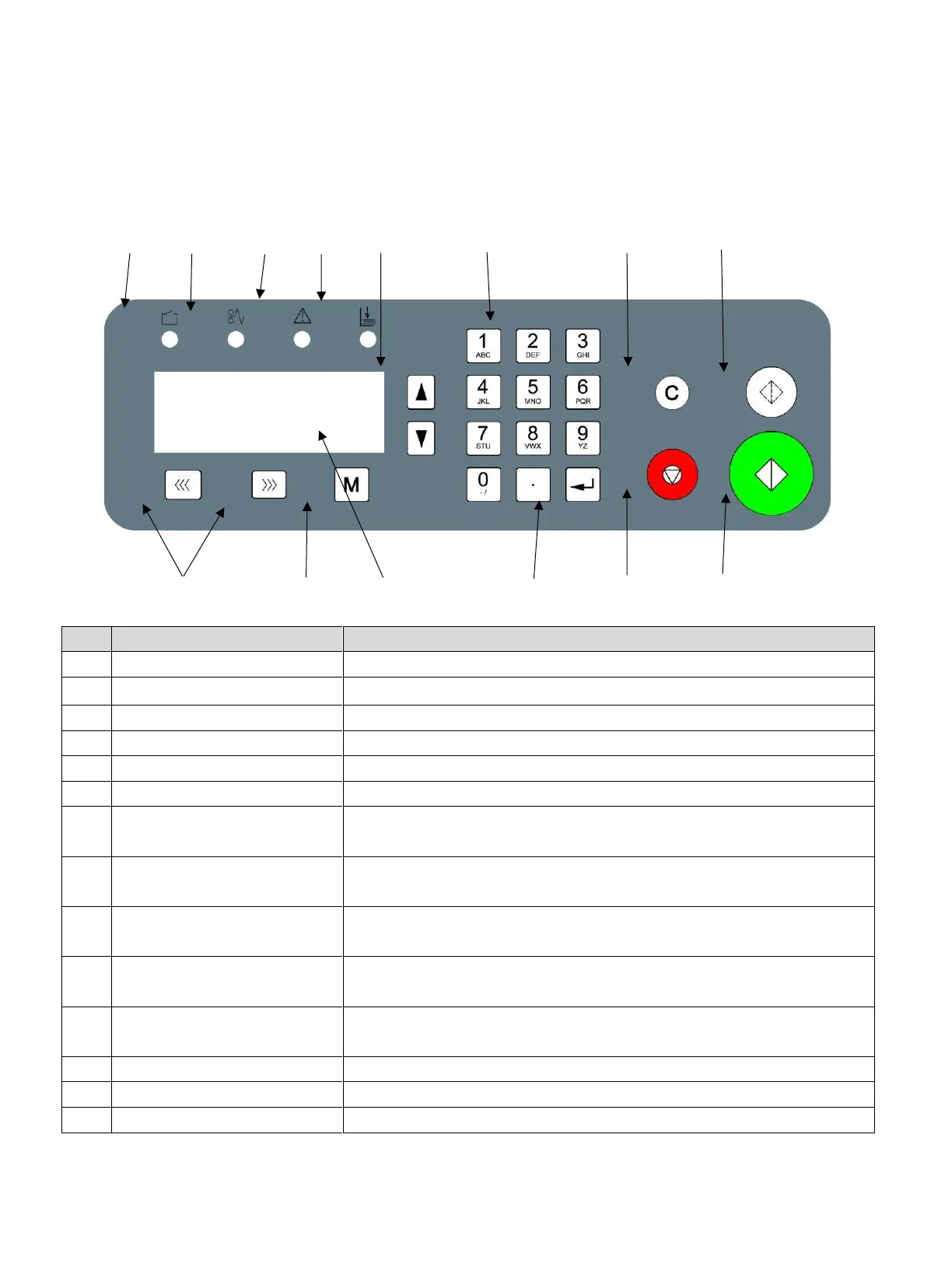
The control panel consists of a keypad and screen, as per the following diagram.
10 9 8 7 6 5 4 3
11 12 13 14 1 2
Machine will stop after one sheet.
Clear the data or clear the error display.
If the machine does not sense stock when it is running, the button
will light and return an error report. ”C-4 No Paper or Jam.”
If the crease motor locks, the button will light up and return an error
report “E-1 CR Motor Error.”
If the paper is jammed inside the machine, the button will light and
return an error report. ”C-2 Jam at Infeed” or “C-3 Jam at Outfeed.”
If the safety cover is not secure, the button will light and return an
error report “C-1 CR Cover Open.”
Unjam Forward/
Reverse Button
When paper jams, press them to move rollers, so that the paper can
be easily cleared.
After the data input, press ENTER to confirm.


 To Next Page