13
Function and Operation
Turn on the machine. A welcome page will appear which will last for approximately 2 seconds, then
jump to operation mode automatically. All system screens are divided into 5 MODES as per different
functions. Scroll through the modes by pressing the mode key M. In each MODE, there may be more than 1
page to display different information. Scroll the page by pressing ↓ or ↑.
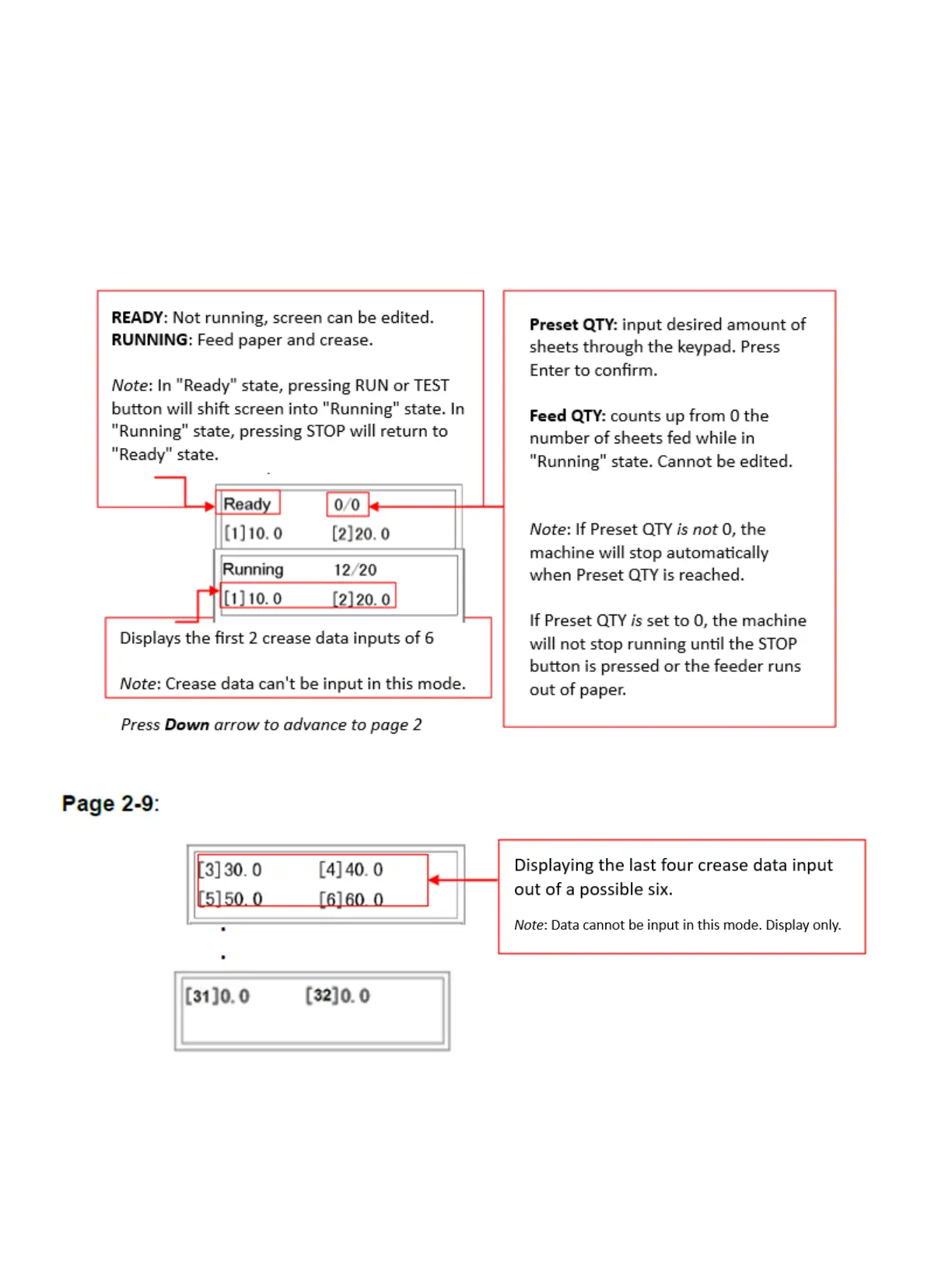
MODE 1 Main operation Page 1:
Press Down arrow to advance to pages 3 through 9


 To Next Page