14
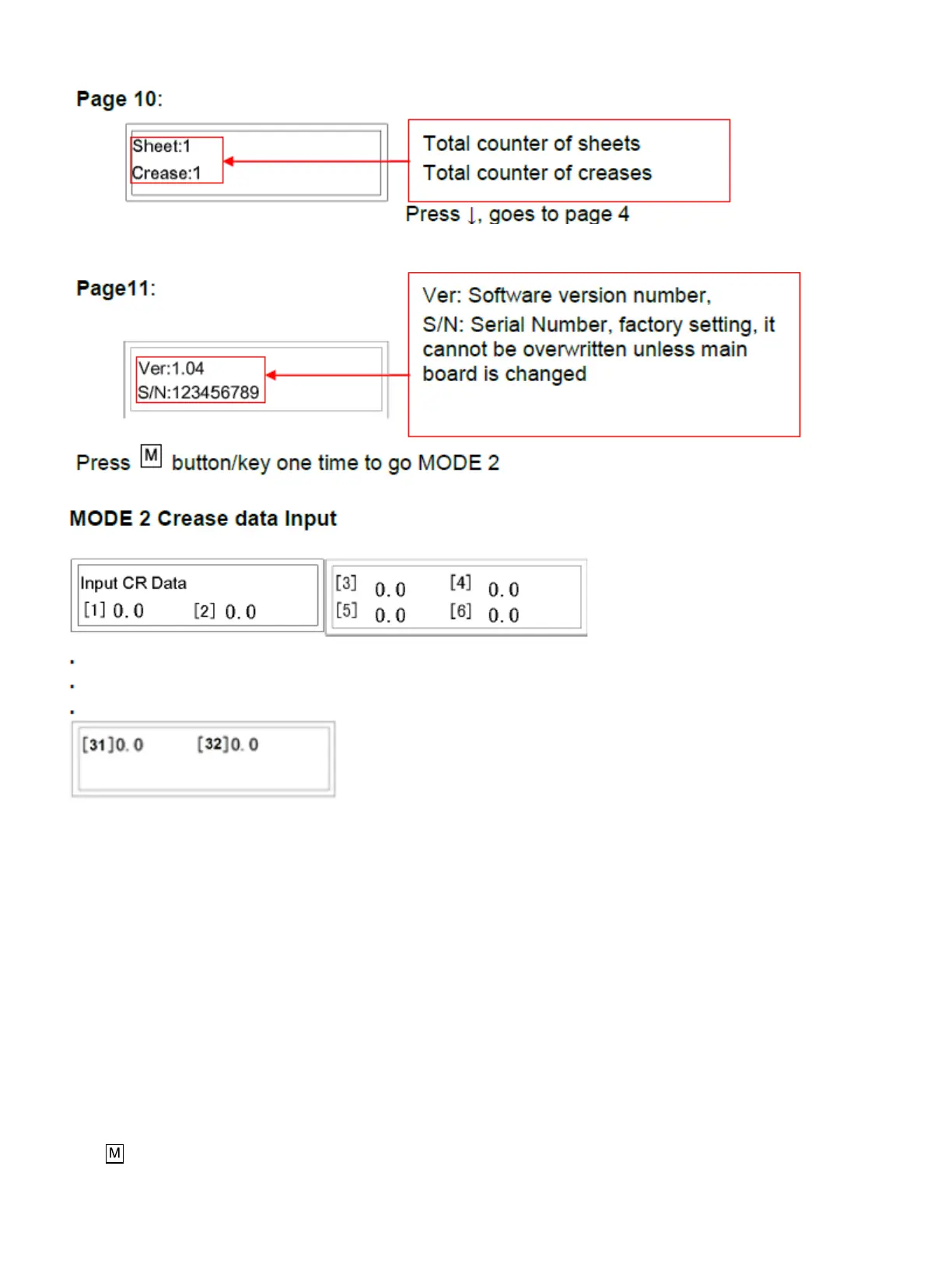
• Initially in Mode 2, Line [1] flashes (which means data can be input). Input the data from 0-900.0 (accurate to
one decimal place).
• Press ENTER, [1] will stop flashing, [2] will begin flashing.
• Input data, press ENTER.
[2] stop flashing, screen automatically jump to 2nd page.
[3] flashes……
• Input all 32 possible creases following these steps. Note: Each value must be greater than last value.
• If all 32 lines are needed, after the 32
nd
crease is entered the screen will automatically jump to MODE 1, page
1. Input finished.
• If less than 32 creases are needed, after the last data is inputted (i.e. the 3
rd
crease), press Enter, Line [4] will
flash, press ENTER again. When line [4] is 0 the screen will jump to main operation mode. Input finished.
Press button/key 2 times, and the machine will go to MODE 3.


 To Next Page