19
1. How to save a job
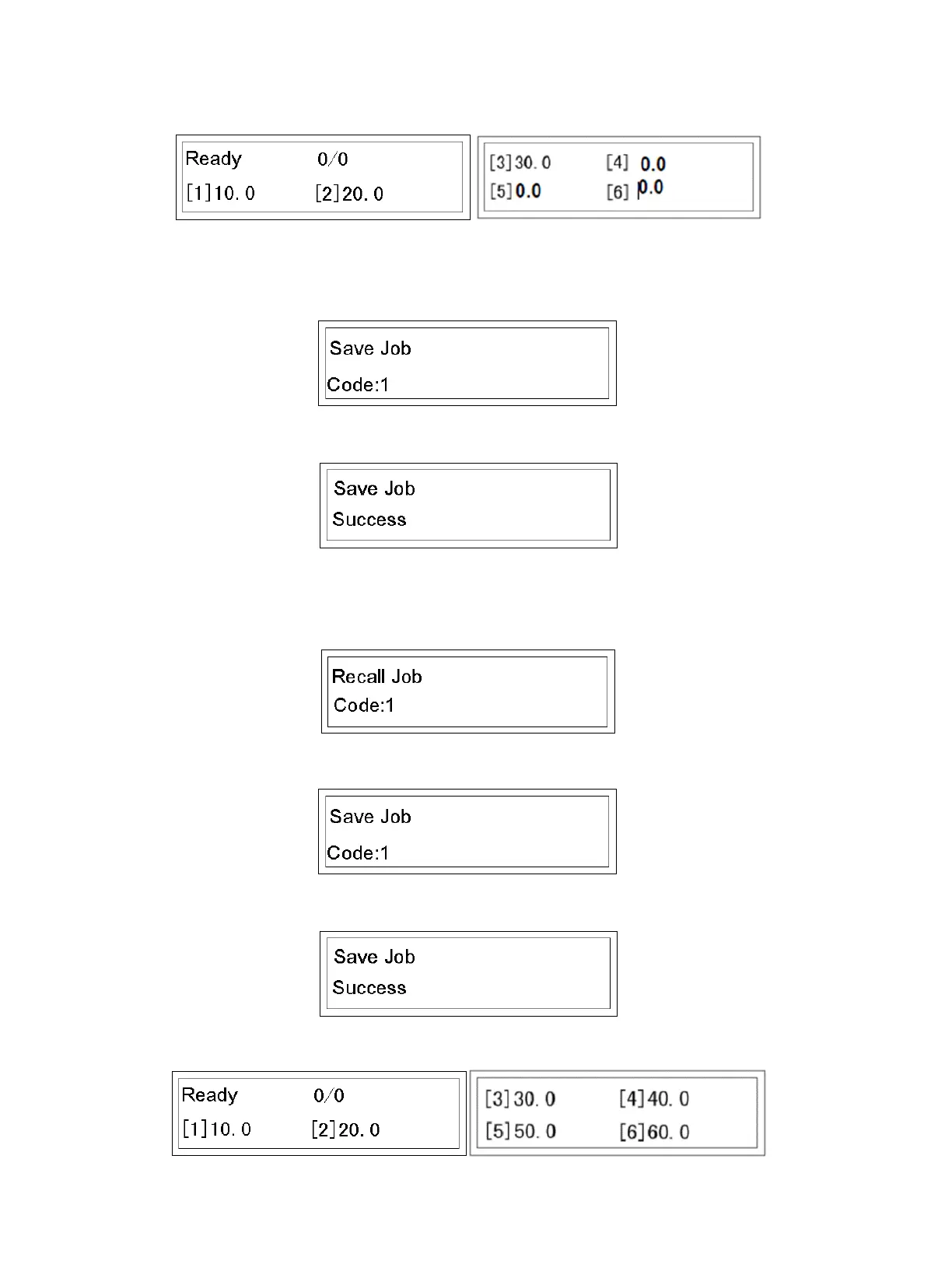
• See MODE 2. Let us input a job, i.e. 10, 20, 30, 0, 0, 0.
• Press M button 2 times to go to Save Job Mode.
• Input a number between 1-30, i.e. 1. Screen changes into:
• Press Enter, save successful.
2. How to recall a job
• See above steps Save a Job.
• Press M until Recall Job mode is reached (4 lines), until the following screen appears:
• Input a number between 1-30 (1 according to the above example).
• Press Enter. Recall successful.
• Screen jumps to main operation MODE. The data becomes 10, 20, 30 as determined by previous data input.


 To Next Page