日本語
English
Français Deutsch 中文 한국어 Español
About the User’s Manual and Included Software
The user's manual and accompanying software are stored in the internal memory of the
instrument.
Please copy it from the internal memory to your computer. To copy, see the next section.
When you initialize the internal memory, the bundled files are also deleted.
Deleting the included files will not affect the operation of the instrument, but we recommend that
you copy the files to your computer beforehand.
If you have deleted the user's manual and attached software from the internal memory, please
download them from our website.
GRAPHTEC Website: http://www.graphteccorp.com/
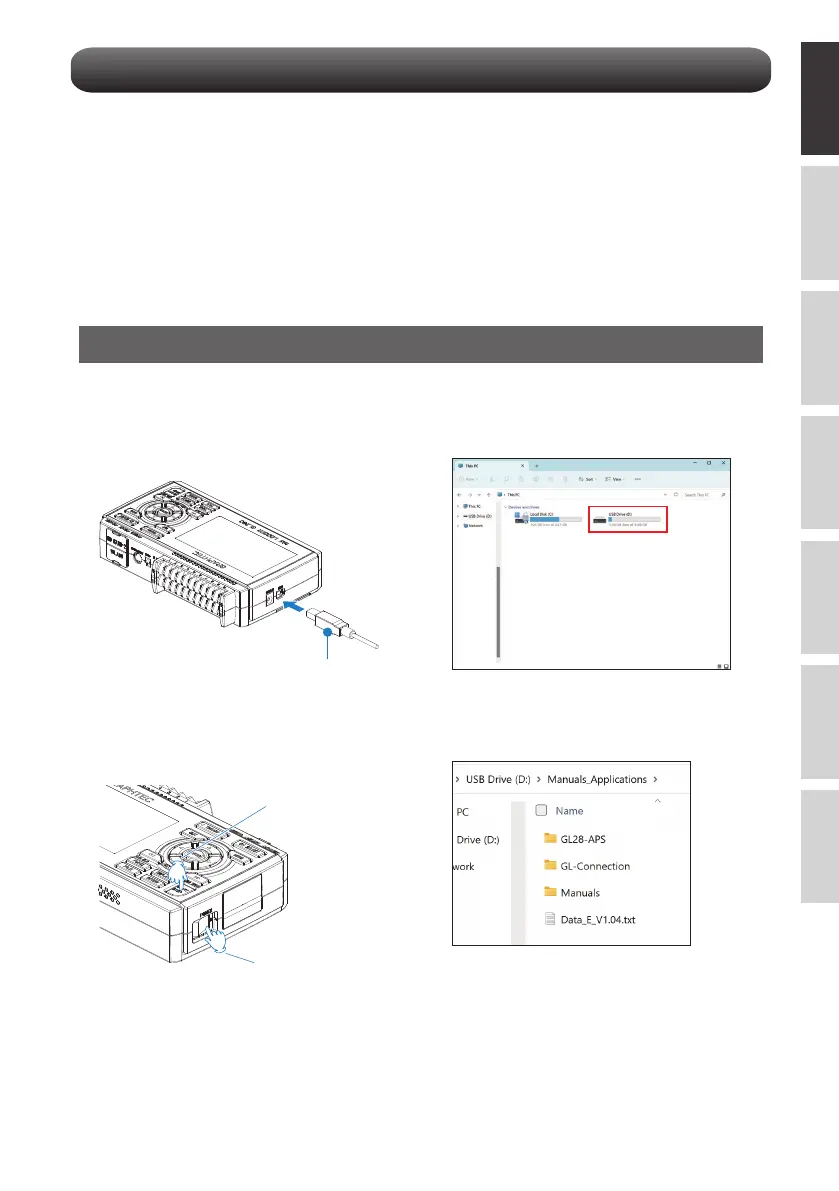
To copy bundled files in USB DRIVE mode
3. The GL260's internal memory is recognized
by the PC and can be accessed.
4. Copy the following folders and files to your
computer.
2
1. Connect the AC adapter cable with the
power off, and then connect the PC and the
GL260 with the USB cable.
2. While holding down the START/STOP
button, turn on the GL260's power switch.
USB cable
Step1
Step 2















 To Next Page