日本語
English
Français Deutsch 中文 한국어 Español
8
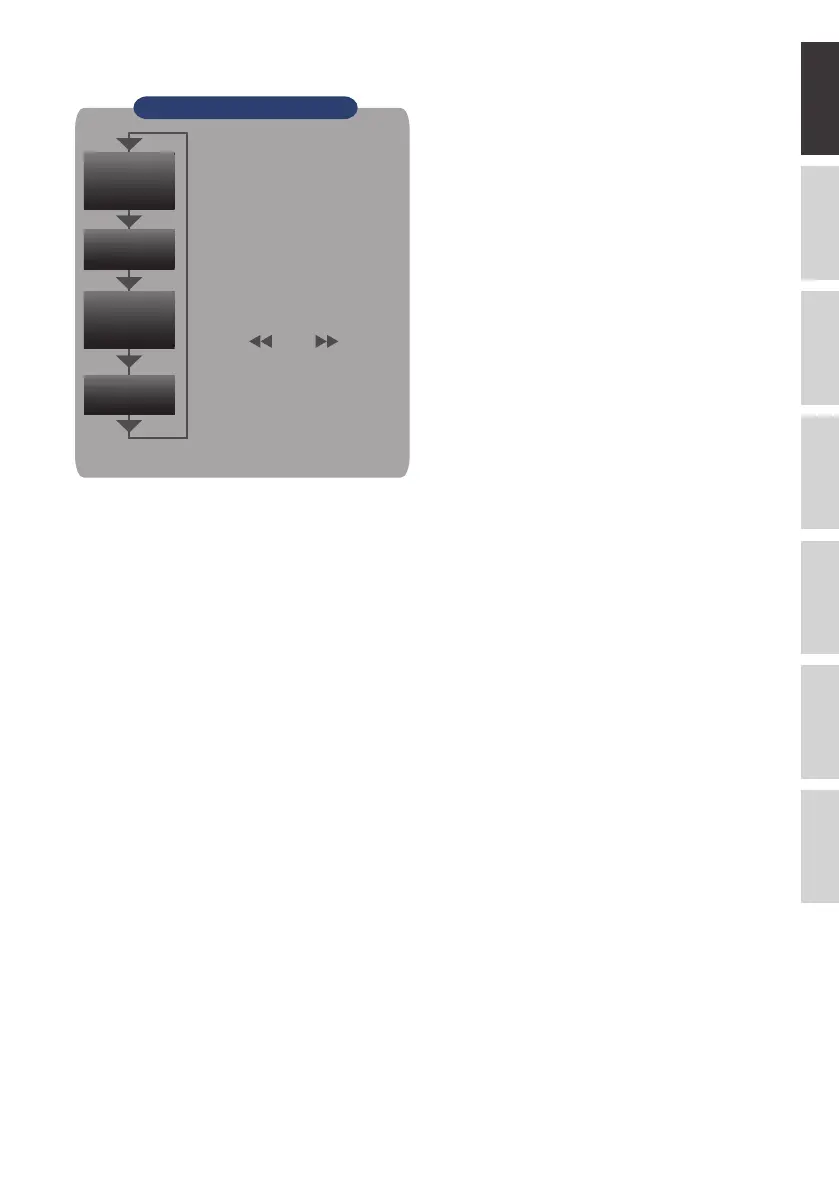
9. DISPLAY
Push the [DISPLAY] key.
10. REVIEW
Push the [REVIEW] key to replay recorded
data.
If the GL260 is in the Free Running mode, data
files that have already been recorded will be
displayed.
If the GL260 is still recording data, the data is
replayed in a 2-screen format.
Press the [REVIEW] button to switch between
the recorded data and real time data.
* A data replay operation will not be performed
if data has not been recorded.
11. FILE
This is used to operate the internal memory
and SD memory card, or for file operation,
screen copy and save/load current settings.
12. FUNC
Functional operations allow you to perform
frequently used functions every time.
Key Pointers
Expanded
Waveform
Digital
+
Calc
•Waveform + Digital
Default screen when the GL260 is
initially turned on with both the
waveforms and digital values.
•Expanded Waveform
Displays expanded waveforms
only.
•Digital + Calc
Displays large-size digital values
and calculation processing results.
Use the
key or key to
switch digital display modes.
* For more information, refer to the User's Manual.
Waveform
+
Digital
Alarm
History
•Alarm History
Displays the alarm history screen.
*Only when alarm history is ON.















 To Next Page