HackRF
• Buttons: HackRF One has a RESET button and a DFU button for easy programming.
• Clock input and output: Installed and functional without modification.
• USB connector: HackRF One features a new USB connector and improved USB layout.
• Expansion interface: More pins are available for expansion, and pin headers are installed on HackRF One.
• Real-Time Clock: An RTC is installed on HackRF One.
• LPC4320 microcontroller: Jawbreaker had an LPC4330.
• RF shield footprint: An optional shield may be installed over HackRF One’s RF section.
• Antenna port power: HackRF One can supply up to 50 mA at 3.3 V DC on the antenna port for compatibility
with powered antennas and other low power amplifiers.
• Enhanced frequency range: The RF performance of HackRF One is better than Jawbreaker, particularly at the
high and low ends of the operating frequency range. HackRF One can operate at 1 MHz or even lower.
4.3 Enclosure Options
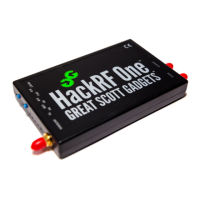
The commercial version of HackRF One from Great Scott Gadgets ships with an injection molded plastic enclosure,
but it is designed to fit two optional enclosures:
• Hammond 1455J1201: HackRF One fits this extruded aluminum enclosure and other similar models from Ham-
mond Manufacturing. In order to use the enclosure’s end plates, you will have to drill them. An end plate
template can be found in the HackRF One KiCad layout.
• Acrylic sandwich: You can also use a laser cut acrylic enclosure with HackRF One. This is a good option for
access to the expansion headers. A design can be found in the HackRF One hardware directory. Use any laser
cutting service or purchase from a reseller.
4.4 Using HackRF One’s Buttons
The RESET button resets the microcontroller. This is a reboot that should result in a USB re-enumeration.
The DFU button invokes a USB DFU bootloader located in the microcontroller’s ROM. This bootloader makes it
possible to unbrick a HackRF One with damaged firmware because the ROM cannot be overwritten.
To invoke DFU mode: Press and hold the DFU button. While holding the DFU button, reset the HackRF One either
by pressing and releasing the RESET button or by powering on the HackRF One. Release the DFU button.
The DFU button only invokes the bootloader during reset. This means that it can be used for other functions by custom
firmware.
4.5 SMA, not RP-SMA
Some connectors that appear to be SMA are actually RP-SMA. If you connect an RP-SMA antenna to HackRF One, it
will seem to connect snugly but won’t function at all because neither the male nor female side has a center pin. RP-SMA
connectors are most common on 2.4 GHz antennas and are popular on Wi-Fi equipment. Adapters are available.
10 Chapter 4. HackRF One


 To Next Page