HackRF
7.4 How do I deal with the DC offset?
Question: Okay, now that I understand what that big spike in the middle of my spectrum is, how do I handle it?
Answer: There are a few options:
1. Ignore it. For many applications it isn’t a problem. You’ll learn to ignore it.
2. Avoid it. The best way to handle DC offset for most applications is to use offset tuning; instead of tuning to your
exact frequency of interest, tune to a nearby frequency so that the entire signal you are interested in is shifted
away from 0 Hz but still within the received bandwidth. If your algorithm works best with your signal centered
at 0 Hz (many do), you can shift the frequency in the digital domain, moving your signal of interest to 0 Hz and
your DC offset away from 0 Hz. HackRF’s high maximum sampling rate can be a big help as it allows you to
use offset tuning even for relatively wideband signals.
3. Correct it. There are various ways of removing the DC offset in software. However, these techniques may degrade
parts of the signal that are close to 0 Hz. It may look better, but that doesn’t necessarily mean that it is better from
the standpoint of a demodulator algorithm, for example. Still, correcting the DC offset is often a good choice.
7.5 Purchasing HackRF
Question: Where can I buy HackRF?
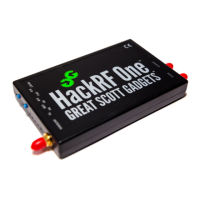
Answer: HackRF is designed and manufactured by Great Scott Gadgets. Please see http://greatscottgadgets.com/
hackrf/ for availability. HackRF is open source hardware, so you could also build your own.
7.6 Making sense of gain settings
Question: What gain controls are provided by HackRF?
Answer: HackRF (both Jawbreaker and One) provides three different analog gain controls on RX and two on TX. The
three RX gain controls are at the RF (“amp”, 0 or 14 dB), IF (“lna”, 0 to 40 dB in 8 dB steps), and baseband (“vga”, 0
to 62 dB in 2 dB steps) stages. The two TX gain controls are at the RF (0 or 14 dB) and IF (0 to 47 dB in 1 dB steps)
stages.
Question: Why is the RF gain setting restricted to two values?
Answer: HackRF has two RF amplifiers close to the antenna port, one for TX and one for RX. These amplifiers have
two settings: on or off. In the off state, the amps are completely bypassed. They nominally provide 14 dB of gain
when on, but the actual amount of gain varies by frequency. In general, expect less gain at higher frequencies. For fine
control of gain, use the IF and/or baseband gain options.
Question: How should I set the gain controls for RX?
Answer: A good default setting to start with is RF=0 (off), IF=16, baseband=16. Increase or decrease the IF and
baseband gain controls roughly equally to find the best settings for your situation. Turn on the RF amp if you need help
picking up weak signals. If your gain settings are too low, your signal may be buried in the noise. If one or more of
your gain settings is too high, you may see distortion (look for unexpected frequencies that pop up when you increase
the gain) or the noise floor may be amplified more than your signal is.
26 Chapter 7. FAQ


 To Next Page