CHAPTER
TEN
TIPS AND TRICKS
10.1 USB Cables (and why to use a noise reducing one)
The USB cable you choose can make a big difference in what you see when using your HackRF and especially when
using it around between 120 and 480 MHz where USB is doing all its work.
1. Use a shielded USB cable. The best way to guarantee RF interference from USB is to use an unshielded cable.
You can test that your cable is shielded by using a continuity tester to verify that the shield on one connector has
continuity to the shield on the connector at the other end of the cable.
2. Use a short USB cable. Trying anything larger than a 6ft cable may yield poor results. The longer the cable, the
more loss you can expect and when making this post a 15ft cable was tried and the result was the HackRF would
only power up half way.
3. For best results, select a cable with a ferrite core. These cables are usually advertised to be noise reducing and
are recognizable from the plastic block towards one end.
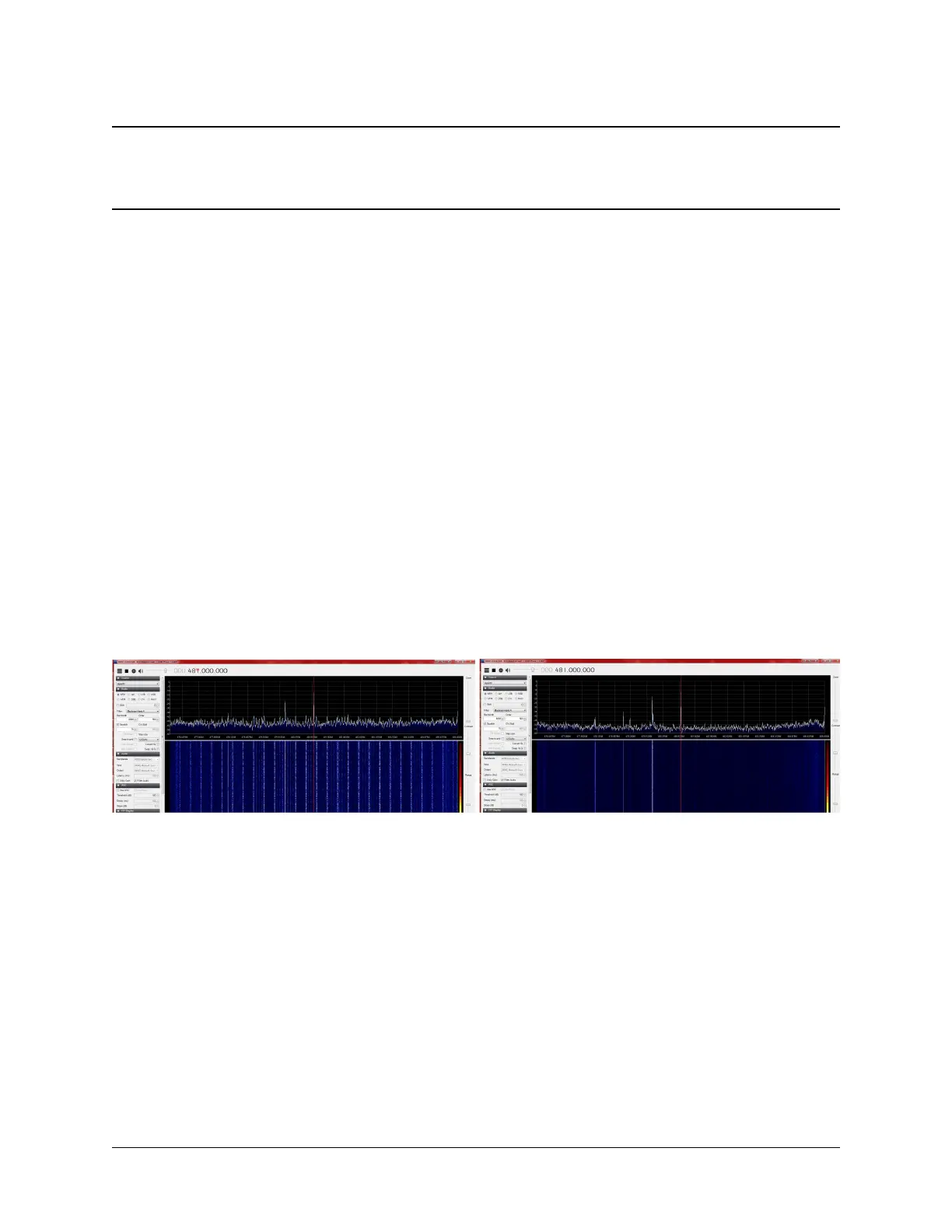
Screenshot before and after changing to a noise reducing cable (view full size image):
A shielded cable with ferrite core was used in the right-hand image.
The before and after images were both taken with the preamp on and the LNA and VGA both set to 24db.
10.2 Sampling Rate and Baseband Filters
Using a sampling rate of less than 8MHz is not recommended. Partly, this is because the MAX5864 (ADC/DAC chip)
isn’t specified to operate at less than 8MHz, and therefore, no promises are made by Maxim about how it performs. But
more importantly, the baseband filter in the MAX2837 has a minimum bandwidth of 1.75MHz. It can’t provide enough
filtering at 2MHz sampling rate to remove substantial signal energy in adjacent spectrum (more than +/-1MHz from
the tuned frequency). The MAX2837 datasheet suggests that at +/-1MHz, the filter provides only 4dB attenuation, and
at +/-2MHz (where a signal would alias right into the center of your 2MHz spectrum), it attenuates about 33dB. That’s
significant. Here’s a picture:
33


 To Next Page