D Series Modular Air-cooled Scroll Chillers
17
ON【OFF】
Timer Setup
▲
Clock Setup
Sound
Backlight
Page 2
Page 3
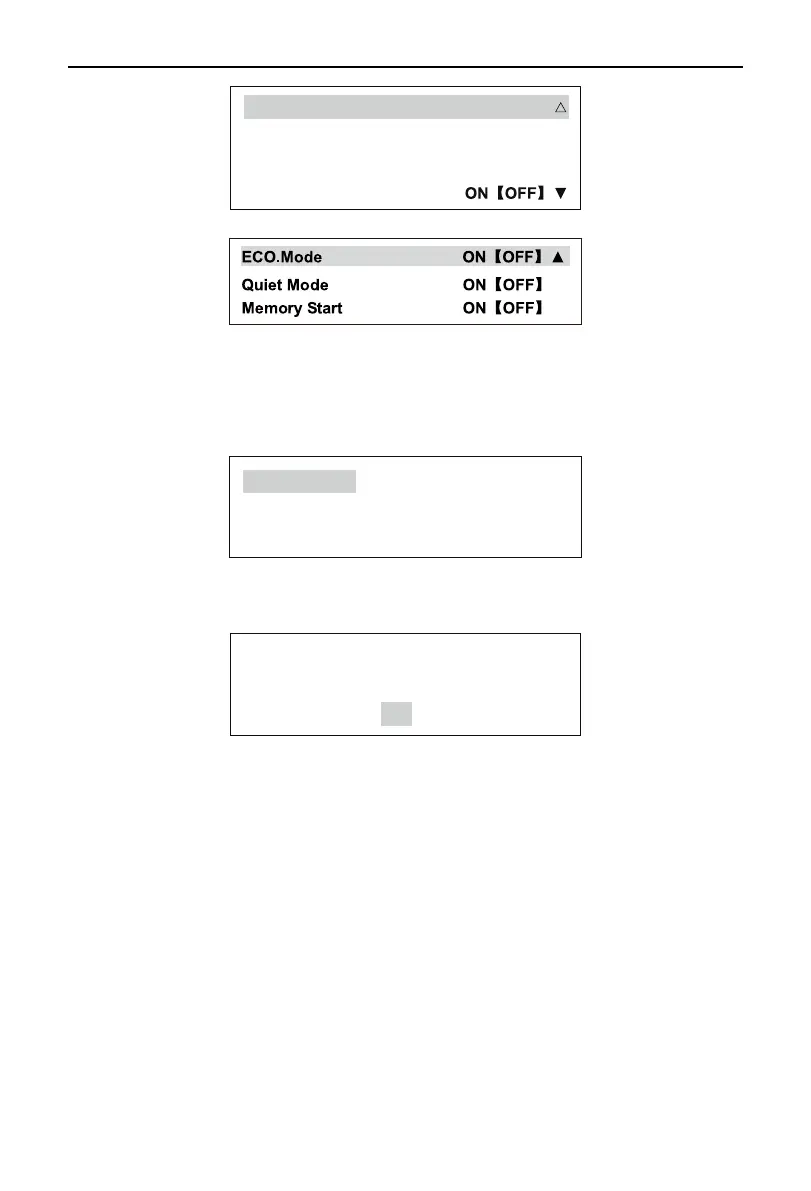
Press the Up or Down selection button to choose a needed function and press the Conrm to go to or
conrm the selection. The subsequent “ON” or “OFF”, which means the function is selected or not.
y
Run Mode Set
Select the Run Mode and press the Conrm button, and the display on the screen is as follows:
Cool
Heat
Defrost
Press the Confirm button to acknowledge a selected object, press the Up or Down selection button to
change a selected object, and press the Exit button to cancel the model set. Different models have different
display modes.If you is setting a mode in the startup state, the following prompt will appear:
Set mode only when
unit is off!
OK
Press the Conrm button for acknowledgement.
y
Startup mode set
Select the Startup and press the Conrm button. The start/stop mode can be converted between the
manual mode and the timing mode.
y
Auxiliary Heater Function Set
Select Auxiliary Heat and press the Confirm button, and the subsequent “ON” or “OFF”, which
means the function is selected or not.
y
Auto-Antifreeze Protection Set
Select Auto-Antifreeze, press Conrm, and the subsequent “ON” or “OFF”, which means the function
is selected or not.



 To Next Page