Service Manual
Installation and Maintenance
68
Steps
Procedure
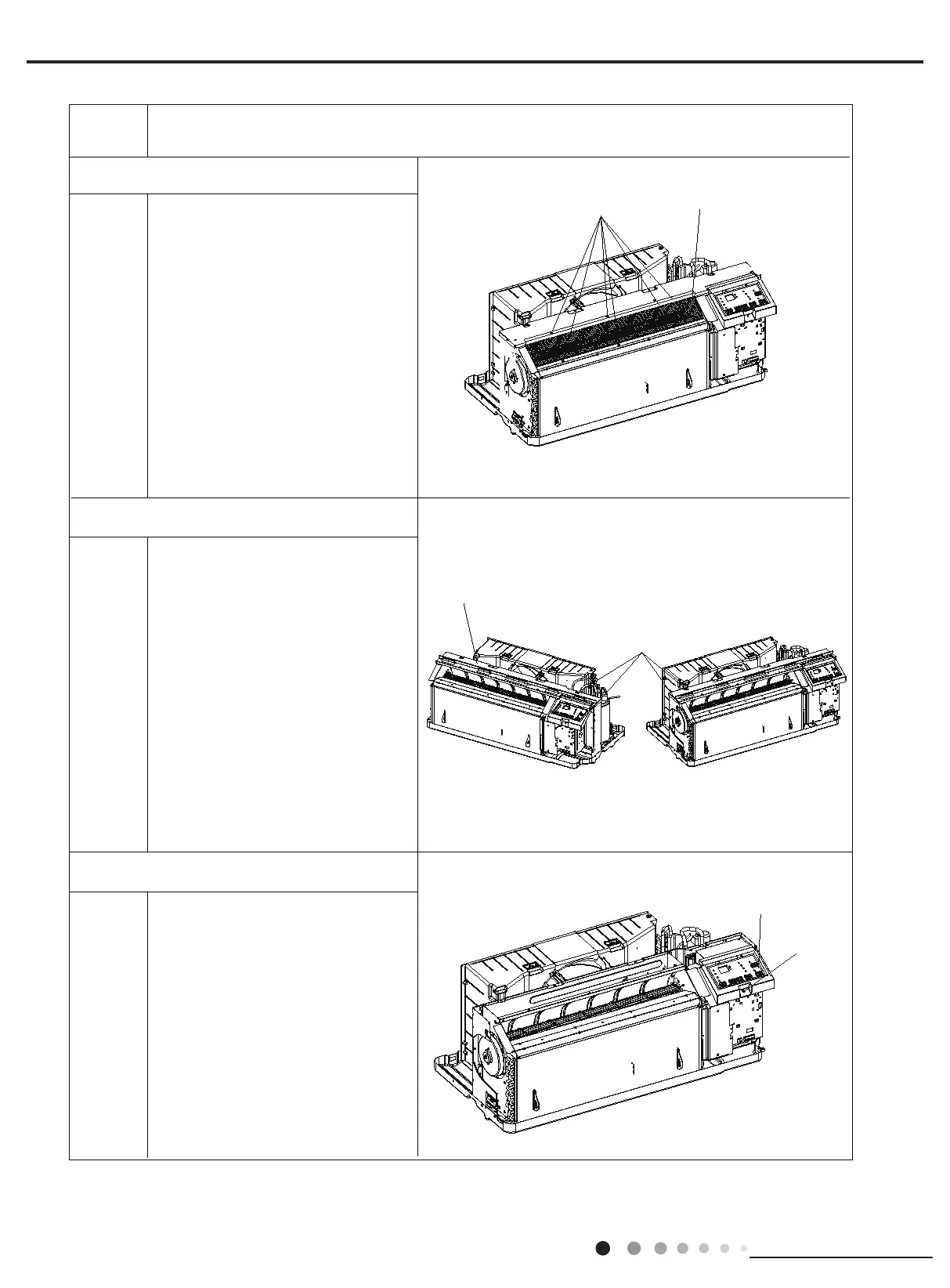
Screws
Rear Grill
Screws
Screws
LCD Cover Sub-assy
Top Cover Sub-Assy
5.Remove Rear Grill
6.Remove Top Cover Sub-Assy
7.Remove LCD Cover Sub-assy
Remove 6 screws on rear grille and
then remove the rear grille.
Remove 4 screws on top cover
sub-assy and then remove the top
cover sub-assy.
Remove 1 screw on the control cover
plate sub-assy and then remove the
control cover plate sub-assy.



 To Next Page