3.6
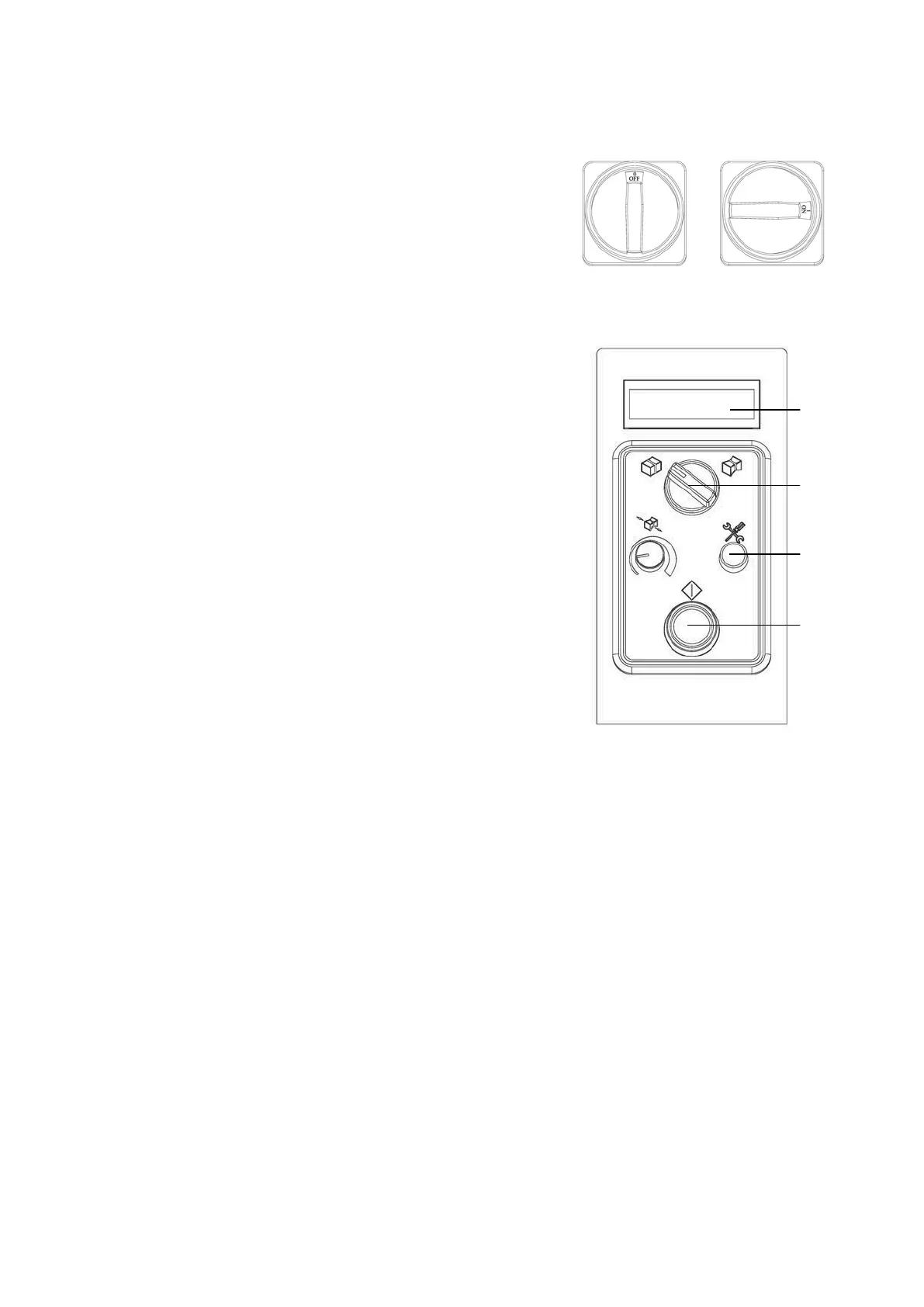
Operating Elements
1.
Main Power Switch:
Provides the machine with power.
Switch to “1” position for turning the main
power on.
After strapping, switch it to “0” to turn off
the machine.
2.
LCD Display:
Display strapping message.
2
3.
Soft - High Tension Switch:
Switch to right for High strapping tension.
3
Switch to left for soft strapping tension.
4.
Strap Tension Potentiometer:
4
5
Turn clockwise to increase strapping tension;
turn counter-clockwise to reduce strapping
tension. This potentiometer is only
6
functional under High tension mode)
5.
Function Encoder:
Turn clockwise or counterclockwise to
change strapping settings.
Also!
It offers settings for weld cooling time and photo eye timers (expressed in page
A21). Other settings can only be changed by technicians with password.
6.
Start Switch:
When the machine is ready for working, and after turning on Main Power Switch,
you must push the Start switch for activating other controls.
To initiate a strapping cycle.
To clear up machine fault.(reset)



 To Next Page