Microprocessor Controller for DOAS 27
®
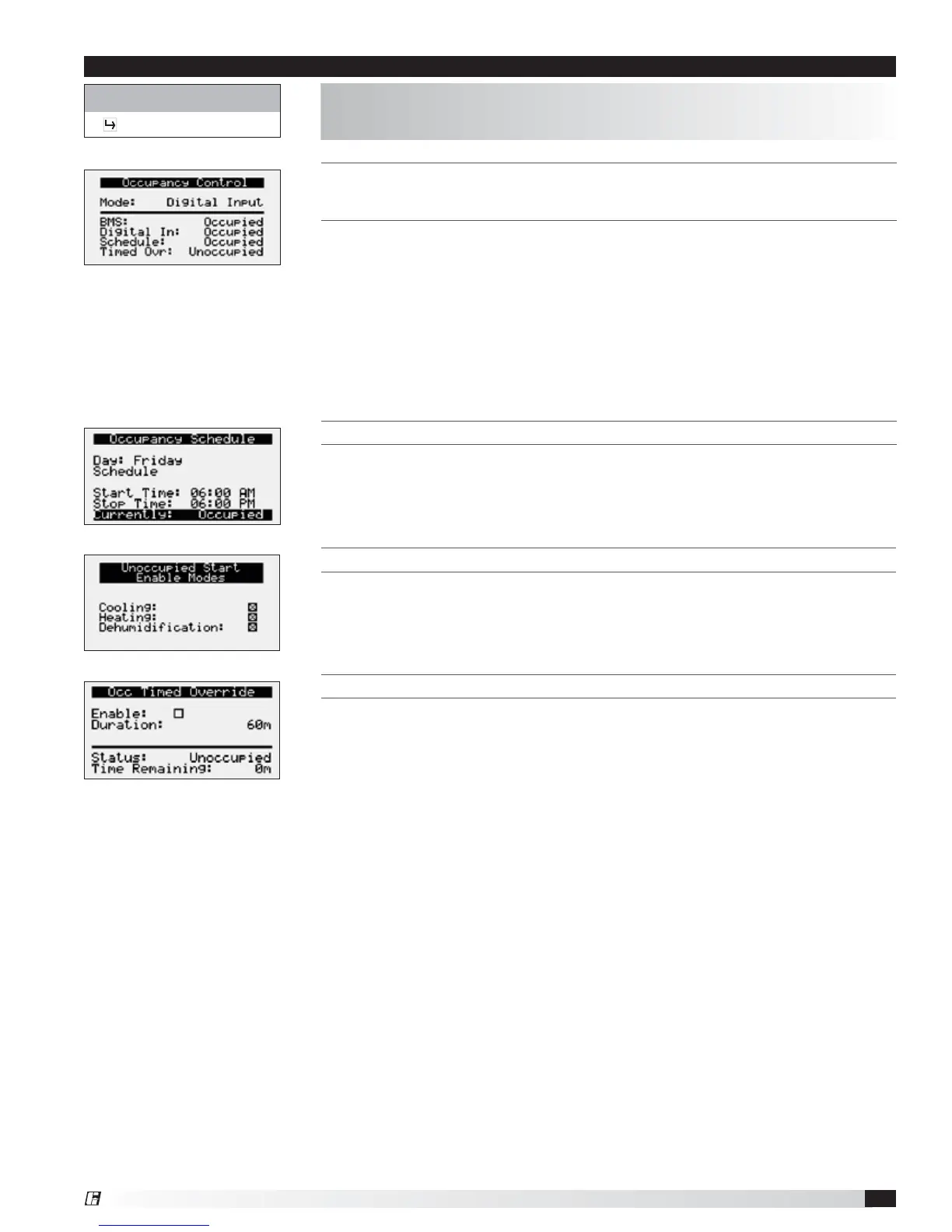
THIS SCREEN DISPLAYS THE CURRENT MODE OF OPERATION FOR OCCUPANCY
CONTROL. STATUS OF THE OTHER MODE OPTION CAN ALSO BE FOUND ON THIS
SCREEN.
This screen allows the user to select the source of determining occupancy. The
factory default is terminal ID6 on the controller.
BMS: BMS control (Reference Points List). BMS can be overridden with ID6.
Digital Input: Typically used with a remote time clock, motion sensor or switch.
Always Occ: Controller will always remain in occupancy mode.
Always Unocc: Controller will always remain in unoccupancy mode.
Schedule: Allows the user to set an occupancy schedule for each individual day
of the week.
THIS SCREEN DISPLAYS UNOCCUPIED START ENABLE MODES.
This screen only appears if unit is provided with unoccupied recirculation.
This screen allows the user to enable/disable modes of operation when in
unoccupied recirculation control.
Control Variables
Occupancy
The Occupancy menu allows the user to adjust occupancy control parameters
which includes occupancy control mode and schedule.
Menu
THIS SCREEN ALLOWS THE USER TO ADJUST THE SCHEDULE.
Requires the user to enter a start time, stop time and the applicable days of the
schedule.
THIS SCREEN DISPLAYS OCCUPANCY OVERRIDE CONDITIONS.
Screen allows the user to override occupancy for a set duration.


 To Next Page