Microprocessor Controller for DOAS 13
®
Web User Interface
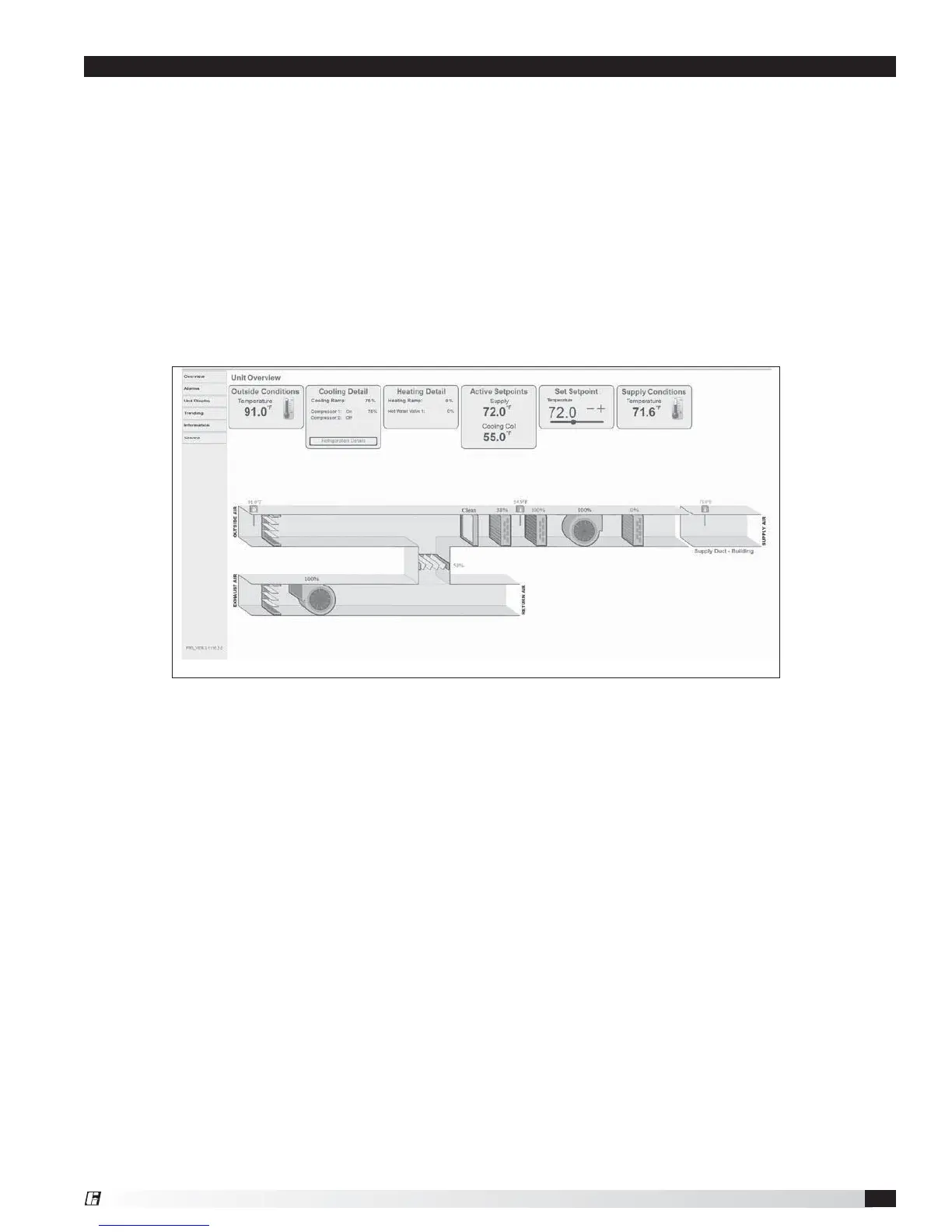
The Web User Interface allows access to the unit controller through the building network. Reference Cntrl Variables/
Advanced/Network Settings to set the IP network protocol. Once proper communication is established, the user
can click on the follow tabs:
Overview – Includes a functioning unit graphic, monitoring points, and active setpoint adjustment.
Alarm – Shows current and cleared alarms.
Unit Display – Mimics the unit controller display. Allows the user full access to the controller without physically
being at the unit.
Trending – User can view past and present controller points.
Information – Provides manufacturer support information as well as IOM resources.
Service – User must be logged with service access criteria (9998). Once proper login is established, the user can
view configured input/output points associated with the unit controller


 To Next Page