EasyManua.ls Logo

Greenlee GATOR EK628LX - User Manual

Greenlee GATOR EK628LX
36 pages
Print Icon
To Next Page IconTo Next Page
Loading...
07/2252095141 REV 00
© 2022 Greenlee Tools, Inc.
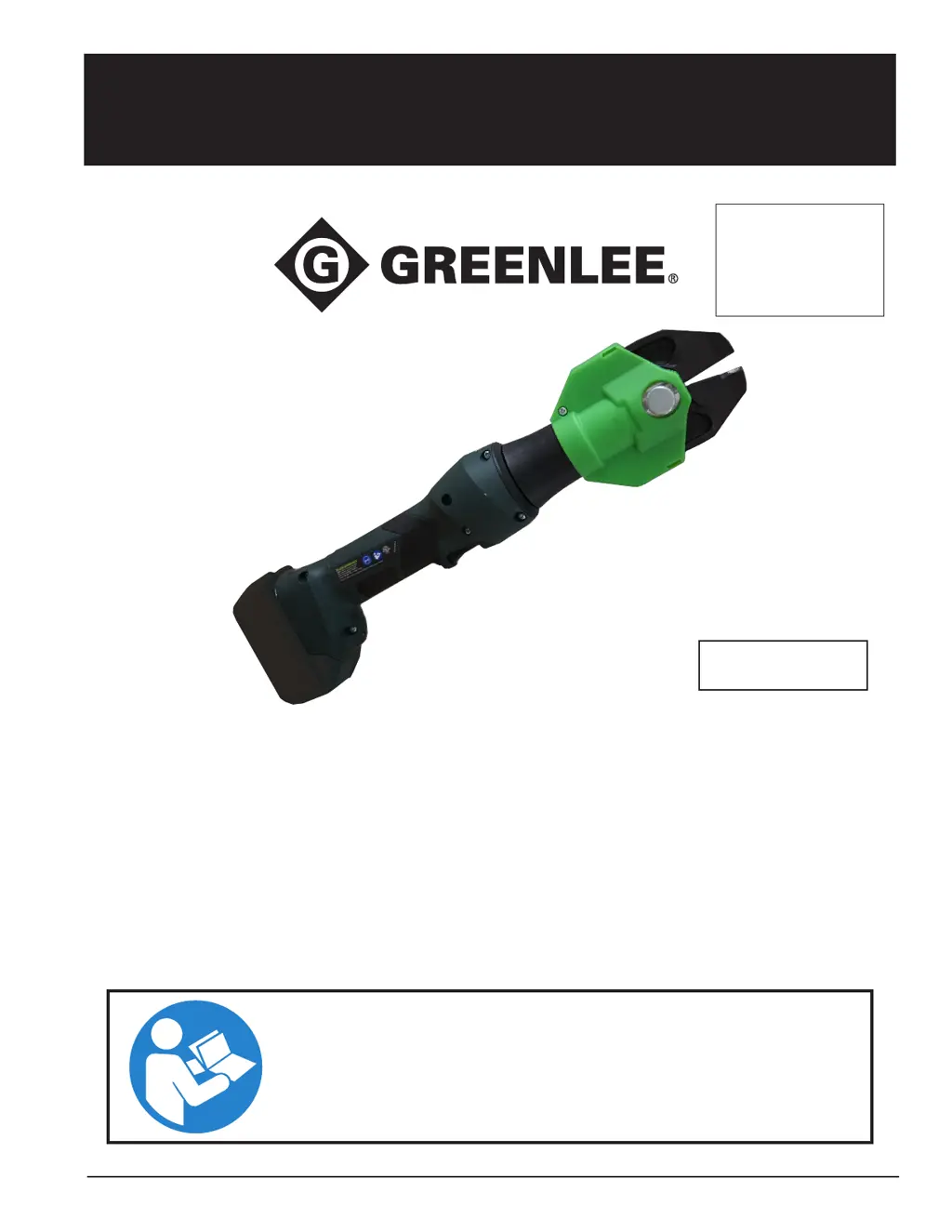
INSTRUCTION MANUAL
EK628LX
GATOR
®
Battery-Powered
Tool with CJB Bolt Cutting
Jaw
Read and understand all of the instructions and
safety information in this manual before operating
or servicing this tool.
KEEP THIS MANUAL
Record serial number here
_______________________
Español ..............13-24
Français .............25-36

Other manuals for Greenlee GATOR EK628LX

Questions and Answers

  • L
    Linda HansenAug 20, 2025
    What to do if my Greenlee Cutter tool will not start, and there is a constant light for 20 seconds when the trigger is released?
    • H
      Heidi HallAug 20, 2025
      If your Greenlee Cutter tool won't start and a constant light appears for 20 seconds after releasing the trigger, the battery charge is likely low. Charge or replace the battery.
  • P
    Peter JacksonAug 22, 2025
    What to do if my Greenlee Cutter tool will stop, and there is a constant light for 20 seconds after the trigger is released?
    • C
      Cheryl JohnstonAug 22, 2025
      If your Greenlee Cutter stops and shows a constant light for 20 seconds after you release the trigger, it indicates a low battery charge. You should charge or replace the battery.
  • T
    Terri JimenezAug 25, 2025
    Why is the LED glowing for 20 seconds on my Greenlee Cutter?
    • J
      Jill KnightAug 25, 2025
      If the LED on your Greenlee Cutter glows for 20 seconds, it's likely because the battery charge is low. Charge or replace the battery.
  • S
    sarah77Aug 26, 2025
    What does it mean if there is a constant light for 20 seconds at the end of the cycle on my Greenlee Cutter?
    • S
      Shelly SantiagoAug 26, 2025
      A constant light for 20 seconds at the end of the cycle on your Greenlee Cutter indicates that the battery charge is low. Charge or replace the battery to resolve this.
  • S
    spetersonAug 27, 2025
    What to do if my Greenlee Cutter is inoperative?
    • S
      Sean RossAug 28, 2025
      If your Greenlee Cutter is inoperative, it could be due to several reasons: * Dirt or contaminants in the tool head: Clean around the tool joints. * Worn or damaged tool components: Send the tool in for service. * Broken switch components: Send the tool in for service.
  • C
    cruzzacharyAug 29, 2025
    Why does my Greenlee Cutter motor run but the tool will not complete a cycle?
    • B
      brian53Aug 30, 2025
      If the motor of your Greenlee Cutter runs but the tool doesn't complete a cycle, it could be due to: * Air in the hydraulic system: Pull the trigger and hold the retract button simultaneously for about 10 seconds, then try crimping again. If it still fails, send it in for service. * Cold oil: Warm the oil by pulling the trigger and holding the retract button simultaneously. Also, store the tool in a warm area.
  • S
    Scott StricklandSep 1, 2025
    What does Error Code 5 mean on my Greenlee Cutter?
    • I
      Isaiah DelacruzSep 1, 2025
      Error Code 5 on your Greenlee Cutter indicates that the battery has no charge. You should charge or replace the battery.
  • J
    Jennifer FloresSep 3, 2025
    What does Error Code 8 mean on my Greenlee Cutter?
    • K
      Kevin HannaSep 3, 2025
      Error Code 8 on your Greenlee Cutter means the battery is low. Charge or replace the battery.
  • C
    Christopher VasquezSep 5, 2025
    What to do if my Greenlee Cutter will stop, and there is a flashing light for 20 seconds when the trigger is released?
    • S
      Stephanie ClarkSep 5, 2025
      If your Greenlee Cutter stops and a flashing light appears for 20 seconds when the trigger is released, it means that the motor is overloaded or the tool is overheated. Let the tool cool for 15 minutes.
  • A
    Amanda SmithSep 7, 2025
    What does Error Code 4 mean on my Greenlee Cutter?
    • S
      Shaun EverettSep 7, 2025
      Error Code 4 on the Greenlee Cutter indicates an overheated battery. Allow the tool to cool for 15 minutes.

Summary

Safety Symbols Key

Safety Alert Symbol and Signal Words

Explains the safety alert symbol and signal words like DANGER, WARNING, CAUTION for hazard communication.

Hazard Symbols

Illustrates symbols for cut, electrical shock, and breaking parts hazards to ensure user awareness.

Personal Protective Equipment (PPE) Symbols

Shows symbols for eye protection and gloves to emphasize necessary safety gear.

Read Manual Symbol

Indicates the importance of reading the operator's manual before using the equipment.

General Safety Warnings

Work Area Safety

Guidelines for maintaining a clean, well-lit work area and keeping bystanders away.

Electrical Safety

Precautions regarding plugs, grounding, wet conditions, and cord handling.

Personal Safety

Advice on staying alert, using PPE, preventing unintentional starts, and proper attire.

Power Tool Use and Care

General Tool Operation

Instructions on not forcing the tool, ensuring switch functionality, and disconnecting power.

Maintenance and Storage

Guidance on maintaining tools, keeping cutting edges sharp, and safe storage practices.

Battery Tool Use and Care

Charging and Compatibility

Recommendations for using the specified charger and designated battery packs.

Battery Safety Precautions

Warnings about shorting terminals, liquid ejection, damaged batteries, and temperature exposure.

Tool Specific Safety Information

Application and Pre-Operation Checks

Using the correct tool, reading manuals, and performing pre-operation checks for safety.

Hazardous Operations

Warnings about hand/finger placement, forces generated, and cutting techniques.

Tool Modification and Capacity

Advice against modifying the tool and exceeding its capacity to prevent injury.

Tool Description

Features

Lists key features of the EK628LX tool, including controls, blades, and status indicators.

Specifications

Details technical specifications such as jaw capacity, force, dimensions, and operating ranges.

Tool Identification

Component Identification

Labels and numbers identifying key parts of the tool for reference.

Decals, Markings, and Locations

Shows the placement and meaning of safety decals and brand identification marks.

OLED Screen Information

Display and Information Shown

Details the OLED screen displays for battery charge, pressure, total hours, and service cycles.

Mode Selection

Explains how to select operation modes like Single Click or Double Click.

Pre-Operation Inspection

Inspection Steps

Comprehensive checklist for inspecting the tool's body, head, seals, and decals before use.

Safety During Inspection

Emphasizes removing the battery and wearing PPE during inspection to prevent injury.

Tool Set-Up & Operation

Work Site and Tool Preparation

Ensuring good lighting, determining the correct equipment, and installing the battery.

Operation Procedure

Guidance on maneuvering the head, holding the tool, using the trigger, and jaw retraction.

Troubleshooting

Common Problems and Causes

Lists common tool issues like inoperability, error codes, and oil loss with likely causes.

Solutions for Tool Issues

Provides solutions for problems such as overheating, low battery, and motor overload.

Transportation & Storage

Storage Guidelines

Instructions for storing the tool, accessories, and battery safely in a cool, dry place.

Cleaning

Cleaning Procedure

Steps for cleaning the tool housing using a damp cloth and mild detergent.

Optional Equipment and Repair

Available Accessories

Lists catalog numbers and descriptions for optional equipment like cutting head covers.

Service

Service Requirements

Emphasizes using qualified personnel and identical replacement parts for tool service.

Service Intervals

Recommends returning the tool for service annually or after 10,000 cuts.

Statements

FCC and Industry Canada Compliance

Provides compliance statements for FCC and Industry Canada regarding radio frequency energy.

Disposal

Component Recycling and Disposal

Guidance on recycling valuable materials and disposing of components according to regulations.

Greenlee GATOR EK628LX Specifications

General IconGeneral
BrandGreenlee
ModelGATOR EK628LX
CategoryCrimp tool
LanguageEnglish

Related product manuals