EasyManua.ls Logo

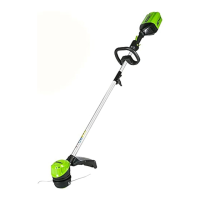
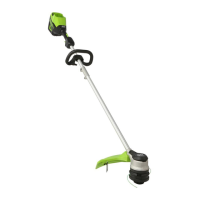
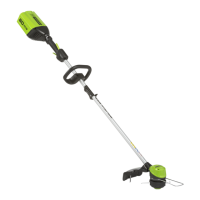
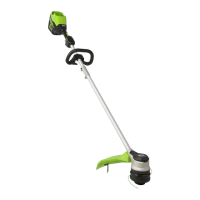
GreenWorks Pro ST60B02 - User Manual

GreenWorks Pro ST60B02
27 pages
Print Icon
To Next Page IconTo Next Page
Loading...
STC301
ST60B02
ST60B212
EN OPERATOR MANUALSTRING TRIMMER
ES MANUAL DEL OPERADORCORTABORDES
www.greenworkstools.com

Table of Contents

Questions and Answers

  • J
    Julie JohnstonAug 2, 2025
    How to start GreenWorks Pro ST60B02 Trimmer?
    • S
      sarahglassAug 3, 2025
      If your GreenWorks Pro Trimmer doesn't start when you push the trigger, there are a few potential reasons. First, there might not be electrical contact between the machine and the battery pack. To fix this, remove the battery pack, check the contact, and then reinstall the battery pack. Another reason could be that the battery pack is depleted, so try charging the battery pack. Also, make sure you're pushing the lock-out button and trigger at the same time. Pull and hold the lock-out button, then pull the trigger to start the machine.
  • P
    Paul CastilloAug 7, 2025
    What to do if grass winds around the GreenWorks Pro Trimmer head?
    • A
      Alex PageAug 7, 2025
      If the grass winds around the trimmer head and motor housing of your GreenWorks Pro Trimmer, it's likely because you're cutting tall grass at ground level. To prevent this, cut tall grass from the top down, and remove no more than 8" in each pass to avoid wrapping.
  • W
    William GordonAug 11, 2025
    How to fix GreenWorks Pro ST60B02 line that doesn't cut well?
    • S
      Sandra RamirezAug 11, 2025
      If the line on your GreenWorks Pro Trimmer does not cut well, the cut-off blade may have become dull. Sharpen the cut-off blade with a file or replace it.
  • S
    smithlindaAug 20, 2025
    Why does the line keep breaking on my GreenWorks Pro ST60B02 Trimmer?
    • U
      utaylorAug 20, 2025
      If the line on your GreenWorks Pro Trimmer keeps breaking, it might be due to incorrect usage. To prevent this, cut with the tip of the line, avoiding stones, walls, and other hard objects. Also, advance the cutting line regularly to maintain a full cutting width.
  • J
    Jessica ChoiAug 25, 2025
    What to do if the line does not advance on GreenWorks Pro ST60B02 Trimmer?
    • T
      Thomas KingAug 25, 2025
      If the line on your GreenWorks Pro Trimmer does not advance, several issues could be the cause. The lines may be welded together; if this is the case, lubricate them with silicone spray. Alternatively, there might not be enough line on the spool, so install more line. The lines could also be worn too short, in which case you should advance the cutting line. Lastly, the lines might be tangled on the spool; remove the lines from the spool and wind them properly.
  • B
    Brian LewisAug 28, 2025
    Why is there increased vibration in my GreenWorks Pro ST60B02?
    • A
      Ashley SandovalAug 28, 2025
      If the vibration of your GreenWorks Pro Trimmer increases obviously, it's likely because the line is worn down on one side and not advanced in time. Ensure that the line on both sides is normal and advance the line.
  • D
    david97Nov 14, 2025
    Why does my GreenWorks Pro ST60B02 stop when I'm cutting?
    • J
      Jaime ThompsonNov 14, 2025
      If your GreenWorks Pro Trimmer stops while you're cutting, several factors could be the cause. It might be due to the guard not being attached properly; in this case, remove the battery pack and attach the guard securely. Using a heavy cutting line can also cause this issue, so ensure you're only using a nylon cutting line with a diameter of 0.08" (2 mm). Grass winding around the motor shaft or trimmer head can also cause the trimmer to stop; to resolve this, stop the machine, remove the battery pack, and clear any grass from these areas. Additionally, the motor could be overloaded; remove the trimmer head from the grass, and it should recover once the load is removed. When cutting, move the trimmer head in and out of the grass, removing no more than 8" in a single pass. Overheating of the...

Summary

DESCRIPTION

Product Purpose

Defines the intended use of the string trimmer for cutting grass and weeds.

Component Overview

Illustrates and labels all the main components of the string trimmer.

Package Contents

Lists all items included in the product packaging for user verification.

IMPORTANT SAFETY INSTRUCTIONS

General Safety Precautions

Comprehensive safety guidelines and warnings for operating the power tool.

SYMBOLS ON THE MACHINE

Symbol Identification

Explains the meaning of various symbols present on the machine for user understanding.

RISK LEVELS

Risk Level Definitions

Clarifies signal words (DANGER, WARNING, CAUTION) indicating potential hazards.

SERVICE

Service and Repair Guidelines

Guidance on required expertise and recommended service centers for maintenance.

ENVIRONMENTALLY SAFE BATTERY DISPOSAL

Battery Disposal Procedures

Instructions for safe and environmentally responsible disposal of lithium-ion batteries.

PROPOSITION 65

California Proposition 65 Warning

Informs about chemicals in the product linked to cancer or reproductive harm.

INSTALLATION

Unpacking the Machine

Steps for unpacking and preparing the string trimmer for assembly.

Attaching the Guard

Instructions for securely attaching the safety guard to the trimmer head.

Attaching the Edge Guide

Guide on fitting the edge guide to control cutting range and prevent damage.

Assembling the Shaft

Procedure for connecting the upper and lower shaft sections of the trimmer.

OPERATION

Attaching the Auxiliary Handle

How to mount and adjust the auxiliary handle for comfortable operation.

Installing the Battery Pack

Steps for correctly inserting the battery pack into the designated compartment.

Removing the Battery Pack

Instructions for safely detaching the battery pack from the machine.

Starting the Machine

Guide on initiating the string trimmer's operation using controls.

Stopping the Machine

Procedure for safely shutting down the string trimmer.

ADJUSTING CUTTING LINE

Adjusting Cutting Line Length

Method for automatically feeding and trimming the cutting line.

Line Cut-Off Blade Function

Explanation of the blade's function in maintaining consistent cutting diameter.

Adjusting Cutting Diameter

Instructions to change the cutting path width for different applications.

Operation Tips

Advice for efficient and safe usage, including handling common operational issues.

CUTTING TIPS

Cutting Tips and Techniques

Techniques for optimal cutting performance and line longevity.

MAINTENANCE

General Maintenance Information

Important notes and precautions before performing maintenance tasks.

Cleaning the Machine

Steps for cleaning the string trimmer, including specific cleaning agents to use or avoid.

Removing Excess Line

Procedure for accessing and removing the spool and spool cover.

INSTALL THE CUTTING LINE

Installing the Cutting Line

Detailed guide on threading and winding new cutting line onto the spool.

Replacing the Bump Knob

Instructions for removing and installing the bump knob on the trimmer head.

TRANSPORTATION AND STORAGE

Moving the Machine

Essential safety and handling steps for moving the string trimmer.

Storing the Machine

Guidelines for safe and proper storage of the string trimmer.

TROUBLESHOOTING

Troubleshooting Common Issues

A guide to diagnosing and resolving common problems encountered with the trimmer.

TECHNICAL DATA

Technical Specifications Overview

Key technical details and specifications of the string trimmer.

LIMITED WARRANTY

Warranty Coverage Details

Details on warranty coverage, duration, exclusions, and customer support.

REPLACEMENT PARTS

Replacement Parts Identification

List of available replacement parts with part numbers and descriptions.

GreenWorks Pro ST60B02 Specifications

General IconGeneral
TypeString Trimmer
Battery Voltage60V
Weight11.5 lbs
Line Diameter0.080 inches
RuntimeUp to 60 minutes
Line FeedAutomatic
Power SourceBattery
Battery TypeLithium-ion
Adjustable HandleYes
Warranty4 years
Cutting Width16 in.

Related product manuals