EasyManua.ls Logo

GreenWorks Pro ST60L02 - User Manual

GreenWorks Pro ST60L02
40 pages
Print Icon
To Next Page IconTo Next Page
Loading...
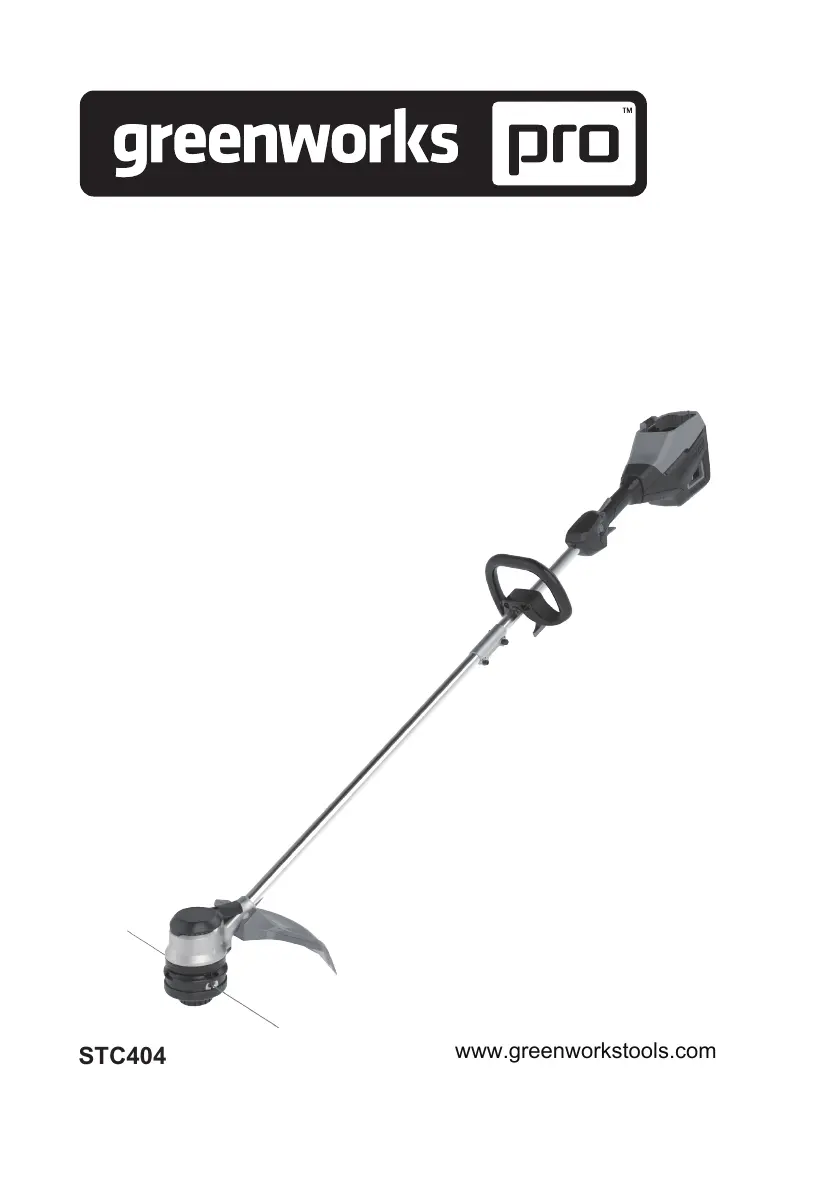
STC404
ST60L02
www.greenworkstools.com
EN OPERATOR MANUAL
FR MANUEL DE L’UTILISATEUR
STRING TRIMMER
COUPE-HERBE
ES MANUAL DEL OPERADORCORTABORDES

Table of Contents

Questions and Answers

  • E
    Eric MarquezAug 9, 2025
    What to do if the line does not advance on GreenWorks Pro Trimmer?
    • S
      Sheila MccormickAug 9, 2025
      If the line on your GreenWorks Pro Trimmer is not advancing, it could be due to several reasons. The lines might be welded together, in which case you should lubricate them with silicone spray. There might not be enough line on the spool, so install more line. The lines could be worn too short, so advance the cutting line. Alternatively, the lines might be tangled on the spool; remove the lines and rewind them.
  • B
    bjonesAug 14, 2025
    Why does the line keep breaking on my GreenWorks Pro ST60L02?
    • C
      Catherine ShannonAug 14, 2025
      If the line on your GreenWorks Pro Trimmer keeps breaking, it's likely due to incorrect usage. Ensure you're cutting with the tip of the line and avoiding hard objects like stones and walls. Also, advance the cutting line regularly to maintain a full cutting width.
  • K
    katherineclarkAug 19, 2025
    How to prevent grass from winding around the GreenWorks Pro ST60L02 head?
    • D
      Donald GravesAug 19, 2025
      If grass winds around the trimmer head and motor housing of your GreenWorks Pro Trimmer, it’s because you are cutting tall grass at ground level. To prevent this, cut tall grass from the top down, removing no more than 8 inches in each pass.
  • S
    Samantha BoltonAug 25, 2025
    What to do if GreenWorks Pro ST60L02 line does not cut well?
    • T
      Tanya CabreraAug 25, 2025
      If the line of your GreenWorks Pro Trimmer doesn't cut well, the cut-off blade may be dull. Sharpen the cut-off blade with a file or replace it.
  • R
    Robin JacksonAug 29, 2025
    Why does my GreenWorks Pro ST60L02 vibrate so much?
    • G
      Gary AndersonAug 29, 2025
      If the vibration of your GreenWorks Pro Trimmer increases noticeably, it could be that the line is worn down on one side and hasn't been advanced in time. Ensure the line on both sides is normal and advance the line.
  • C
    Christy PorterNov 3, 2025
    Why does my GreenWorks Pro ST60L02 Trimmer keep stopping when I cut?
    • J
      Jeremy BeanNov 3, 2025
      If your GreenWorks Pro Trimmer stops while cutting, several issues could be the cause. The guard might not be properly attached, so remove the battery pack and attach the guard. You might be using a cutting line that is too heavy; only use a nylon cutting line of 0.095" / 0.080" (2.4 mm / 2.0 mm) diameter. The grass could be wound around the motor shaft or the trimmer head; if this happens, stop the machine, remove the battery pack, and clear the grass. The motor might be overloaded, so remove the trimmer head from the grass, and it will recover once the load is removed. When you cut, move the trimmer head in and out of the grass, removing no more than 8" in a single pass. The battery pack or machine could be too hot; cool the battery pack until it returns to normal, and cool the machine f...

Summary

1 Description

1.1 Purpose of Use

Describes the intended use of the string trimmer for cutting grass and light weeds.

1.2 Machine Overview

Provides a diagram identifying key components of the string trimmer.

1.3 Packing List

Lists all items included in the product packaging.

2 Important Safety Instructions

General Safety Precautions

Covers essential safety guidelines for operating the string trimmer, including personal protection and environmental awareness.

3 Symbols on the Machine

Machine Symbols and Explanations

Details symbols used on the machine and their corresponding meanings for safe operation.

4 Risk Levels

Risk Level Indicators

Explains the meaning of signal words (Danger, Warning, Caution) used to indicate risk levels.

5 Service

Professional Servicing Requirements

Outlines the need for qualified technicians and recommends authorized service centers for repairs.

6 Environmentally Safe Battery Disposal

Battery Disposal Instructions

Provides guidelines for safely disposing of Lithium-Ion batteries, emphasizing recycling and avoiding hazardous disposal.

7 Proposition 65 Warning

Chemical Exposure Alert

Informs users about chemicals known to cause cancer or reproductive harm, as per California law.

8 Installation

8.1 Unpack the Machine

Guides users through the process of unpacking the string trimmer and its accessories.

8.2 Attach the Guard

Attaching the Guard

Provides steps to correctly attach the guard to the trimmer head using provided hardware.

8.3 Assemble the Shaft

Assembling the Shafts

Guides the user through connecting the upper and lower shaft sections securely.

8.4 Attach the Auxiliary Handle

Auxiliary Handle Installation

Details the process of attaching the auxiliary handle to the trimmer's shaft for better control.

8.5 Install the Battery Pack

Installing the Battery Pack

Details the steps for inserting and locking the battery pack into the trimmer's compartment.

8.6 Remove the Battery Pack

Removing the Battery Pack

Explains the procedure for safely detaching the battery pack from the string trimmer.

9 Operation

9.1 Controls Overview

Identifies and describes the main controls of the string trimmer.

9.2 Start the Machine

Provides instructions on how to safely start the string trimmer.

9.3 Stop the Machine

Explains the procedure for stopping the string trimmer.

9.4 Adjust Cutting Line Length

Describes how to automatically advance and trim the cutting line.

9.5 Adjust the Cutting Diameter

Adjusting Cutting Width

Details how to switch between 14-inch and 16-inch cutting diameters for different needs.

9.6 Line Cut-Off Blade

Line Trimming Blade

Explains the function of the blade that trims the cutting line to maintain optimal length.

9.7 Operation Tips

Operating the Trimmer

Provides tips for proper handling, cutting tall grass, and dealing with grass entanglement.

9.8 Cutting Tips

Best Cutting Practices

Offers advice on cutting direction, avoiding hazards, and managing line wear from surfaces.

10 Maintenance

General Maintenance Precautions

Important safety and preparation steps before performing any maintenance.

10.1 General Information

Maintenance Overview

Key points regarding maintenance, including service center recommendations and pre-maintenance checks.

10.2 Clean the Machine

Cleaning Instructions

Details how to clean the trimmer, emphasizing avoiding water on electrical components.

10.3 Replace Excess Line

Replacing the Spool

Guides users through the process of removing and reassembling the spool cover and spool.

10.4 Install the Cutting Line

Loading Cutting Line

Step-by-step instructions for loading the cutting line onto the spool correctly.

11 Transportation and Storage

11.1 Move the Machine

Safety precautions and steps to take before moving the string trimmer.

11.2 Store the Machine

Guidelines for safely storing the string trimmer, including environmental considerations.

12 Technical Data

Specifications and Temperature Ranges

Presents detailed technical specifications and recommended ambient temperature ranges for operation and storage.

13 Limited Warranty

Warranty Terms and Support

Details warranty coverage, exclusions, helpline contact, and transportation charges for service.

14 Troubleshooting

Common Issues and Solutions

Addresses common problems like the machine not starting or battery depletion, providing solutions.

14 Troubleshooting (Continued)

Additional Troubleshooting Scenarios

Covers issues like the machine stopping, line breaking, motor overload, and battery problems with their solutions.

15 Exploded View

Parts Identification Diagram

Provides a visual breakdown of the string trimmer with a numbered list of all components and their part numbers.

GreenWorks Pro ST60L02 Specifications

General IconGeneral
TypeString Trimmer
Battery Voltage60V
Weight10.5 lbs
Line Diameter0.080 inches
Shaft TypeStraight
Line FeedBump Feed
Power SourceBattery
Battery TypeLithium-Ion
Charging Time60 minutes
Adjustable HandleYes
Warranty4 years
Cutting Width16 inches
Run TimeUp to 45 minutes

Related product manuals