EasyManua.ls Logo

Grizzly G0453 - User Manual

Grizzly G0453
83 pages
Print Icon
To Next Page IconTo Next Page
Loading...
COPYRIGHT © AUGUST, 2017 BY GRIZZLY INDUSTRIAL, INC.
WARNING: NO PORTION OF THIS MANUAL MAY BE REPRODUCED IN ANY SHAPE
OR FORM WITHOUT THE WRITTEN APPROVAL OF GRIZZLY INDUSTRIAL, INC.
#BL19140 PRINTED IN CHINA
The following change was recently made to these machines since the owner's manuals were
printed:
Outfeed roller changed from serrated steel to rubber.
Aside from this information, all other content in the owner's manual applies and MUST be read and under-
stood for your own safety. IMPORTANT: Keep this update with the owner's manual for future reference.
For questions or help, contact our Tech Support at (570) 546-9663 or techsupport@grizzly.com.
READ THIS FIRST
For questions or help with this product contact Tech Support at (570) 546-9663 or techsupport@grizzly.com
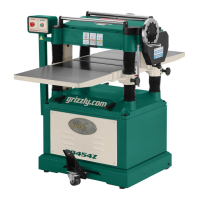
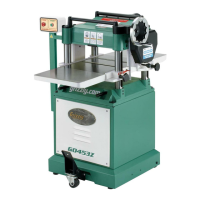
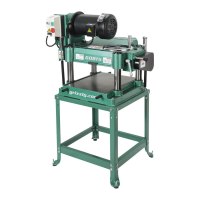
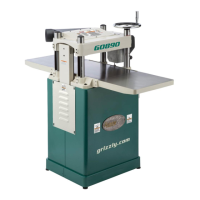
Models G0453, G0453Z,
G0454, G0454Z
***IMPORTANT UPDATE***
For Machines Mfd. Since 09/17
and Owner's Manuals Revised 11/12
81V2 (G0453)
63V2 (G0453Z)
68V2 (G0454Z)
89V2 (G0454)
V2 Outfeed Roller
REF PART # DESCRIPTION
81V2 P0453081V2 OUTFEED ROLLER (RUBBER) V2.09.17 (G0453)
63V2 P0453Z063V2 OUTFEED ROLLER (RUBBER) V2.09.17 (G0453Z)
89V2 P0454089V2 OUTFEED ROLLER (RUBBER) V2.09.17 (G0454)
68V2 P0454Z068V2 OUTFEED ROLLER (RUBBER) V2.09.17 (G0454Z)
V1 & V2 Outfeed Roller Photos
V2
V1

Other manuals for Grizzly G0453

Questions and Answers

  • K
    Katie CannonAug 16, 2025
    What to do if my Grizzly G0453 Planer doesn't start or the breaker trips?
    • Y
      ysmithAug 16, 2025
      If your Grizzly Planer doesn't start or the breaker trips, try the following: Rotate the button to reset or replace it. Ensure the power supply is on and has the correct voltage. Reset the breaker, adjust the trip load dial if necessary, or replace it. Make sure the circuit size is correct or replace a weak breaker. Test for good contacts and correct the wiring. You may also need to check and fix broken, disconnected, or corroded wires. Other solutions include replacing the switch, testing or replacing the capacitor if it's faulty, adjusting or replacing the centrifugal switch, testing, repairing, or replacing other components and correcting motor wiring connections. Also, test all legs for power and replace if faulty.
  • S
    stephaniemartinezAug 22, 2025
    How to fix a Grizzly Planer that has vibration or noisy operation?
    • S
      Sergio HardinAug 22, 2025
      To address vibration or noisy operation in your Grizzly Planer, try these steps: * Replace or realign belts with a matched set. * Resharpen or replace knives and correctly set knife alignment and height. * Replace a warped or bent blade or resharpen a dull blade. * Inspect or replace belts with a new matched set. * Realign or replace the shaft, pulley, setscrew, and key. * Tighten or replace loose components. * Tighten mounting bolts and relocate or shim the machine.
  • D
    daniellecarsonAug 25, 2025
    How to prevent uneven cutting marks on the Grizzly G0453 Planer?
    • A
      Alex FloresAug 26, 2025
      To prevent uneven cutting marks, wavy surfaces, or chatter marks on your Grizzly Planer, try the following: Reduce the feed rate. Adjust the height of the chip breaker or pressure bar. Lower or raise the bed rollers. Adjust the knives to the proper height. You might also need to replace the cutterhead bearings.
  • D
    dwilliamsAug 27, 2025
    What to do if the workpiece stops or slows in the middle of a cut on my Grizzly Planer?
    • C
      Craig KleinAug 27, 2025
      If the workpiece stops or slows down in the middle of a cut on your Grizzly Planer, consider these solutions: Reduce the depth of cut. Clean the planer components with a pitch or resin dissolving solvent. Lower or raise the bed rollers. Raise the height of the chip breaker or pressure bar. Adjust the feed rollers to the correct height.
  • G
    Gina JacksonAug 30, 2025
    How to minimize snipe on my Grizzly Planer?
    • J
      Jessica SheaAug 30, 2025
      To minimize snipe (gouges at the end of the workpiece) on your Grizzly Planer, consider these solutions: Lower the bed rollers. Adjust the rear extension wing set screws to make the extension level with the main table. Raise the height of the chip breaker or pressure bar. Use an assistant or roller beds/stands to properly support the workpiece as it leaves the planer.
  • D
    Darlene DixonSep 2, 2025
    How to prevent consistent chipping pattern with Grizzly G0453 Planer?
    • C
      Christopher HansenSep 2, 2025
      To prevent a consistent chipping pattern when using your Grizzly Planer, try these steps: Inspect the workpiece for knots and grain direction, using only clean stock. Sharpen or replace the knife. Reduce the feed rate. Reduce the depth of cut. Adjust both sides of the chip breaker to the correct height.
  • S
    Shannon BlackSep 4, 2025
    Why is my Grizzly G0453 leaving a glossy surface?
    • C
      Crystal BlackSep 4, 2025
      If your Grizzly Planer is leaving a glossy surface, try these solutions: Sharpen or replace the knives. Increase the feed rate. Increase the depth of cut.
  • C
    Cheryl BrooksSep 7, 2025
    How to avoid fuzzy grain when using my Grizzly Planer?
    • J
      Jordan PowersSep 7, 2025
      To avoid fuzzy grain when using your Grizzly Planer, sticker and allow the workpiece to dry if the moisture content is over 20% or has surface wetness. Sharpen or replace the knives.
  • N
    normadunnSep 10, 2025
    Why does my Grizzly G0453 stall or feel underpowered?
    • R
      Robert FloresSep 12, 2025
      If your Grizzly Planer stalls or is underpowered, consider the following: Decrease the feed rate. Only cut wood, ensuring moisture is below 20%. Clear any blockages, seal leaks, use a smooth wall duct, eliminate bends in the ductwork, and close off other branches in your dust collection system. Clean the motor, let it cool, and reduce the workload. Use sharp blades or inserts and reduce the feed rate or depth of cut. Other solutions include testing for good contacts and correcting the wiring, testing, repairing, or replacing components, replacing a loose pulley or shaft, testing all legs for power and replacing if faulty, and adjusting or replacing the centrifugal switch. You may also need to tension or replace the belt(s) and ensure the pulleys are aligned or wire the motor correctly.
  • M
    Mark DurhamSep 12, 2025
    What causes long lines or ridges on the workpiece from my Grizzly Planer?
    • K
      kaitlin62Sep 12, 2025
      If you're seeing long lines or ridges running the length of the workpiece from your Grizzly Planer, the solution is to sharpen or replace the knives.

Summary

SECTION 1: SAFETY

Safety Instructions for Machinery

General safety guidelines and warnings for operating the machinery.

Additional Safety Instructions for Planers

Specific safety advice tailored for planer operations.

SECTION 2: POWER SUPPLY

SECTION 4: OPERATIONS

Planing Tips

Offers advice and best practices for effective and safe planer operation.

Workpiece Inspection

Details critical checks for workpieces before planing to ensure safety and quality.

SECTION 3: SETUP

Assembly

Provides step-by-step instructions for assembling the planer components.

SECTION 5: ACCESSORIES

SECTION 6: MAINTENANCE

Schedule

Provides a maintenance schedule based on operating hours for optimal performance.

Lubrication

Details lubrication procedures for various machine components to ensure longevity.

SECTION 8: WIRING

Wiring Safety Instructions

Provides crucial safety guidelines for working with the machine's electrical wiring.

SECTION 9: PARTS

G0453 Headstock Breakdown

Illustrates and lists parts for the G0453 model's headstock assembly.

G0453 Table Breakdown

Illustrates and lists parts for the G0453 model's table assembly.

G0453 Columns Breakdown

Illustrates and lists parts for the G0453 model's column assembly.

G0453 Cabinet Stand Breakdown

Illustrates and lists parts for the G0453 model's cabinet stand.

G0454 Headstock Breakdown

Illustrates and lists parts for the G0454 model's headstock assembly.

G0454 Table Breakdown

Illustrates and lists parts for the G0454 model's table assembly.

G0454 Columns Breakdown

Illustrates and lists parts for the G0454 model's column assembly.

G0454 Cabinet Stand Breakdown

Illustrates and lists parts for the G0454 model's cabinet stand.

Grizzly G0453 Specifications

General IconGeneral
BrandGrizzly
ModelG0453
CategoryPlaner
LanguageEnglish

Related product manuals