EasyManua.ls Logo

Grizzly G0603X - User Manual

Grizzly G0603X
72 pages
Print Icon
To Next Page IconTo Next Page
Loading...
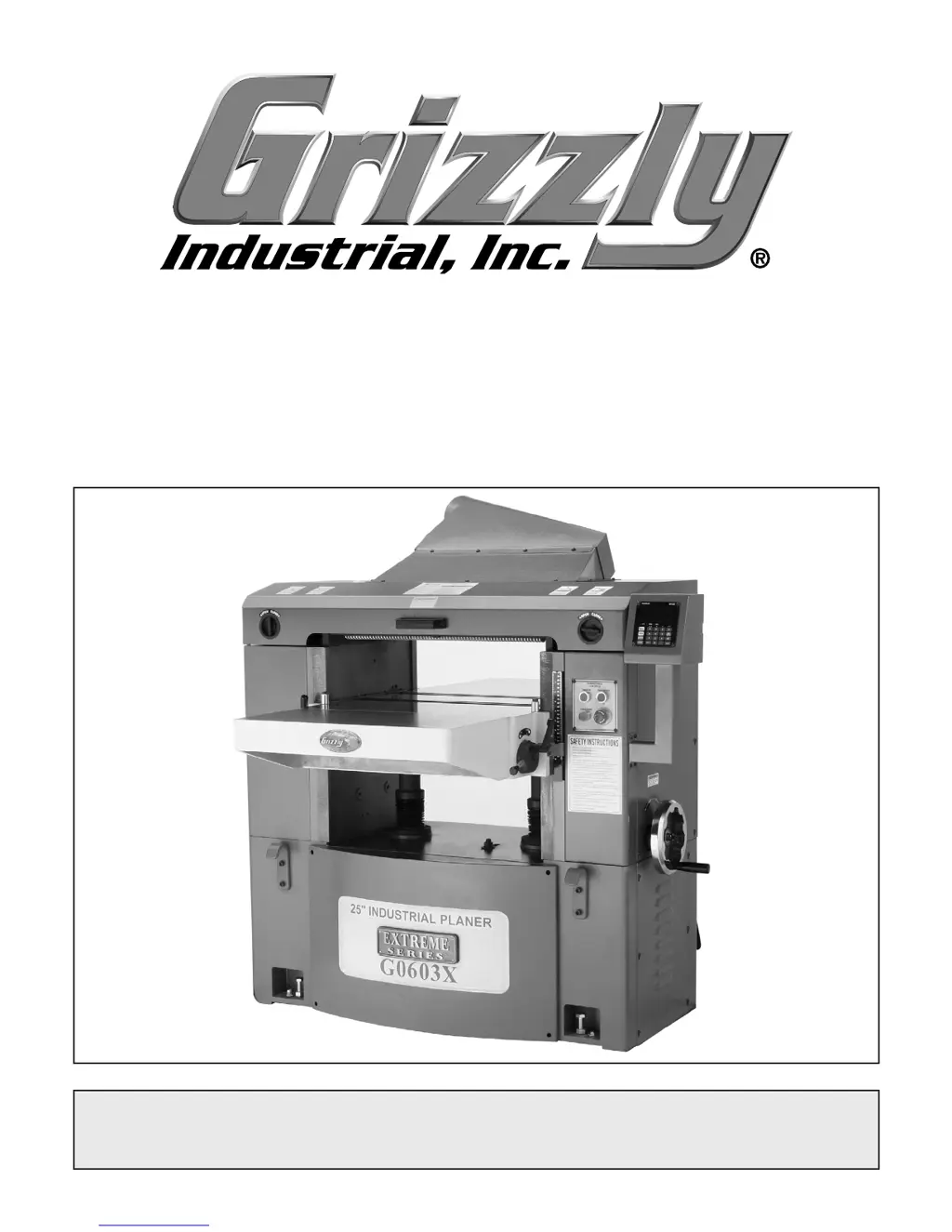
MODEL G0603X
25" EXTREME SERIES PLANER
OWNER'S MANUAL
COPYRIGHT © NOVEMBER, 2006 BY GRIZZLY INDUSTRIAL, INC., REVISED AUGUST, 2007 (TS)
WARNING: NO PORTION OF THIS MANUAL MAY BE REPRODUCED IN ANY SHAPE
OR FORM WITHOUT THE WRITTEN APPROVAL OF GRIZZLY INDUSTRIAL, INC.
#TS8592 PRINTED IN TAIWAN

Table of Contents

Other manuals for Grizzly G0603X

Questions and Answers

  • K
    Kyle ButlerAug 19, 2025
    What to do if my Grizzly G0603X Planer motor will not start?
    • L
      luke00Aug 19, 2025
      If the motor of your Grizzly Planer will not start, there are several potential causes. First, ensure that the planer headstock cover is fully closed and that the limit switch is functioning correctly; close the cover and/or replace/adjust the limit switch. Another possibility is that the thermal overload relay inside the magnetic switch has tripped; in this case, unplug the machine, open the magnetic switch cover, and turn the amperage dial on the thermal overload relay to a higher setting. Also, verify that the power supply provides the correct voltage. Inspect all lead connections on the motor for any loose or open connections. Finally, check if the emergency stop button is depressed; rotate it clockwise until it pops out or replace it if necessary.
  • M
    Michael GarzaAug 21, 2025
    Why does my Grizzly Planer motor stall or shut off during a cut?
    • C
      Colton ZamoraAug 21, 2025
      If your Grizzly Planer motor stalls or shuts off during a cut, it could be due to several reasons. The motor might be overloaded, so try reducing the cutting load by taking lighter cuts. Alternatively, the thermal overload protection might be set too low; unplug the machine, open the magnetic switch cover, and turn the amperage dial on the thermal overload relay to a higher setting. Check for short circuits or loose connections on the motor and repair or replace any faulty connections or worn insulation. Lastly, a tripped circuit breaker could be the cause; install or repair the circuit breaker and reduce the number of machines running on that circuit.
  • T
    Terry SmithAug 23, 2025
    How to fix uneven knife marks on my Grizzly G0603X Planer?
    • M
      mburtonAug 25, 2025
      If your Grizzly Planer is producing uneven knife marks, a wavy surface, or chatter marks on the board, several factors could be responsible. One possibility is that you're feeding the workpiece too quickly; try slowing down the feed rate. Also, the chipbreaker and/or pressure bar may be misadjusted; adjust their alignment, height, and tension. Ensure that the carbide cutters are installed evenly and are torqued down properly, without any debris underneath them. Finally, worn cutterhead bearings could be the cause; in this case, replace them.
  • L
    Lori MilesAug 26, 2025
    Why is my Grizzly G0603X vibrating when running?
    • T
      Travis SchroederAug 26, 2025
      If your Grizzly Planer is vibrating when running or cutting, it could be due to a loose or damaged cutterhead; tighten or replace it. Another cause could be a damaged V-belt; consider replacing it. Also, worn cutterhead bearings can cause vibration, so check and replace them if necessary.
  • G
    Gloria Haney MDAug 28, 2025
    How to prevent chipping when using my Grizzly G0603X?
    • B
      Brittney BatesAug 28, 2025
      If your Grizzly Planer is causing chipping with a consistent pattern on your workpiece, several issues could be the cause. Check the wood for knots or conflicting grain direction. Also, inspect the carbide cutters for nicks or chips and rotate or replace the affected insert. Avoid feeding the workpiece too fast, and reduce the depth of cut, especially when surface planing or working with hardwoods. Finally, ensure that the chipbreaker is properly adjusted for alignment and height.
  • D
    davisallenAug 30, 2025
    What causes excessive snipe on my Grizzly G0603X?
    • R
      Ryan JeffersonAug 30, 2025
      If you're experiencing excessive snipe (gouges at the end of the board) when using your Grizzly Planer, it could be due to a few reasons. Check if one or both of the table rollers are set too high and lower them if needed. Ensure that the outfeed extension is level with the main table. Also, the chipbreaker or pressure bar might be set too low, so raise their height. Finally, make sure the workpiece is supported as it leaves the planer.
  • P
    Paul WalkerSep 1, 2025
    Why does my Grizzly G0603X leave a glossy surface?
    • A
      Angela BurtonSep 1, 2025
      If your Grizzly Planer is producing a glossy surface on the wood, it could be because the cutters are dull, so rotate or replace them. Another reason could be that the feed rate is too slow, so increase it. Lastly, the cutting depth might be too shallow, so increase the depth of cut.
  • T
    Timothy LopezSep 3, 2025
    What to do if the workpiece stops in the middle of a cut with my Grizzly G0603X?
    • B
      Billy PageSep 3, 2025
      If your Grizzly Planer is causing the workpiece to stop or slow down in the middle of a cut, it could be due to several factors. You might be taking too heavy of a cut, so try taking a lighter cut. Also, check if the bed rollers are set too low or too high and adjust them accordingly. Make sure the chipbreaker or pressure bar are not set too low, and adjust the feed rollers to the correct height. Ensure that the table is parallel with the head casting. Lastly, pitch and glue build-up on the planer components can cause this issue, so clean the internal cutterhead components with a pitch/resin dissolving solvent.
  • D
    davisnicoleSep 5, 2025
    Why is my Grizzly G0603X motor overheating?
    • B
      brittney06Sep 5, 2025
      If your Grizzly Planer is overheating or operating at a limited RPM, it could be due to the motor being overloaded during operation; reduce the cutting load by taking lighter cuts. Another potential cause is that the motor is miswired, in which case you should rewire or replace the motor.
  • K
    Kenneth GregorySep 8, 2025
    Why does my Grizzly G0603X Planer keep blowing fuses?
    • C
      Christopher LeeSep 8, 2025
      If your Grizzly Planer is blowing fuses or tripping circuit breakers, it may be due to a short circuit in the line cord or plug. Inspect the cord and plug for damaged insulation and shorted wires, and repair or replace them as necessary.

Summary

Safety Instructions

Understanding Safety Symbols

Explains the meaning of DANGER, WARNING, CAUTION, and NOTICE symbols used in the manual.

General Machinery Safety

Provides essential safety rules for operating woodworking machinery, including PPE and work habits.

Planer-Specific Safety Precautions

Addresses safety specific to planer operation, like infeed clearance, body position, and material handling.

Safe Operating Practices

Details rules on forcing machinery, workpiece security, reach, and dust hazards.

Cutting Limitations & Material Handling

Covers cutting limits, material inspection, cutter condition, and unplugging for adjustments.

Circuit Requirements

Voltage, Amperage & Grounding

Details voltage compatibility, amperage draw, and the importance of proper grounding.

Rewiring for 440 V Operation

Step-by-step instructions for converting the machine from 220V to 440V.

Setup Procedures

Setup Safety & Initial Inspection

Highlights safety warnings, heavy lifting, power connection, and checking for shipping damage.

Inventory & Cleaning

Provides a parts checklist for inventory and instructions for initial cleaning.

Operations

Operation Safety & Testing

Covers safety during operation and procedures for testing machine and safety features.

Basic Operation & Tips

Step-by-step guide for planing and best practices for lumber and machine use.

Maintenance

Service

Troubleshooting Common Problems

Lists common issues with motors, electrical systems, and cutting performance with solutions.

Electrical Components & Diagrams

Grizzly G0603X Specifications

General IconGeneral
Maximum Cutting Height6"
Maximum Depth of Cut1/8"
Cutterhead Speed5000 RPM
Number of Knives3
Overall Dimensions26" W x 63" D x 46" H
Motor3 HP
Minimum Cutting Thickness1/8 in.
Feed Rate16 FPM
Cutterhead Diameter3"
Feed Speed16 FPM

Related product manuals