EasyManua.ls Logo

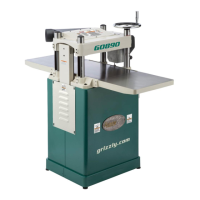
Grizzly G0890 - User Manual

Grizzly G0890
60 pages
Print Icon
To Next Page IconTo Next Page
Loading...
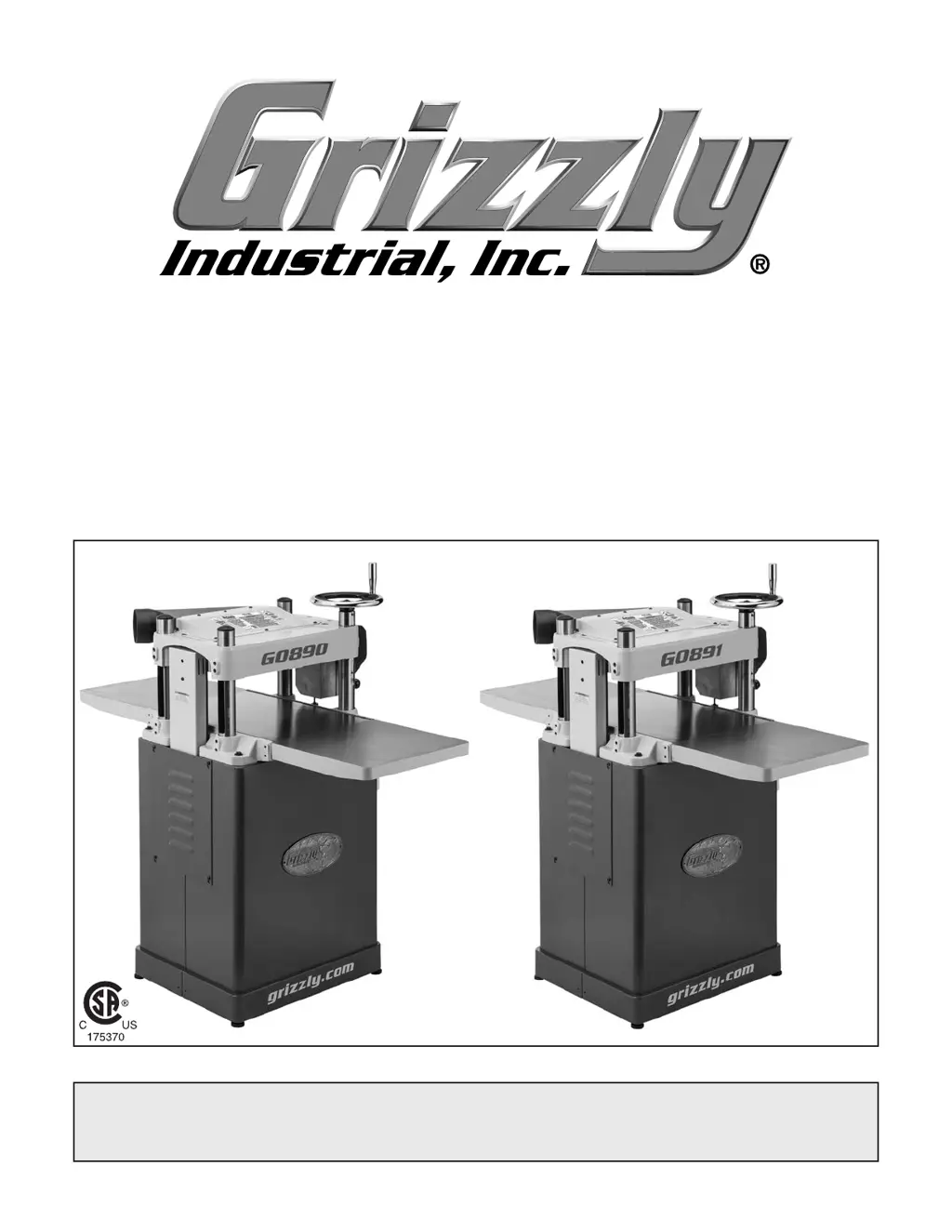
MODEL G0890/G0891
15" FIXED-TABLE PLANERS
OWNER'S MANUAL
(For models manufactured since 06/19)
COPYRIGHT © JULY, 2019 BY GRIZZLY INDUSTRIAL, INC.
WARNING: NO PORTION OF THIS MANUAL MAY BE REPRODUCED IN ANY SHAPE
OR FORM WITHOUT THE WRITTEN APPROVAL OF GRIZZLY INDUSTRIAL, INC.
#MN20544 PRINTED IN TAIWAN
V1.07.19

Questions and Answers

  • H
    Heather FloresAug 16, 2025
    What to do if workpiece stops in middle of cut with Grizzly G0890 Planer?
    • N
      Nicole ThomasAug 16, 2025
      If your Grizzly Planer workpiece stops or slows down in the middle of a cut, it could be due to a few reasons. You might be taking too heavy of a cut, so try taking a lighter cut. Another possibility is that the feed rollers are set too low or too high, so you may need to adjust them. Lastly, pitch and glue buildup on the planer components can cause this issue, so clean the internal cutterhead components with a pitch/resin-dissolving solvent.
  • T
    tiffany92Aug 19, 2025
    Why does my Grizzly Planer cause chipping with a consistent pattern?
    • F
      Francisco HigginsSep 12, 2025
      If your Grizzly Planer is causing chipping with a consistent pattern, there are several potential causes. Inspect the workpiece for knots and grain direction. Only use clean stock, and ensure you are cutting with the grain. Also, check if you are taking too deep of a cut; reduce the cutting depth, especially when planing hardwoods. The feed rate might also be too fast, so try slowing it down. Finally, a nicked or chipped knife/insert could be the culprit, so replace the affected knife or have it sharpened, or rotate/replace the insert.
  • T
    Tyler EstradaAug 22, 2025
    What causes chipping in workpiece surface with Grizzly G0890 Planer?
    • K
      Katie AguilarAug 22, 2025
      If your Grizzly Planer is causing chipping or indentation in the workpiece surface with an inconsistent pattern, it is likely due to chips not being properly expelled from the cutterhead. Using a proper dust-collection system should resolve this issue.
  • R
    Rachel SmithAug 28, 2025
    How to prevent excessive snipe on my Grizzly G0890 Planer?
    • Q
      qleeAug 28, 2025
      If you're experiencing excessive snipe (an uneven gouge at the end of the board) when using your Grizzly Planer, it might be due to a few reasons. First, check if the outfeed extension slopes down or isn't level with the main table; if so, shim the outfeed extension wing to make it level. Another cause could be that the workpiece isn't supported as it leaves the planer, so try holding the workpiece up slightly as it exits the outfeed end. Remember that some snipe is inevitable, so plane the lumber longer than needed and cut off the excess after planing.
  • R
    Ronald MossAug 31, 2025
    What causes long lines on wood after using Grizzly G0890 Planer?
    • C
      carlsonshaneAug 31, 2025
      If you notice long lines or ridges running along the length of the board after using your Grizzly Planer, it's likely due to nicked or chipped knives/inserts. Replace the knives or have them professionally sharpened, or rotate/replace the inserts.
  • S
    Susan HendricksSep 3, 2025
    Why does my Grizzly Planer leave uneven cutting marks on the board?
    • T
      Teresa YangSep 3, 2025
      If your Grizzly Planer is leaving uneven cutting marks, a wavy surface, or chatter marks across the face of the board, several factors may be responsible. You might be feeding the workpiece too fast, so try slowing down the feed rate. Additionally, the knives might not be installed evenly, or the inserts might not be properly installed, so adjust the knives with a knife gauge, or remove the inserts, properly clean the mounting pocket, and reinstall them. Lastly, worn cutterhead bearings could be the cause, so consider replacing them.
  • D
    daniel32Sep 6, 2025
    Why does my Grizzly G0890 leave a glossy surface on the wood?
    • E
      Eduardo BrownSep 6, 2025
      If you're getting a glossy surface when using your Grizzly Planer, it could be due to a few reasons. The knives or inserts might be dull, so try replacing the knives or having them professionally sharpened, or rotate/replace the inserts. You might also be feeding the workpiece too slowly, so try increasing the feed rate. Finally, the cutting depth might be too shallow, so increase the depth of cut.
  • C
    Catherine ParksSep 9, 2025
    What causes fuzzy grain when using my Grizzly G0890?
    • M
      mirandamcguireSep 9, 2025
      If your Grizzly Planer is producing fuzzy grain, it may be because the wood has a high moisture content or surface wetness. Check that the moisture content is below 20% and allow the wood to dry if the moisture is too high. Dull knives/inserts can also cause fuzzy grain, so replace the knives or have them professionally sharpened; rotate/replace inserts.
  • D
    Dana WatkinsSep 12, 2025
    Why does workpiece twist in my Grizzly G0890?
    • R
      robertscourtneySep 12, 2025
      If the workpiece twists in the Grizzly Planer, it is likely that the feed rollers are not parallel with the table. Adjusting the feed rollers should solve this problem.
  • J
    jhardyNov 24, 2025
    Why does my Grizzly Planer have vibration or noisy operation?
    • F
      floresamandaNov 24, 2025
      If your Grizzly Planer has excessive vibration or noisy operation, several factors could be the cause. First, inspect and tighten any loose bolts or nuts on the motor or components, replacing any damaged parts. If the V-belt is worn or loose, try tensioning or replacing it. Ensure the pulley is properly aligned, and replace the shaft, pulley set screw, or key if necessary. Check that the plastic chip deflector isn't hitting the knives and adjust it, or replace it if needed. Also, make sure the motor fan isn't rubbing on the fan cover; fix or replace the cover, or replace the fan if it's loose or damaged. Finally, the knives or gibs could be at fault, so sharpen or replace the knives and ensure they are correctly aligned and set at the right height. Inspect the cutterhead and motor bearings...

Summary

Introduction to the Grizzly Planer

Contact and Manual Information

Provides contact details for technical support and manual feedback.

Machine Description

Briefly describes the G0890/G0891 planer models and their differences.

Machine Identification and Controls

Component Identification

Identifies key controls and features of the planer through diagrams.

Controls and Components

Details the main controls and components of the planer.

Internal Components

Explains the workpiece path and major internal components of the planer.

Safety Instructions

General Safety Instructions

Provides critical safety instructions for operating machinery.

Planer-Specific Safety

Offers specific safety precautions for using planers.

Setup Procedures

Power Supply and Grounding

Details power supply requirements, circuit needs, and grounding procedures.

Site, Assembly & Dust Collection

Covers site considerations, assembly steps, and dust collection connection.

Inventory, Cleanup & Checks

Lists included parts, cleaning steps, and initial checks like gearbox oil.

Test Run and Adjustments

Guides the user through testing the machine and verifying factory adjustments.

Operating the Planer

Operation Overview & Workpiece Prep

Provides a basic understanding of planer operation and workpiece inspection.

Planing Techniques & Wood Types

Explains planing tips, wood types, and their effect on cutting.

Cutting Problems & Depth Control

Identifies common cutting problems and how to set depth of cut.

Feed Rate & Knife;Insert Management

Details setting feed rate and managing cutterhead knives or inserts.

Accessories

Recommended Accessories

Lists and describes available accessories for the planer.

Replacement Parts & Stands

Covers replacement knives, roller stands, and other support items.

Maintenance

Maintenance Schedule

Outlines a schedule for routine maintenance tasks.

Cleaning & Lubrication

Explains general cleaning and lubrication procedures for the machine.

Specific Lubrication Points

Details lubrication requirements for specific components like rollers and chains.

Service and Troubleshooting

Troubleshooting Guide

Provides solutions for common motor, electrical, and machine operation problems.

Adjustments and Calibration

V-Belt & Roller Adjustments

Details procedures for adjusting the V-belt and feed roller heights.

Spring Tension & Chip Deflector

Explains adjusting roller spring tension and positioning the chip deflector.

Headstock Scale & Parallelism

Covers calibration of the headstock scale and cutterhead parallelism.

Anti-Kickback & Chain Tension

Guides checking anti-kickback fingers and tensioning the headstock chain.

Wiring Information

Wiring Safety & Components

Provides safety guidelines, component identification, and color key for wiring.

Wiring Diagram

Presents the electrical wiring diagram for the planer.

Parts Identification

Major Assembly Parts Lists

Lists and illustrates parts for headstock, stand/motor, and table assemblies.

Labels and Cosmetics

Identifies various labels and cosmetic parts on the machine.

Warranty Information

Warranty and Returns Policy

Outlines the product warranty and return procedures.

Grizzly G0890 Specifications

General IconGeneral
Maximum cutting height6 inches
Minimum cutting thickness1/8 inch
Cutterhead speed5000 RPM
Number of knives3
Cutterhead Diameter3 inches
Motor3 HP
Maximum cutting width15 inches
Maximum cutting depth1/8 inch
Knife size15 x 1 x 1/8 inches
Feed rate16 & 20 FPM

Related product manuals