-48-
Model G0602/G0752 (Mfg. Since 11/12)
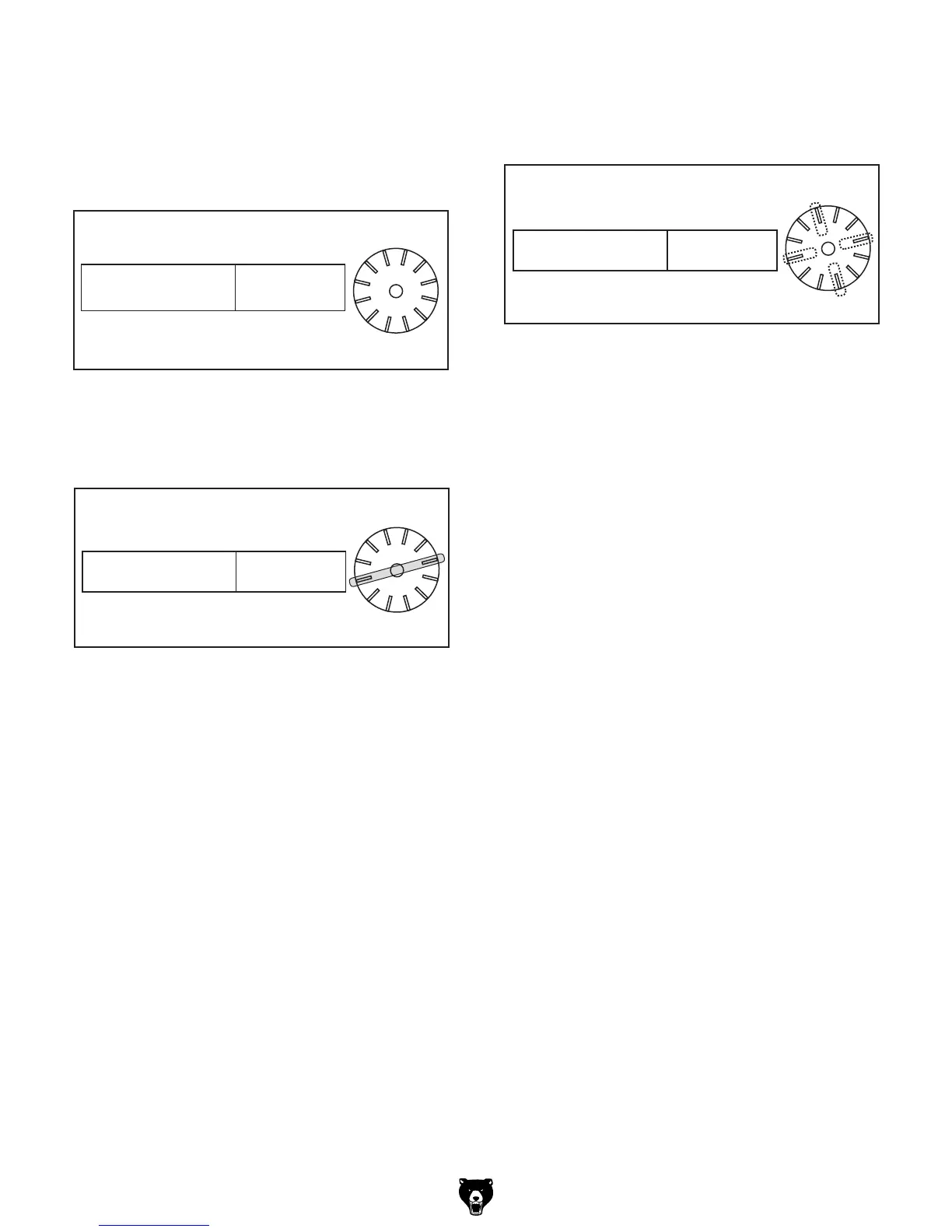
The following examples explain how to use the
thread dial chart.
9, 12, 18, 24, 36, 48, 72 TPI
For these threading TPI's, use any of the lines on
the thread dial (see Figure 66).
All Other TPI
For all other TPI's, use numbered lines 1 or 7 or
non-numbered lines 4 or 10 on the thread dial
(see Figure 68).
All Other TPI
POSITION
1,4, 7, 10
TPI
9
1
/
2
,11
1
/
2
,13
1
/
2
POSITION
1,7
TPI
ANY
POSITION
9, 12, 18, 24, 36, 48, 72
TPI
5
7
3
1
11
9
Figure 66. 9, 12, 18, 24, 36, 48, 72 TPIs.
9
1
⁄2, 11
1
⁄2 ,13
1
⁄2 Fractional TPI
For threading these TPIs, use the numbered lines
1 or 7 on the thread dial (see Figure 67).
All Other TPI
POSITION
1,4, 7, 10
TPI
9
1
/
2
,11
1
/
2
,13
1
/
2
POSITION
1,7
TPI
ANY
POSITION
9, 12, 18, 24, 36, 48, 72
TPI
5
7
3
1
11
9
5
7
3
1
11
9
Figure 67. 9
1
⁄2, 11
1
⁄2 13
1
⁄2 TPIs.
All Other TPI
POSITION
1,4, 7, 10
TPI
9
1
/
2
,11
1
/
2
,13
1
/
2
POSITION
1,7
TPI
ANY
POSITION
9, 12, 18, 24, 36, 48, 72
TPI
5
7
3
1
11
9
5
7
3
1
11
9
5
7
3
1
11
9
Figure 68. All other TPIs.


 To Next Page
 Loading...