Manual Sensitivity Adjustment (For Installers Only)
To adjust UP Force
1.
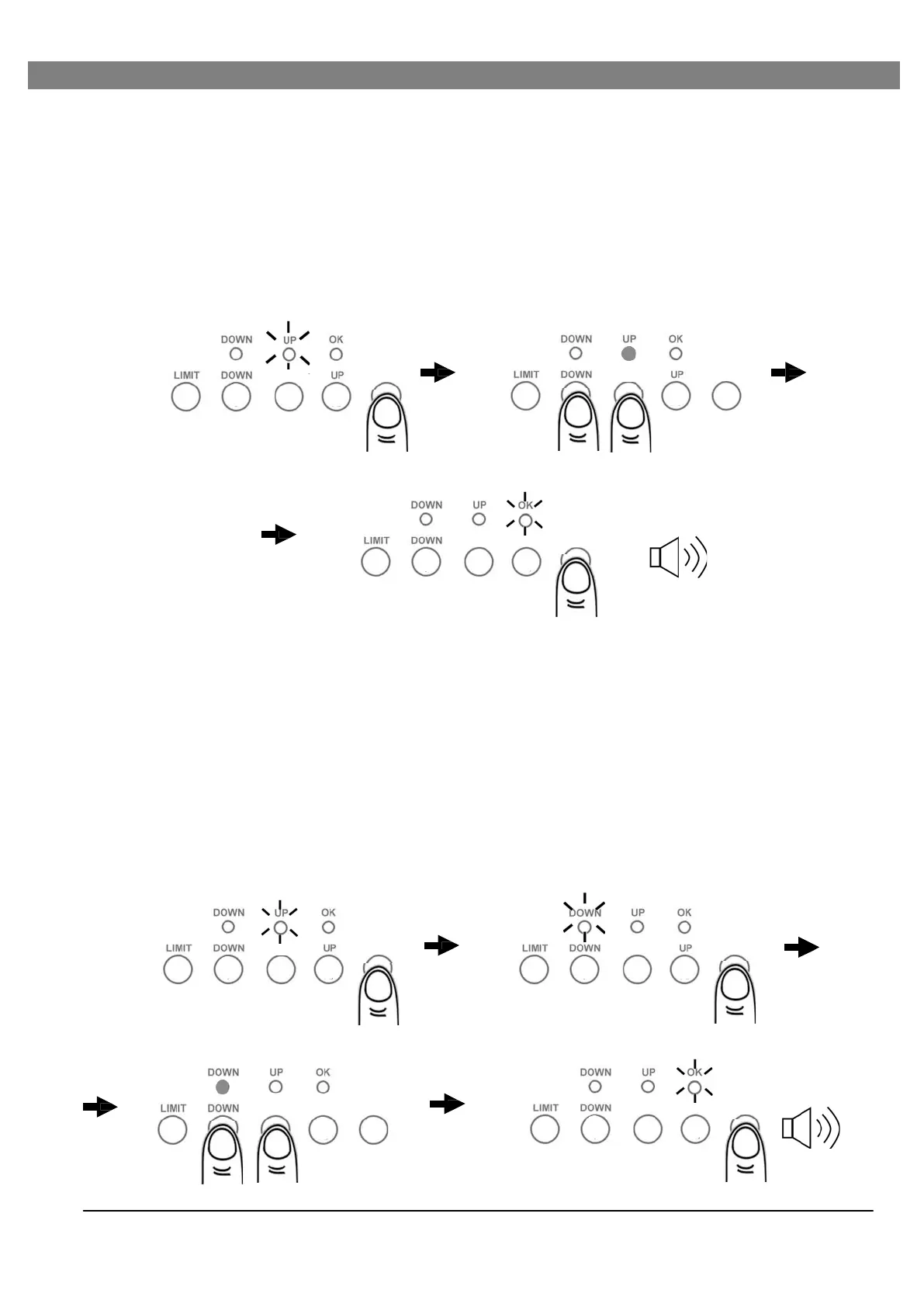
Press “FORCE” button once, “UP” LED is on. You are now in “UP Force Setting” mode.
2.
To increase or decrease UP force by pressing “UP” or “DOWN” button once at a time, a
beep sound indicates an increase or decrease for one increment, and 2 beeps upon upper
level 8 or lower level 1 is reached. The UP Force is default at level 5.
3.
To complete “UP Force” setting, press “FORCE” button. “UP” LED goes off and “OK” LED
flashes once with 2 beeps. “UP Force” setting is completed.
1 2
Enter Force Setting / UP
— or +
3
x2
To adjust DOWN Force
Confirm
1.
To adjust DOWN force, press “FORCE” button once, “UP” LED is on, then press “FORCE”
button again within 5 seconds, “DOWN” LED is on, you are now in “DOWN Force Setting”
mode.
2.
To increase or decrease DOWN force by pressing “UP” or “DOWN” button once at a time, a
beep sound indicates an increase or decrease for one increment, and 2 beeps upon upper
level 8 or lower level 1 is reached. The DOWN Force is default at level 1.
3.
To complete “DOWN Force” setting, press “FORCE” button. “DOWN” LED goes off and
“OK” LED flashes once with 2 beeps. “DOWN Force” setting is completed.
1
Enter Force Setting Select DOWN Force
2
3
x2
— or +
12
Confirm


 To Next Page