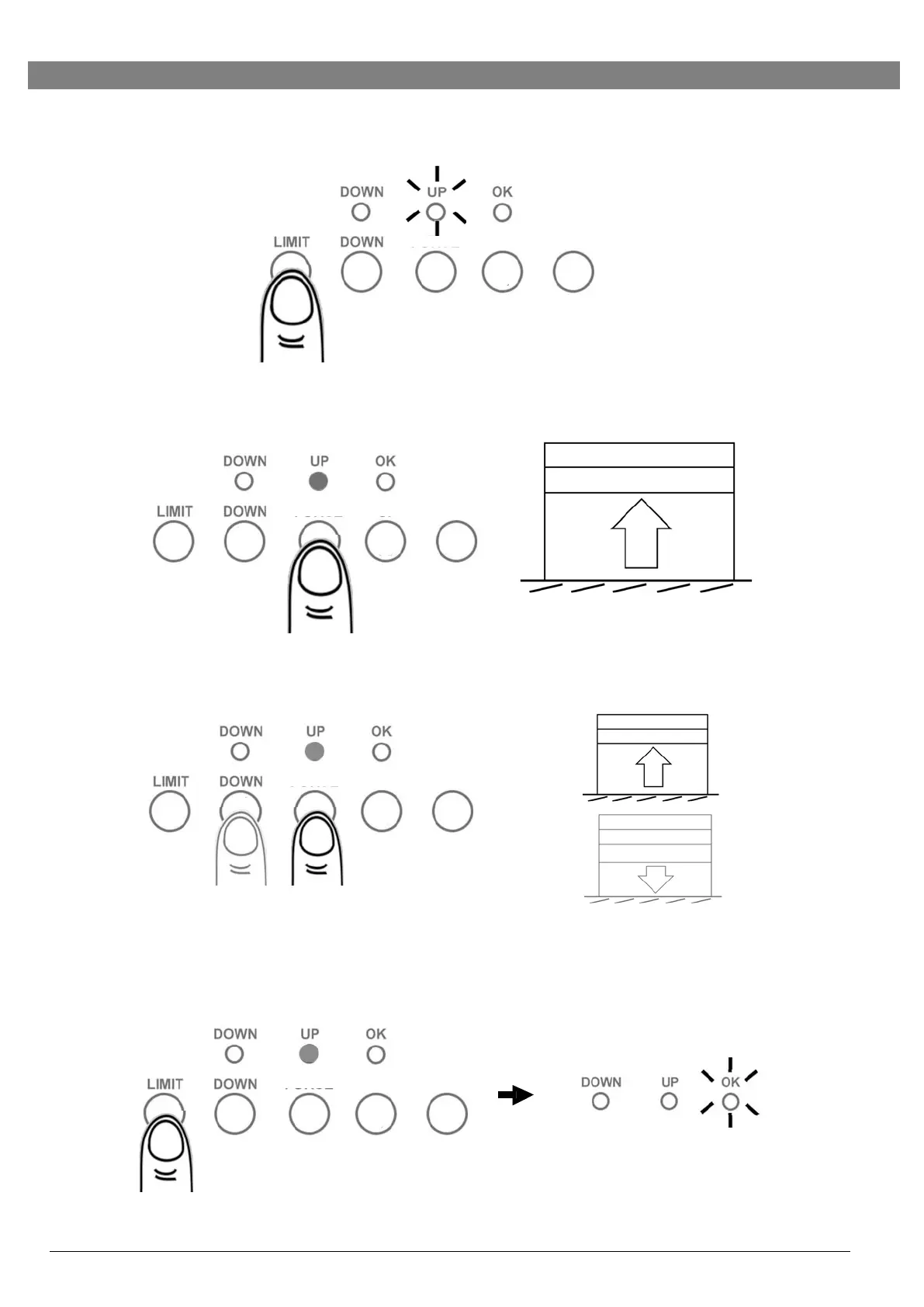
Setting UP Limit
1.
Press “LIMIT” button once to enter limit-setting mode. “UP” LED is on.
2.
Press & hold the “UP” button, release the “UP” button when the door reaches
the desired up limit position.
3.
During limit-setting mode, press “UP” or “DOWN” to fine-tune to desired UP
limit position.
or
4.
When the door is at the desired UP limit position, press “LIMIT” button once,
“OK” LED flashes and goes out. UP limit is set.


 To Next Page