15
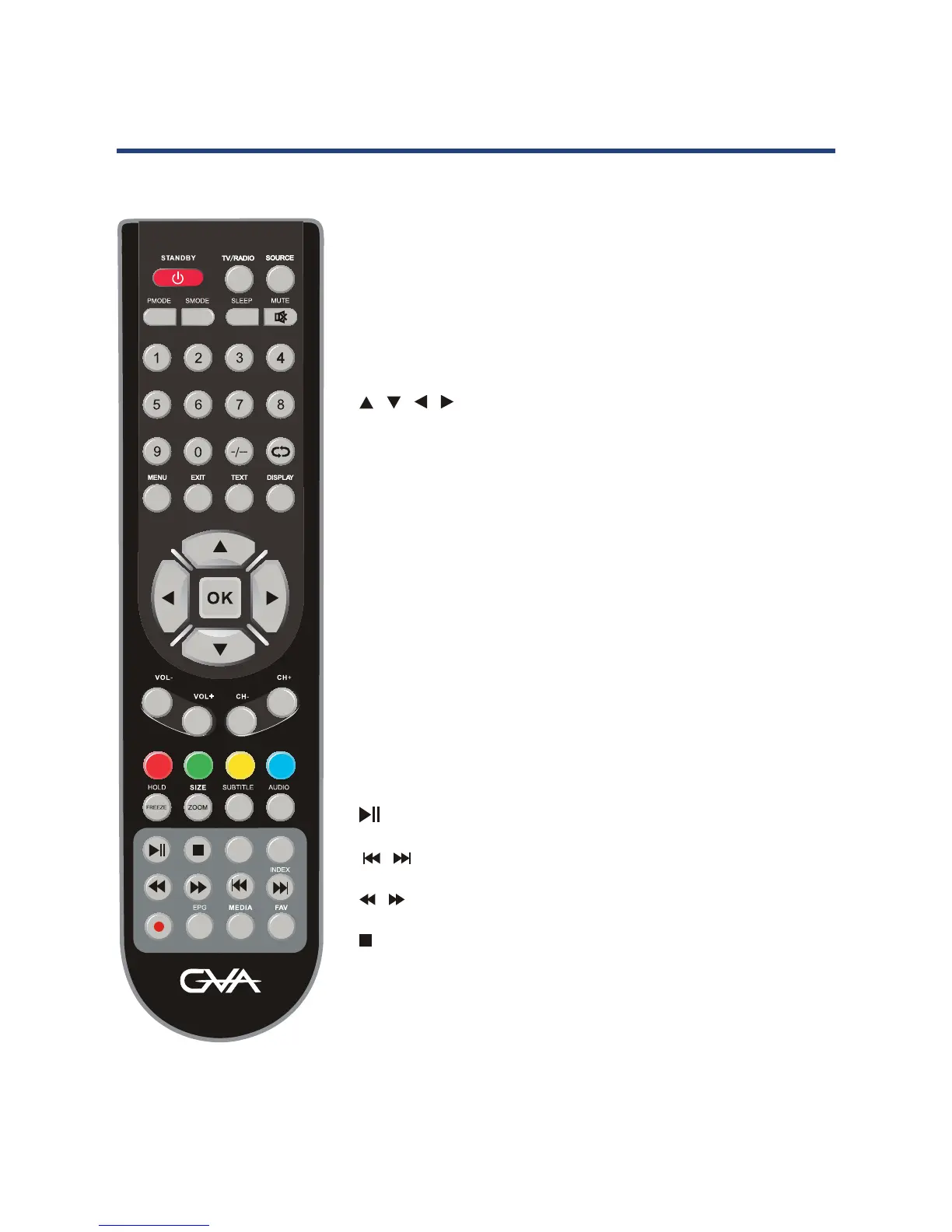
NUMBER OF BUTTONS: Press 0-9 to select a channel.
MENU: Brings up the main menu to the screen.
DISPLAY: Press to display the source and channel’s
information.
/ / / /OK : Allows you to move, select and setup the
OSD options.
CH+/-: Channel up/down.
COLOUR BUTTONS: Used in a few sub menus.
SUBTITLE: Displays subtitles.
SIZE: Change the picture format.
FAV: Display your favourite channel list.
MEDIA: Press to select MEDIA mode.
REC: PVR/Record the program in DTV mode.
TV/RADIO: Select TV or RADIO modes.
: PLAY/PAUSE in MEDIA mode.
/ : Jump to previous and next track in MEDIA mode.
/ : Fast reverse and forward key in MEDIA mode.
: Stop in MEDIA mode or exit the REC mode.
Remote Control
DTV MODE
13
Remote ControlRemote Control
STANDBY:
SOURCE: Press to cycle through the input source.
MUTE: Press to mute the sound. Press again or press V+ to
un-mute the TV.
PMODE: Select picture mode.
SMODE: Select sound mode.
AUDIO: Press to search the NICAM modes. (not available in
Australia)
SLEEP: Sets the TV sleep time.
0-9: TV channel number select.
: Multiple number program channels.
: Return to the previous channel viewed.
DISPLAY: Press to display the source and channel’s
information.
/ / / /OK : Allows you to move, select and setup
the OSD options.
MENU: Brings up the main menu to the screen.
EXIT: Press to close the on-screen display.
VOL+/-: Volume up/down.
CH+/-: Channel up/down.
ATV MODE



 To Next Page