29
EPG (Electronic Program Guide)
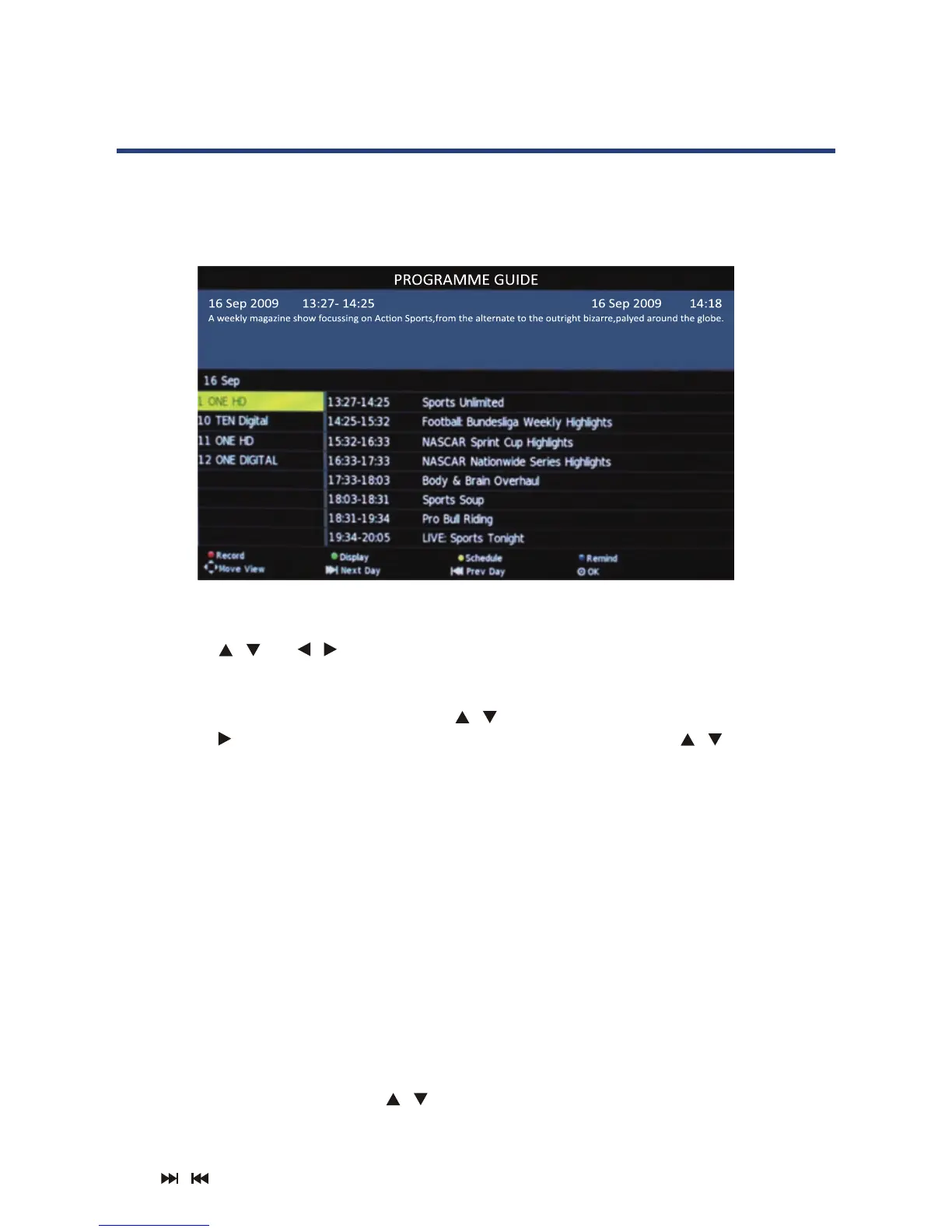
EPG stands for Digital Electronic Program Guide. It is supplied by the program providers
and oers information about the programs to be broadcast. You can access it in digital
mode by pressing the EPG button on the remote control, the menu will appear on the
screen, as below:
NOTE:
When the TV is rst turned on (in DTV mode), no EPG information is displayed. If
still no EPG information is displayed after you have brought up the EPG menu, use
the
/ and / buttons to navigate to the channel you wish to display the
information from and when it is highlighted, press OK on the remote control to
activate it.
Once you have activated a channel, use the / buttons to go to the top row (Channel),
then use the button to bring up the programs to be broadcast and the / buttons to
move up and down the dierence timeslots.
PVR/Record
To record a selected program, press the RED button and insert an
appropriate USB device (see page 34 for more on this).
Display
Press the GREEN button to display the information about the DTV program.
Schedule
Press the YELLOW button to bring up a schedule of programmed recordings.
Remind
Press the BLUE button and use the
/ buttons to navigate between programs.
Next Day/Prev Day
Press
/ key to select the information about next day/previous day.
29
EPG stands for Digital Electronic Program Guide. It is supplied by the program providers
mode by pressing the EPG button on the remote control, the menu will appear on the
screen, as below:
NOTE: W
no EPG information is displayed after you have brought up the EPG menu, use the
/
and
/ buttons to navigate to the channel you wish to display the information from
and when it is highlighted, press OK on the remote control to activate it.
Once you have activated a channel, use the
/ buttons to go to the top row (Channel), then
use the
button to bring up the programs to be broadcast and the / buttons to move up
PVR/Record
To record a selected program, press the RED button and insert an
appropriate USB device (see page 34 for more on this).
Display
Press the GREEN button to display the information about the DTV program.
Schedule
Press the YELLOW button to bring up a schedule of programmed recordings.
Remind
Press the BLUE button and use the / buttons to navigate between programs.
Next Day/Prev Day
Press key to select the information about next day/previous day.
EPG (Electronic Program Guide)



 To Next Page