36
Record Start (Instant Recording)
You can press the
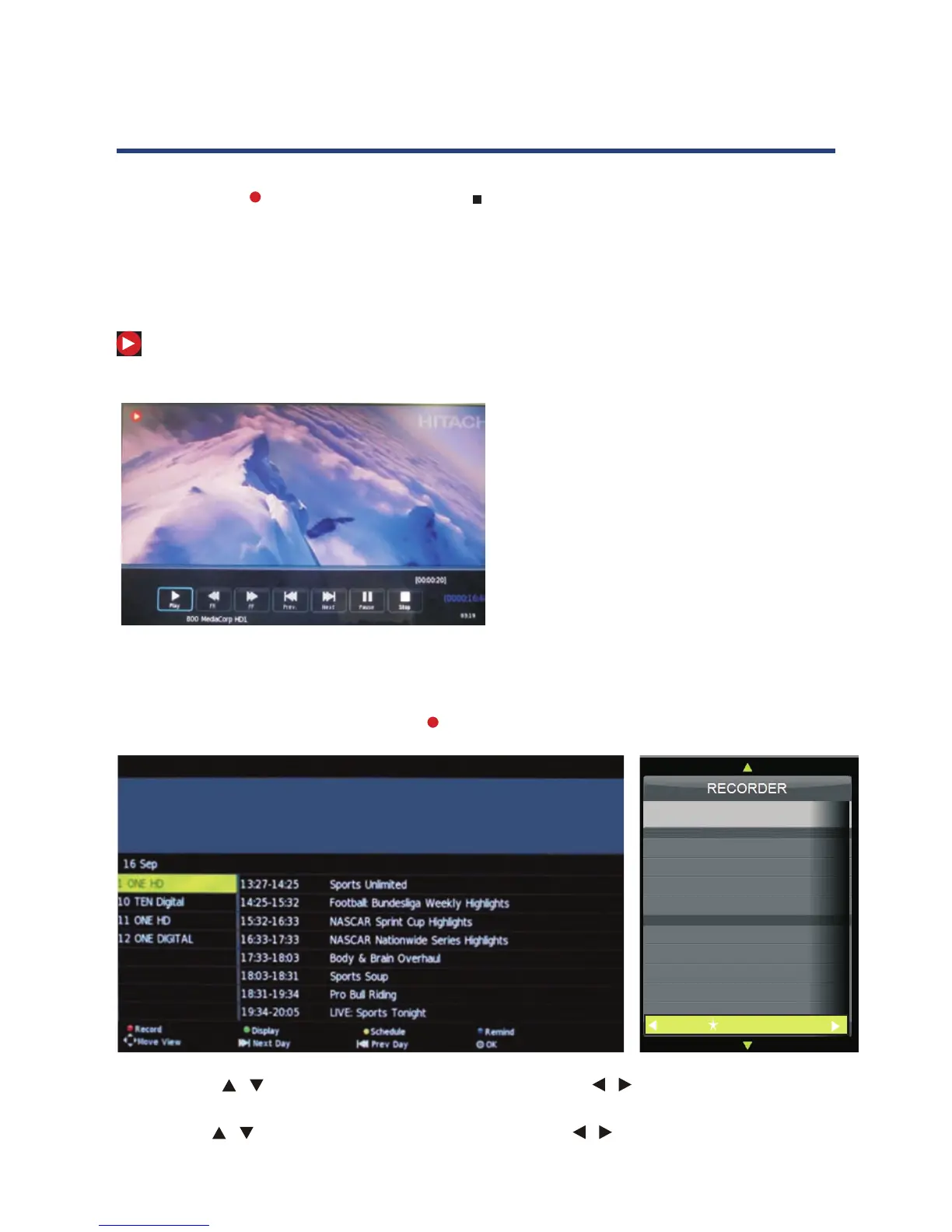
REC button to start (and the button to stop) recording directly. If you want to
stop recording, you should select Stop in the operation menu and press OK button to operate.
The system can record and play back DTV at the same time. Select the appropriate action from the
panel above and press OK to operate.
The icon will be appear when you start to record.
When you success to set the timer record, it will
start recording.
Press Play to play what you have recorded, but the
recording is still on.
Press FB to play fast backward.
Press FF to play fast forward.
Press Pre. to play the previous video.
Press Next to play the next video.
Press Pause to pause the scene of video you are
watching, but the recording is still on.
Press Stop to stop recording.
PVR and Time shift Operation
Record Start (Instant Recording)
You can press the REC button to start (an
d the button to stop) recording directly.
If you want to stop recording, you should select Stop in the operation menu and press OK
button to operate.
The system can record and play back DTV at the same time. Select the appropriate action from the
panel above and press OK to operate.
The icon will be appear when you start to record.
Time Recorder
803 AFD1, 4:3
Mode Once
-
+
15 Minute
08 Hour
Dec Month
07 Date
15 Minute
09 Hour
Dec Month
07 Date
Start Time
End Time
1. Press the “EPG” button on the remote control, the EPG menu will appear on the screen,select
a programme required and press the REC button to display the RECORDER menu.
2. Press the buttons to select "Srart Time"
item, press the buttons to set the
beginning recording time.
/ /
3. Use the buttons to select "End Time"
end time recorded.
item, press the buttons to select the
/
/
PVR and Time Shift Operation
When you success to set the timer record, it
will start recording.
Press Play to play what you have recorded,
but the recording is still on.
Press FB to play fast backward.
Press FF to play fast forward.
Press Pre. to play the previous video.
Press Next to play the next video.
Press Pause to pause the scene of video you
are watching, but the recording is still on.
Press Stop to stop recording.
Time Recorder
1. Press the “EPG” button on the remote control, the EPG menu will appear on the screen. Select
a programme required and press the REC button to display the RECORDER menu.
When you success to set the timer record, it will
start recording.
Press Play to play what you have recorded, but the
recording is still on.
Press FB to play fast backward.
Press FF to play fast forward.
Press Pre. to play the previous video.
Press Next to play the next video.
Press Pause to pause the scene of video you are
watching, but the recording is still on.
Press Stop to stop recording.
PVR and Time shift Operation
Record Start (Instant Recording)
You can press the REC button to start (an
d the button to stop) recording directly.
If you want to stop recording, you should select Stop in the operation menu and press OK
button to operate.
The system can record and play back DTV at the same time. Select the appropriate action from the
panel above and press OK to operate.
The icon will be appear when you start to record.
Time Recorder
803 AFD1, 4:3
Mode Once
-
+
15 Minute
08 Hour
Dec Month
07 Date
15 Minute
09 Hour
Dec Month
07 Date
Start Time
End Time
1. Press the “EPG” button on the remote control, the EPG menu will appear on the screen,select
a programme required and press the REC button to display the RECORDER menu.
2. Press the buttons to select "Srart Time"
item, press the buttons to set the
beginning recording time.
/ /
3. Use the buttons to select "End Time"
end time recorded.
item, press the buttons to select the
/
/
2. Press the / buttons to select “Start Time” item, press the / buttons to set the
beginning recording time.
3. Use the / buttons to select “End Time” item, press the / buttons to select the end
time recorded.



 To Next Page