14
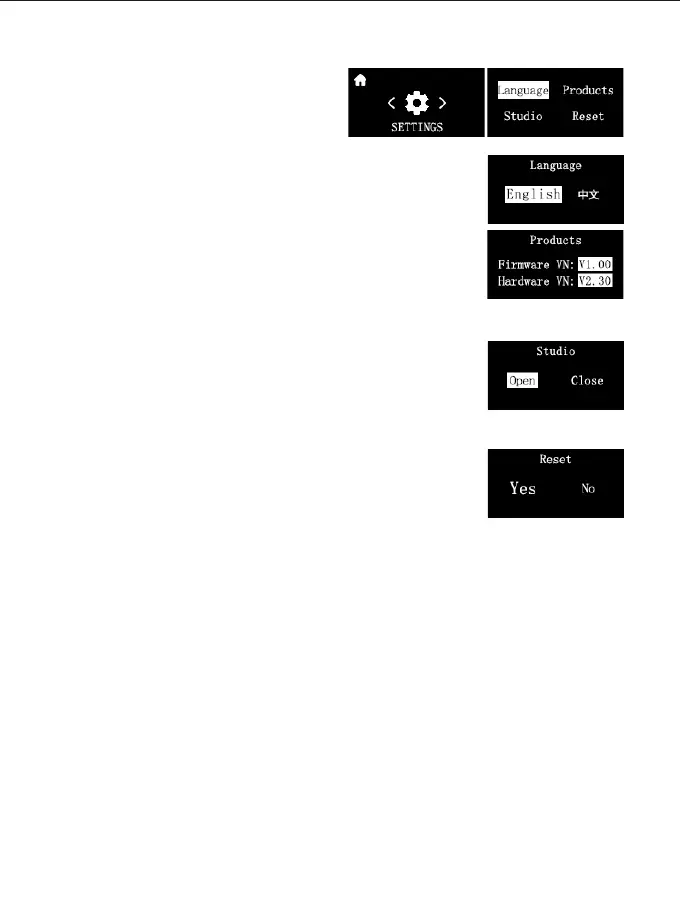
④ SETTINGS:
The menu setting interface includes:
System language, product information,
studio, and system reset.
System language:
Supports switching between Chinese and English.
Product information:
Displays the product's firmware version and hardware version
info.
Studio:
You can view and switch studio status.
Studio ON: In this mode the video light will record and store it's
current settings for next time your turn on the light.
Studio OFF: In this mode Turning the lights back on after a
power outage will cause the light to restore to its factory default
settings.
System reset:
Factory settings can be restored.



 To Next Page