Key
to
Symbols
1.4
Symbols used
on
the
display
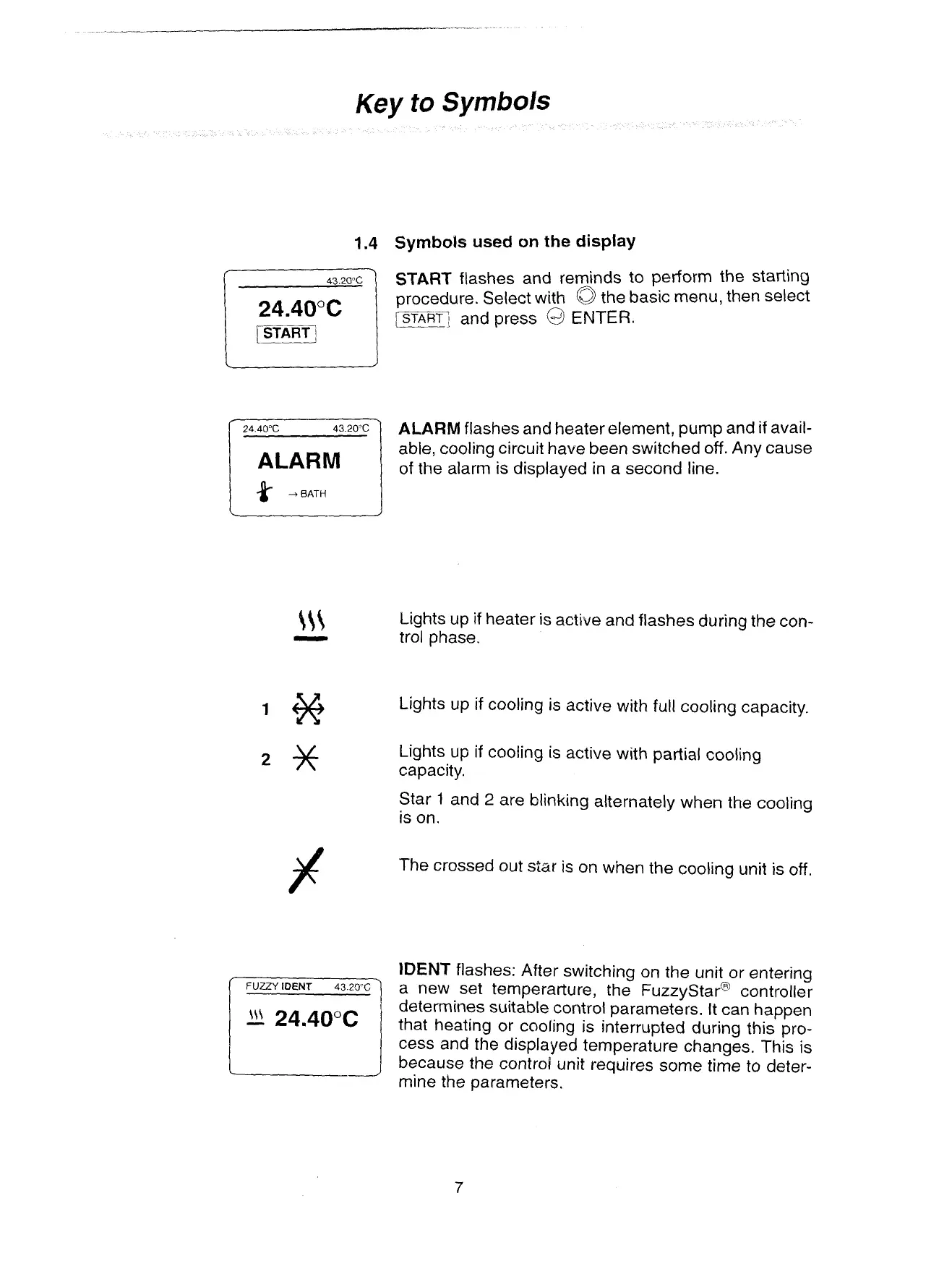
START
flashes and reminds to perform the starting
24.40°C
procedure. Select with
the basic menu, then select
rmf;,
and press
@
ENTER.
ALARM
flashes and heater element, pump and
if
avail-
ALARM
abie, cooling circuit have been switched off. Any cause
of the alarm is displayed in a second line.
FUZZY
DENT
43.20%
Lights up if heater is active and flashes during the con-
trol phase.
Lights up
if
cooling is active with full cooling capacity.
Lights up if cooiing is active with partial cooling
capacity.
Star
1
and
2
are blinking alternately when the cooling
is on.
The crossed out
star is on when the cooling unit is off.
IDENT
flashes: After switching on the unit or entering
a new set temperarture, the ~uzzystar~ controller
determines suitable control parameters. It can happen
that heating or cooling is interrupted during this pro-
cess and the displayed temperature changes. This is
because
the
controE unit requires some
time
to
deter-
mine the parameters.
Artisan Technology Group - Quality Instrumentation ... Guaranteed | (888) 88-SOURCE | www.artisantg.com


 To Next Page