TX100 USB 44 6T7639a
8.3.2 Creating links in Expert mode
To create a link in Expert mode, objects must be linked assigning them the same group address.
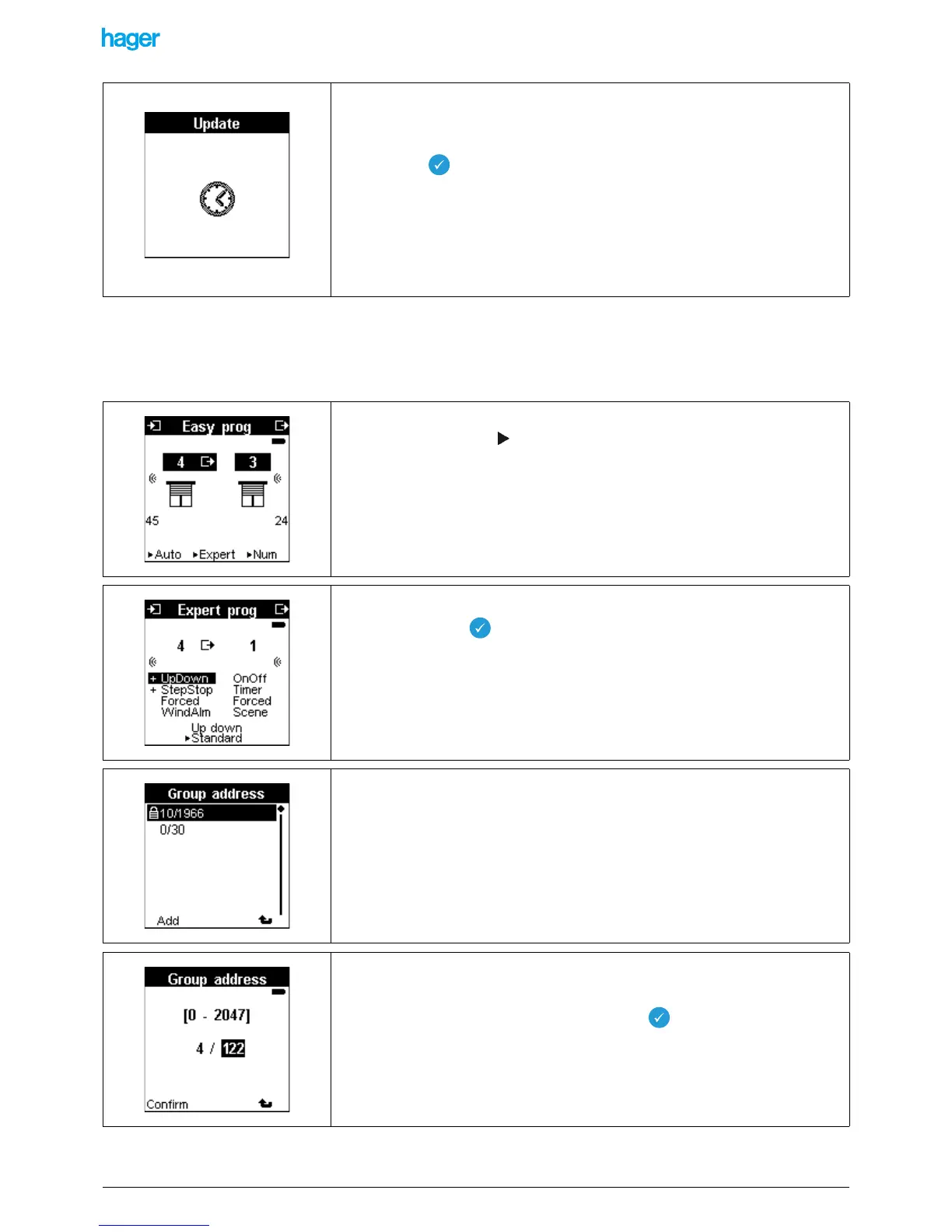
• Press the key for a long time
• An Update screen is displayed.
• A sound signal confirms the addition of the group address.
• Return to Auto mode.
• Select the input and the output for which an expert link must be created.
• Press the screen key Expert.
• Select the object to be linked for the input.
• Press briefly key .
• Display the address.
• Press the Add screen key.
• Add an address: For example 4/122.
• Press the Confirm screen key to return to the Prog Expert screen.
• Download the address with a long key press on .


 To Next Page