TX100 USB 45 6T7639a
• Select the object to be linked for the output.
• Press briefly key .
• Press the Add screen key.
• Add the same address 4/122.
• Press the Confirm screen key to return to the Prog Expert screen.
• Download the address with a long key press on .
• The creation of the 2 identical addresses and their download set up the link
between the 2 objects.
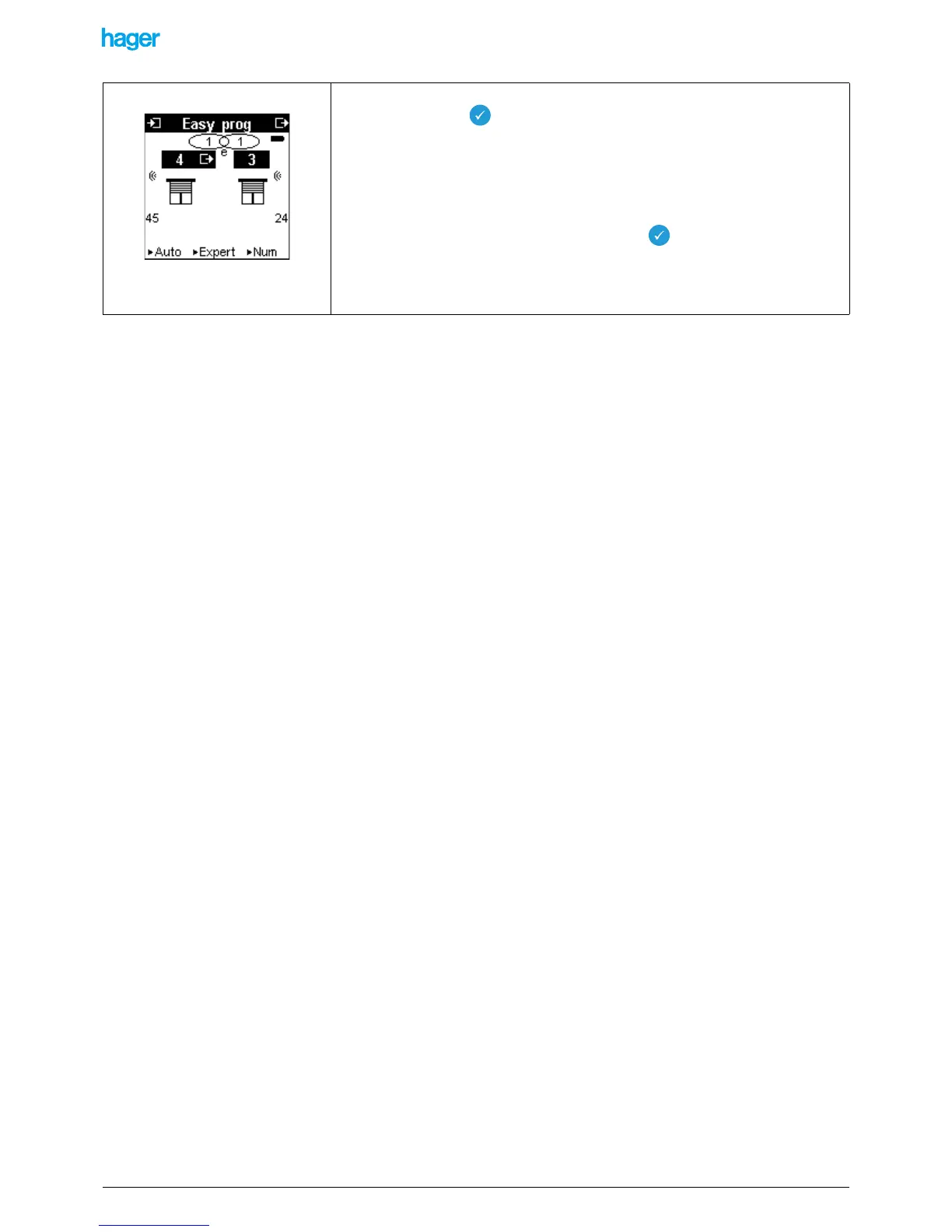
The link is displayed in the Prog Easy screen with a letter e indicating that the link was
created in Expert mode.


 To Next Page